
Redesign Slides with Copilot's Visualize This Slide Skill in PowerPoint
Use the Visualize this slide skill in Copilot for PowerPoint to turn text-heavy slides into visual layouts. Three examples: bullets, a six-step process, and a timeline.

Use the Visualize this slide skill in Copilot for PowerPoint to turn text-heavy slides into visual layouts. Three examples: bullets, a six-step process, and a timeline.
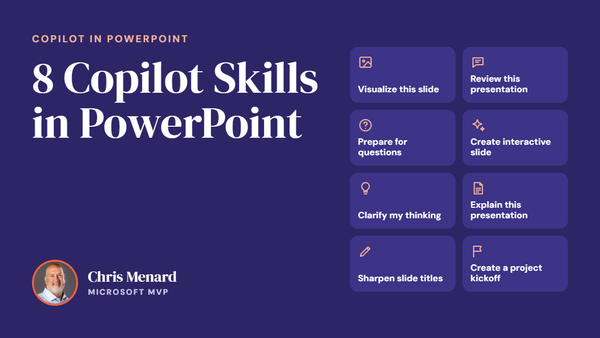
𝗠𝗼𝘀𝘁 𝗣𝗼𝘄𝗲𝗿𝗣𝗼𝗶𝗻𝘁 𝘂𝘀𝗲𝗿𝘀 𝗸𝗻𝗼𝘄 𝗖𝗼𝗽𝗶𝗹𝗼𝘁 𝗰𝗮𝗻 𝗰𝗿𝗲𝗮𝘁𝗲 𝘀𝗹𝗶𝗱𝗲𝘀. 𝗙𝗮𝗿 𝗳𝗲𝘄𝗲𝗿 𝗸𝗻𝗼𝘄 𝗮𝗯𝗼𝘂𝘁 𝘁𝗵𝗲 𝟴 𝗯𝘂𝗶𝗹𝘁-𝗶𝗻 𝗖𝗼𝗽𝗶𝗹𝗼𝘁 𝗦𝗸𝗶𝗹𝗹𝘀 𝘁𝗵𝗮𝘁 𝗰𝗮𝗻 𝗰𝗼𝗺𝗽𝗹𝗲𝘁𝗲𝗹𝘆 𝗰𝗵𝗮𝗻𝗴𝗲 𝗵𝗼𝘄 𝘆𝗼𝘂 𝗯𝘂𝗶𝗹𝗱, 𝗶𝗺𝗽𝗿𝗼𝘃𝗲, 𝗮𝗻𝗱 𝗽𝗿𝗲𝘀𝗲𝗻𝘁 𝗮 𝗱𝗲𝗰𝗸. Join me live on October 20, 2026, at Noon Eastern as I demonstrate each Copilot Skill and show practical ways to use them in your presentations. PDF of the 8 Copilot Skills in Pow

Compare two slides from the same PowerPoint presentation side by side in Normal view. Use New Window and Arrange All on the View tab instead of clicking back and forth.

The Sharpen slide titles skill in PowerPoint Copilot rewrites vague, one-word slide titles as clear takeaways. Find the skill, use the @ mention shortcut, and review the before-and-after summary.

Excel can now hold a list of items in one cell. Create lists with Ctrl+J, filter by a single name, and summarize them with FLATTEN, UNIQUE, SORT, and COUNTIF.

Chrome can show two tabs side by side in one window. Right-click a tab, choose Add tab to new split view, and pick the second tab. Here is how to start it, exit it, and swap sides.

Copilot can create images from a prompt. Start from Apps and more > Create or from a new chat, open the result in the image editor, and refine it with a follow-up prompt.

Already built a PowerPoint presentation without your organization's template? Attach the template to Copilot, prompt it to apply the template to the existing deck, then review the slides for layout and content accuracy.

Join Chris Menard live on October 20 at noon ET for a hands-on look at six new Copilot Skills in PowerPoint. No registration required.

A full day of hands-on Excel with the UGA Terry College Executive MBA class, from essential skills to break-even analysis and the three financial statements.

Copilot Chat can see your screen and hear you at the same time. Start a voice chat, share your Excel window, and ask for highest, lowest, totals, averages and rankings out loud — no typing, no formulas.

Working with a large data set? Turn on Defer Layout Update in the PivotTable Fields pane, arrange every field you need, and apply all the changes at once with a single click on Update.

Microsoft Copilot and Excel Advanced sessions - Gaylord Opryland Resort

It was a pleasure presenting my Microsoft 365 Copilot training sessions at APC 2026 at Gaylord Opryland in Nashville, Tennessee. In addition to the two Copilot sessions that I ran, we also ran two advanced Excel sessions. More than 300 people attended each of my two Copilot sessions on September

Chris Menard's Session on Monday, September 14, 2026

Microsoft Excel
The COPILOT function retires on September 14, 2026. I ran three real data tasks — sentiment ratings, ZIP code extraction, and address cleanup — through both the function and the Copilot Dynamic Action Button (DAB) in Excel to see what you actually lose.

Microsoft PowerPoint
The Create interactive slides skill in PowerPoint Copilot turns a table, an Excel workbook, or plain slide content into a clickable slide with filters, live totals, and swapping visuals — and it all works in normal editing view.

Copilot in Excel has two features that let you customize how it behaves: Personalization and Workbook Rules. Both are great on their own, but if you use both, an obvious question comes up — what happens when they conflict? Which one does Copilot actually listen to? I ran four hands-on
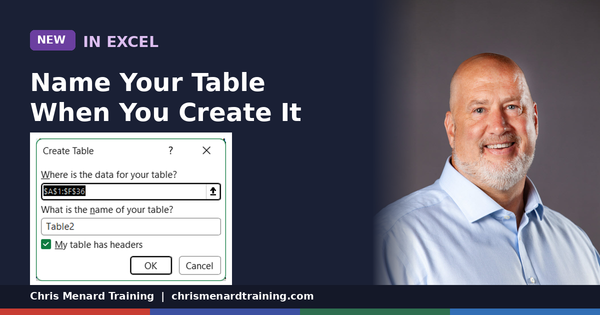
Microsoft is rolling out a small but genuinely useful update to Excel: when you create a new Table, you can now name it right in the Create Table dialog box — instead of accepting the default "Table1" and renaming it later (or, more likely, never renaming it at all)

Microsoft Excel
Turn a flat list of names and departments into a column per department that updates on its own. UNIQUE pulls the distinct departments, TRANSPOSE turns them into headers, and FILTER drops the right names underneath each one.
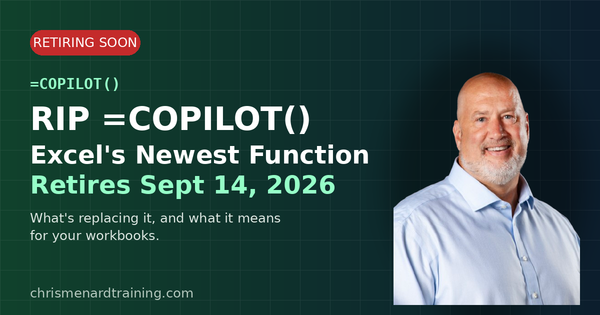
RIP =COPILOT(): Why Microsoft Is Retiring Excel's Newest Function Before It Ever Really Took Off. If you've been playing around with the =COPILOT() function in Excel, mark your calendar: September 14, 2026 is its last day. Microsoft quietly updated its support documentation with the retirement notice,

Microsoft Excel
The same XLOOKUP built two ways: against a plain range with absolute references, then against named tables with structured references. See why the table version survives new data without an edit.

If you're not using live captions in Teams meetings yet, here's a quick rundown of what's possible — it's more customizable than most people realize. Why Turn On Live Captions? Live captions in Microsoft Teams are one of the most underused features in

Microsoft PowerPoint
Microsoft Copilot's new Prepare for questions skill in PowerPoint reads your whole deck and predicts the objections your audience will raise, with slide-level evidence for each one.