Copilot Skills in PowerPoint - Live Stream on October 20, 2026

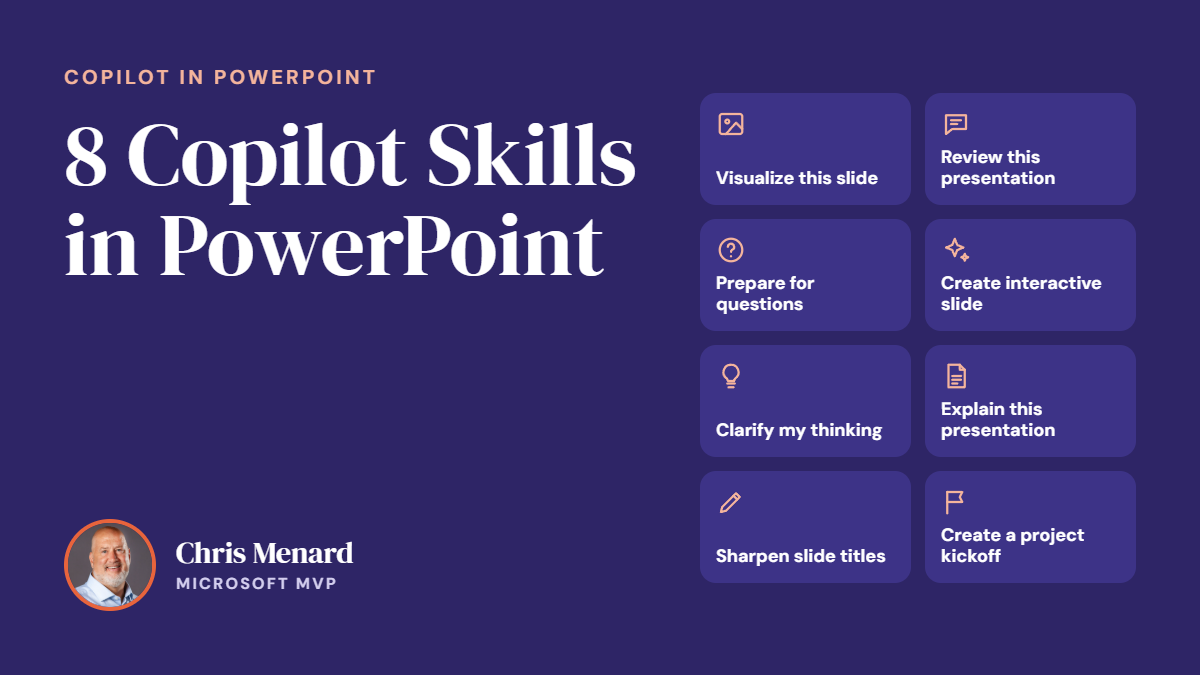
𝗠𝗼𝘀𝘁 𝗣𝗼𝘄𝗲𝗿𝗣𝗼𝗶𝗻𝘁 𝘂𝘀𝗲𝗿𝘀 𝗸𝗻𝗼𝘄 𝗖𝗼𝗽𝗶𝗹𝗼𝘁 𝗰𝗮𝗻 𝗰𝗿𝗲𝗮𝘁𝗲 𝘀𝗹𝗶𝗱𝗲𝘀. 𝗙𝗮𝗿 𝗳𝗲𝘄𝗲𝗿 𝗸𝗻𝗼𝘄 𝗮𝗯𝗼𝘂𝘁 𝘁𝗵𝗲 𝟴 𝗯𝘂𝗶𝗹𝘁-𝗶𝗻 𝗖𝗼𝗽𝗶𝗹𝗼𝘁 𝗦𝗸𝗶𝗹𝗹𝘀 𝘁𝗵𝗮𝘁 𝗰𝗮𝗻 𝗰𝗼𝗺𝗽𝗹𝗲𝘁𝗲𝗹𝘆 𝗰𝗵𝗮𝗻𝗴𝗲 𝗵𝗼𝘄 𝘆𝗼𝘂 𝗯𝘂𝗶𝗹𝗱, 𝗶𝗺𝗽𝗿𝗼𝘃𝗲, 𝗮𝗻𝗱 𝗽𝗿𝗲𝘀𝗲𝗻𝘁 𝗮 𝗱𝗲𝗰𝗸.
Join me live on October 20, 2026, at Noon Eastern as I demonstrate each Copilot Skill and show practical ways to use them in your presentations.
PDF of the 8 Copilot Skills in PowerPoint
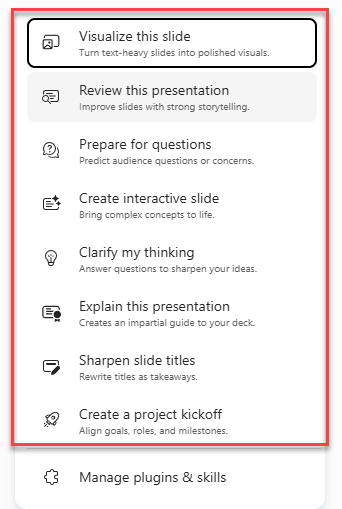
8 Copilot Skills as of October 20, 2026
✅ Visualize This Slide
✅ Review This Presentation
✅ Prepare for Questions (video below)
✅ Create Interactive Slide (video below - Menard favorite)
✅ Clarify My Thinking (written details below)
✅ Explain This Presentation (written details below)
✅ Sharpen Slide Titles (video below)
✅ Create a Project Kickoff
📅 October 20, 2026
🕛 Noon Eastern Time
✅ No registration required
✅ Free to attend
✅ 𝗧𝗵𝗲 𝗟𝗶𝗻𝗸𝗲𝗱𝗜𝗻 𝗟𝗶𝘃𝗲 𝗹𝗶𝗻𝗸
Whether you're new to Copilot or already use it every day, you'll leave with practical tips and real-world examples you can use right away.
I hope you'll join me live and bring your questions!
Interactive Slides - Copilot Skill
Prepare for Questions - Copilot Skill
Sharpen Slide Titles - Copilot Skill
Clarify my thinking - Copilot Skill
Clarify my thinking has Copilot read your deck and ask you pointed questions about your ideas. You answer them, and working through the answers sharpens your main message and the logic of your presentation before an audience sees it. The menu’s own description is “Answer questions to sharpen your ideas.”
- When to use it: Once you have a draft. It’s a final check on whether your message is specific and your argument holds together, not a tool for building slides.
- How it differs from “Prepare for questions”: That skill predicts what your audience might ask. This one questions you, so you tighten your own thinking first.
- Former name: Microsoft’s rollout notices say it was previously called “GrillMe,” which fits the questioning style.
- Availability: Microsoft’s notices list general availability worldwide starting October 8, 2026, for desktop, web, and Mac. Your existing Microsoft 365 Copilot licensing and admin controls still apply.
Explain This Presentation
Ever open a deck someone sent you and not know where to start? “Explain this presentation” is built for that moment.
When you choose it from the Copilot skills menu in PowerPoint, Copilot reads the whole deck, including the slides, charts, tables, and speaker notes. It then gives you an impartial guide to what’s inside. According to Microsoft, the guide covers the main idea, key takeaways, important numbers, relevant visuals, and any open questions.
This helps in a few situations:
- Decks you didn’t build: Get up to speed before a meeting without paging through 40 slides.
- Decks you’re reviewing: Spot the numbers and claims that deserve a closer look.
- Your own decks: See what a first-time reader would take away, and whether that’s what you meant.