Copilot in PowerPoint: Explain vs. Review This Presentation


Copilot in PowerPoint now has two skills with nearly identical names that do very different jobs: Explain this presentation and Review this presentation. One helps you understand a deck someone else made. The other helps you improve a deck you made yourself.
If you train people on Copilot, expect questions about which is which. Here is a plain-English breakdown, based on Microsoft's Message Center announcements.
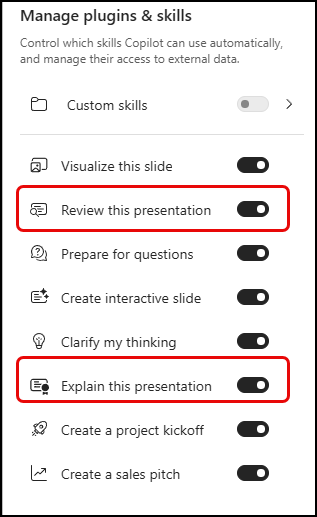
What "Explain this presentation" does
This skill is for the reader. It goes through the whole deck, including slides, charts, tables, and speaker notes, and gives you an impartial reading guide so you don't have to click through every slide to figure out what the deck is saying.
The guide covers:
- The main idea (the gist and the ask)
- Key takeaways
- Important numbers
- Relevant visuals
- Speaker notes
- Open questions
I'd pay the most attention to that last item. Open questions point you to what you may want to ask the presenter before the meeting, which makes this useful when you're handed a deck ten minutes before a call.
 Chris Menard
What "Review this presentation" does
This skill is for the author. Copilot analyzes your current deck and suggests improvements to narrative flow, organization, structure, clarity, and storytelling.
Two details matter for planning:
- It doesn't change your slides. Suggestions are for your review only, and nothing is applied automatically.
- It's already available. It requires no admin setup and respects existing Copilot access controls. It launched requiring the Anthropic model, and Microsoft's June update says it now supports GPT-5.5 as well.
 Chris Menard
Explain vs. Review Table
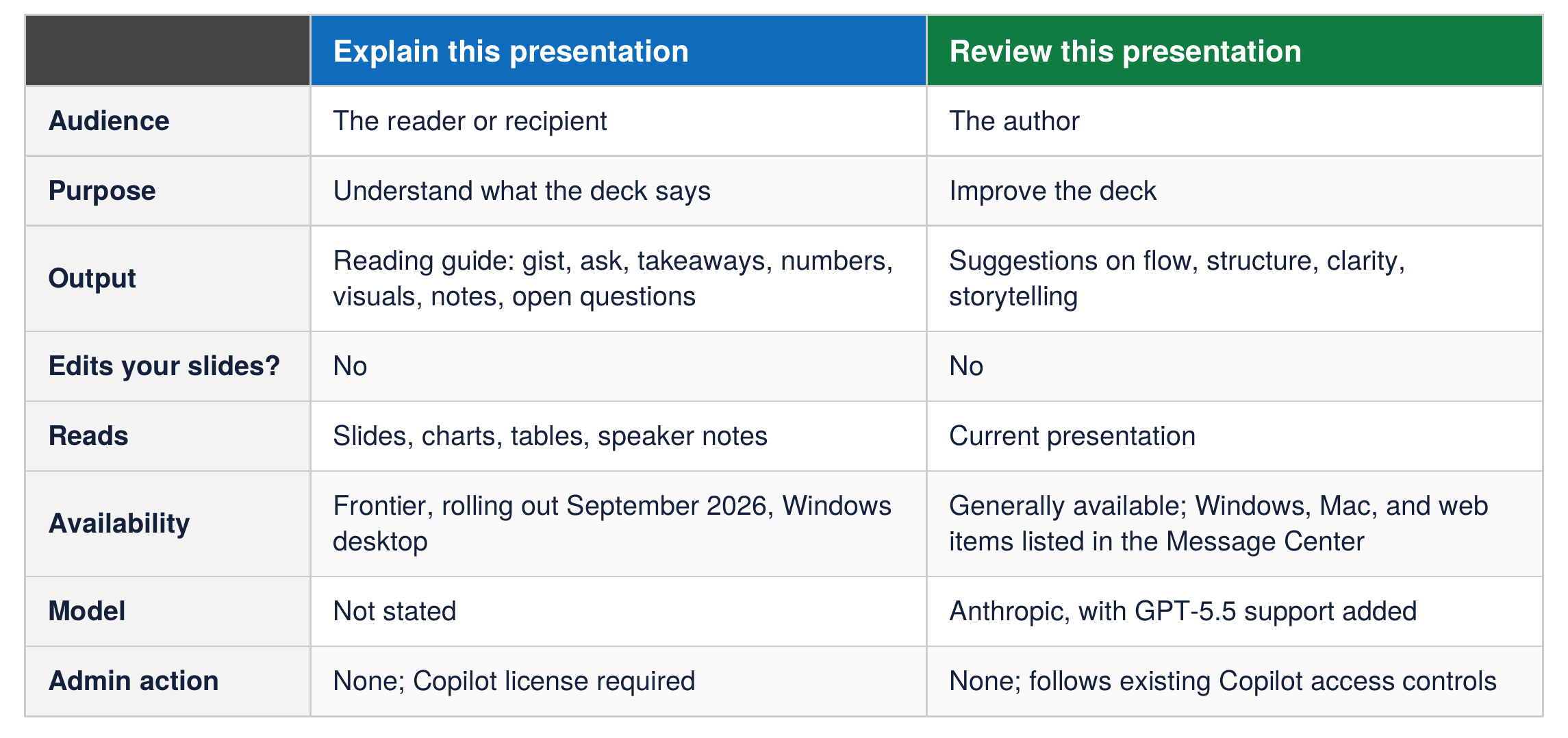
Download a one-page PDF of Explain vs. Review
 Chris Menard