public speaking
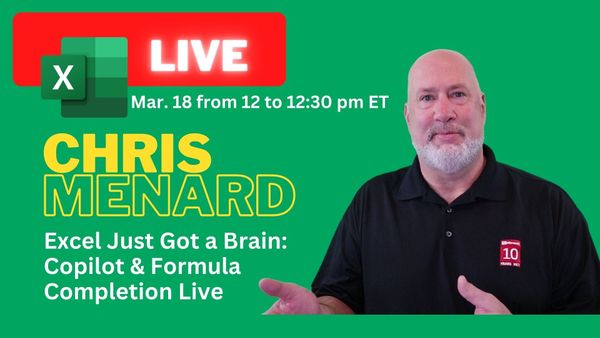
Excel Just Got a Brain: Copilot Function & Formula Completion - Live Stream
Live Stream on YouTube and LinkedIn - March 18, 2026
public speaking
Live Stream on YouTube and LinkedIn - March 18, 2026
Microsoft Excel
Microsoft is rolling out Agent Mode for Copilot in Excel, and it represents a major step forward from the standard Copilot experience. Agent Mode doesn't just suggest changes—it executes them directly, without requiring you to click Apply after every action. In this guide, we walk through where
Microsoft 365 Copilot
Microsoft 365 Copilot now lets you share prompts and AI-generated responses directly into a Microsoft Teams group chat. Instead of copying and pasting results, you can send them to your team with a single click and start a conversation around the output. This feature requires a paid Microsoft 365
Microsoft Word
Microsoft 365 Copilot in Word can do more than just draft content. You can use it to extract specific information from documents, ask questions about what is in them, and even generate standalone files from the answers. In this walkthrough, Chris demonstrates how to query an employee handbook about dress
Microsoft Excel
Can Microsoft Copilot accurately calculate your federal taxes? I put it to the test by first walking through a manual tax calculation in Excel using the 2025 federal tax brackets, then asking Copilot the same question to compare results. Part 1: Manual Tax Calculation in Excel The process starts with
Microsoft Excel
Microsoft 365 Copilot Chat now has a "Think Deeper" mode designed for complex, multi-step problems. I demonstrates it with a real financial scenario: calculating investment returns and projecting future account values with different contribution amounts. The New Modes in Copilot Chat Copilot Chat offers multiple processing modes.
Microsoft 365
Chris Menard will present “Mastering Microsoft 365 Copilot” at EA Ignite in Nashville on Nov 3, 2025. Learn how Copilot boosts productivity in Word, Excel, PowerPoint, Outlook, and Teams during this hands-on session.
Microsoft Copilot
In this live session, Chris Menard and Melissa Ballesteros walk through practical tips for getting more out of Microsoft 365 Copilot. From Excel formula suggestions to AI-powered notebooks and PowerPoint presentation creation, this 45-minute session covers the features that matter most for everyday productivity. Excel Formula Completion with
Microsoft Excel
Excel's Copilot formula completion feature can write complex XLOOKUP formulas for you. Instead of memorizing syntax and figuring out the arguments, you describe what you want in plain English and Copilot generates the formula. In this tutorial, Chris Menard demonstrates this using a sneaker sales dataset. Watch the
Microsoft Excel
If you've clicked the Copilot icon in Excel and gotten a task pane that doesn't look quite right, you're not alone. The default pane opens a general chat window, but the real productivity gains come from switching to App Skills — the workbook-aware Copilot
Microsoft
Microsoft 365 has been rolling out changes across the board. In this post, I cover three announcements worth paying attention to: a LiveStream event on Copilot features, refreshed app icons across the Microsoft 365 suite, and new Copilot integration directly inside File Explorer. YouTube Video New Microsoft 365 App Icons
Microsoft Word
Microsoft 365 Copilot can convert Word documents into spoken audio summaries — what Microsoft calls Audio Overviews. Instead of reading a long employee handbook, report, or proposal, you can listen to it while commuting, walking, or preparing for a meeting. The audio output can be saved as an MP3 to your