Microsoft Teams Finally Makes Draft Messages Easy to Find

If you’ve ever started typing a message in Microsoft Teams, got interrupted, and then completely forgotten where that draft went — you’re not alone.
The good news? Microsoft is fixing this.
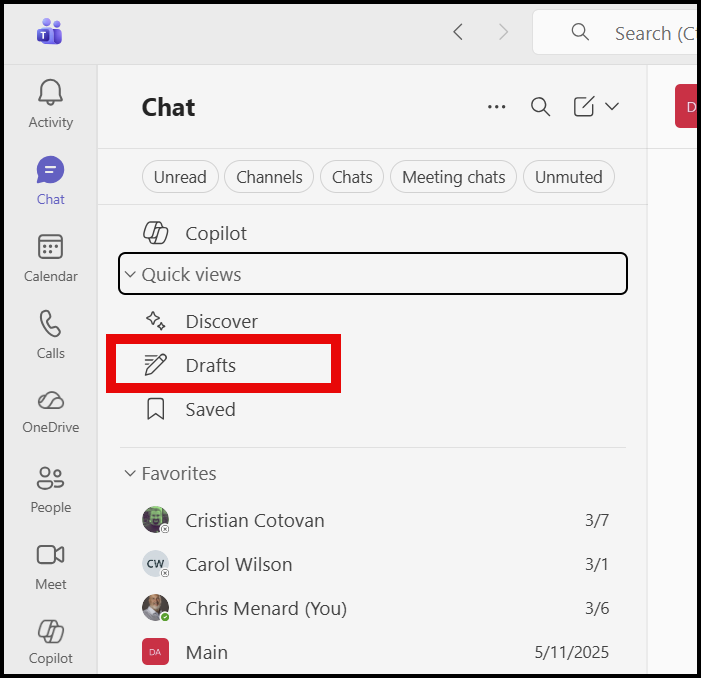
A new Drafts quick view in Microsoft Teams is rolling out that makes it easy to find, finish, and send unsent messages, all from one place. This small change solves a surprisingly big productivity problem.
The Problem with Drafts in Teams (Until Now)
Teams has always saved drafts automatically. The problem wasn’t saving — it was finding.
Before this update:
- Drafts were scattered across chats and channels
- You had to remember where you started typing
- Interrupted messages were easy to forget
- Important replies could slip through the cracks
For anyone juggling multiple conversations — admins, legal professionals, executive assistants, project managers — this was a real friction point.
 Chris Menard
What’s New: Drafts Quick View in Microsoft Teams
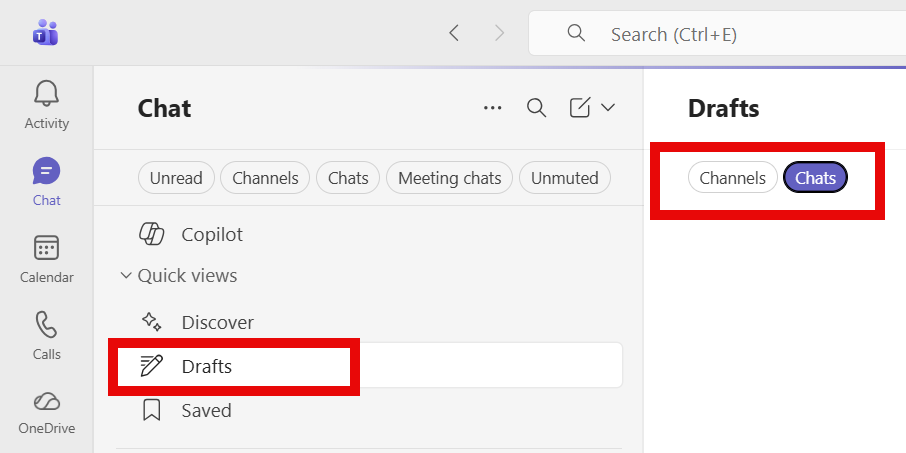
Microsoft Teams is introducing a Drafts quick view that shows all your unsent messages in one centralized list.
Instead of hunting through chats, you’ll now see:
- A Drafts view in Teams
- Every unsent message you’ve started (chats and channels)
- One click to jump back in, edit, and send
This doesn’t change how drafts are created — Teams already auto‑saves them. What’s new is visibility and control.
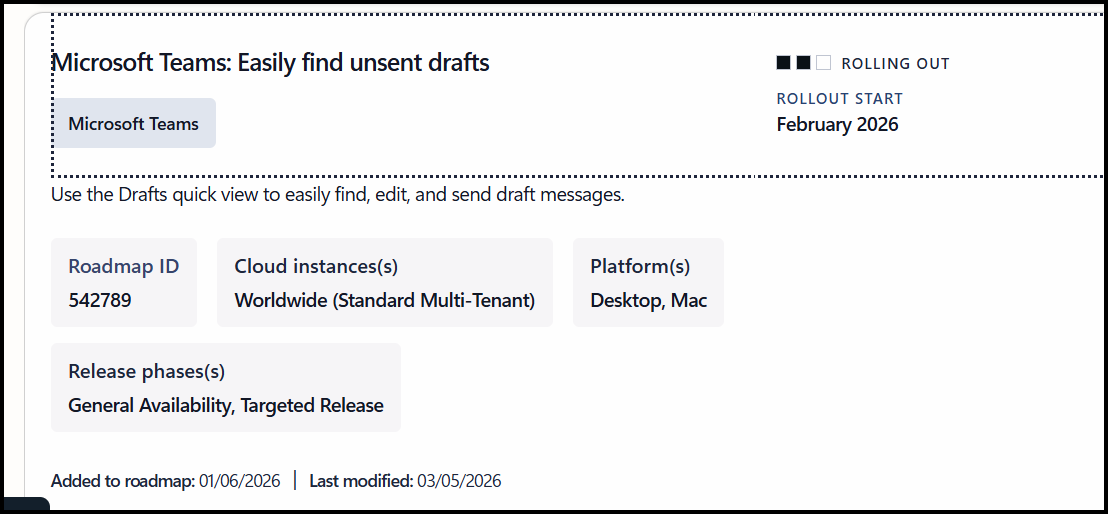
Microsoft Teams: Drafts – Quick View
Roadmap ID: 542789
Product: Microsoft Teams (Desktop)
How It Works (From a User’s Perspective)
Once the feature is available in your tenant:
- Open Microsoft Teams (desktop)
- Select the new Drafts quick view
- See a list of all unsent messages
- Click any draft to:
- Continue editing
- Send it
- Or discard it
No searching. No guessing. No lost messages.
It’s simple — and long overdue.
Why This Matters More Than You Think
This update might sound minor, but it directly addresses how people actually work in Teams.
Most of us:
- Start messages during meetings
- Get interrupted mid‑thought
- Switch between chats constantly
- Assume we’ll “come back to it later.”
Now, Teams helps you actually do that.
For organizations, this means:
- Fewer missed messages
- Better follow‑through
- Less rework
- Less frustration
For individuals, it means peace of mind.
 Chris Menard
Rollout Timeline (Important Dates)
According to Microsoft, the Drafts quick view rollout is happening now:
- Targeted Release
- Begins: Mid‑February 2026
- Complete: Late February 2026
- General Availability
- Begins: Mid‑March 2026
- Complete: Late March 2026
If you don’t see it yet, keep an eye out — it’s arriving tenant by tenant.
Who Gets It?
- ✅ Microsoft Teams desktop users
- Windows
- macOS
- Linux
- ✅ Enabled by default
- ✅ No admin action required
- ✅ No licensing changes
- ✅ No compliance impact identified
At the moment, Microsoft has only announced this for desktop clients.
 Chris Menard
A Great Example of “Small Feature, Big Impact”
Microsoft Teams continues to evolve not just with AI and Copilot features, but also with thoughtful quality‑of‑life improvements.
The Drafts quick view is a perfect example:
- It doesn’t change workflows
- It removes friction
- It respects how people already work
Sometimes, the best productivity features are the ones that simply get out of the way.
Final Thoughts
If you use Microsoft Teams heavily — and especially if you’re often interrupted — this is a feature worth celebrating.
No more lost drafts. No more half‑finished thoughts. No more wondering, “Did I already start replying to that?”
Microsoft Teams now remembers for you.
Popular Blog Articles
 Chris Menard
 Chris Menard
 Chris Menard