Full-Day Excel 365 Training — Coweta County | June 15, 2026
Hands-on Excel Training with Chris Menard | Microsoft MVP

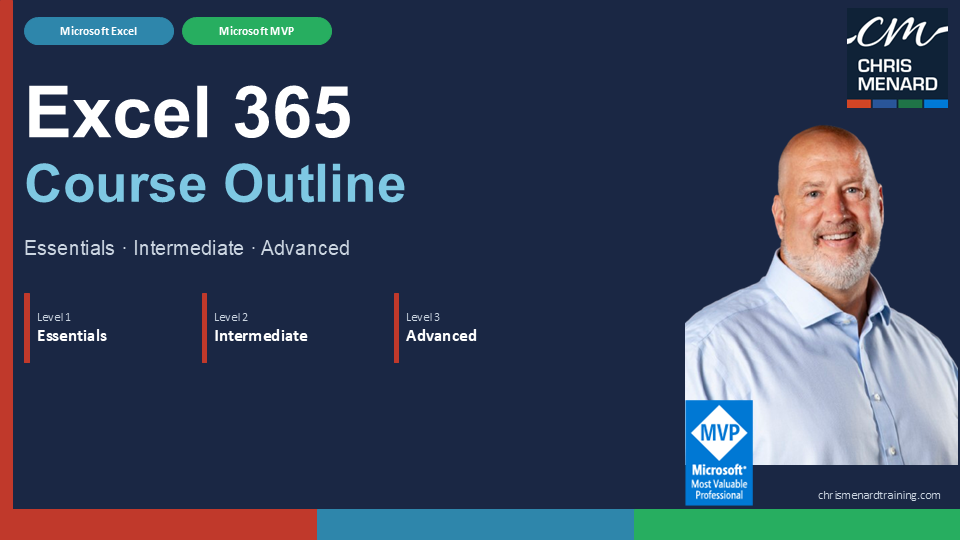
I'm heading to Newnan on Monday, June 15th, for a full-day Excel 365 training with Coweta County. We're covering the essentials all the way through advanced topics — a complete, soup-to-nuts day in Excel.
- Date: Monday, June 15, 2026
- Time: 8:00 AM – 5:00 PM
- Location: 87 Newnan Station Dr, Newnan, GA 30265
What We're Covering
The day is built around three levels: Essentials, Intermediate, and Advanced. Here's what's on the agenda.
Level 1 — Excel Essentials
We start from the ground up, making sure everyone has a solid foundation before we build on it.
- Getting Started — Spreadsheet terminology, the Excel environment, getting help, and navigating a worksheet
- Entering and Editing Data — Working with text, values, and formulas; inserting pictures; saving and updating workbooks
- Modifying a Worksheet — Moving and copying data and formulas, absolute vs. relative references, inserting and deleting rows and columns
- Functions — Entering functions, AutoSum, and other common functions
- Formatting — Text and number formatting, row and column sizing, conditional formatting, and additional options
- Printing — Page Setup, print areas, and printing worksheets cleanly
- Charts — Chart basics and formatting
- Managing Large Workbooks — Freezing panes, printing large sheets, and working across multiple worksheets
 Chris Menard
Files for Excel Training
Level 2 — Excel Intermediate
Once the foundation is solid, we move into features that make day-to-day work faster and more powerful.
- Using Multiple Worksheets and Workbooks — 3-D formulas, linking workbooks, and managing multiple files
- Advanced Formatting — Special number formats, text functions, styles, themes, and more
- Outlining and Subtotals — Consolidating data and generating automatic subtotals
- Tables — Sorting, filtering, advanced filtering, and working with Excel Tables
- Web and Sharing Features — Hyperlinks, saving as a web page, and sharing workbooks
- Advanced Charting — Chart formatting options, combination charts, and graphical elements
- Documenting and Auditing — Formula auditing, cell comments, protection, and collaboration
 Chris Menard
Level 3 — Excel Advanced
The afternoon goes deep — the features that separate casual users from power users.
- Advanced Functions — Logical functions (IF, AND, OR), math and statistical functions, financial functions, and displaying formulas
- Lookups and Data Tables — VLOOKUP, XLOOKUP, MATCH, INDEX, and data tables
- Advanced Data Management — Data validation and database functions
- PivotTables and PivotCharts — Building, rearranging, formatting, and charting PivotTables
- Analytical Tools — Goal Seek, Solver, the Analysis ToolPak, Scenarios, and Views
- Conditional Formatting and SmartArt — Graphic-based conditional formatting and SmartArt diagrams
 Chris Menard
Training Details
When: Monday, June 15, 2026 | 8:00 AM – 5:00 PM Where: 87 Newnan Station Dr, Newnan, GA 30265
This is a private corporate training session for Coweta County. If your organization is interested in a similar full-day or multi-day Excel training — whether on-site or virtual — reach out through chrismenardtraining.com.