
3 AWESOME TIPS when working with OneNote & Outlook

Need to stay organized with Outlook? Use Microsoft OneNote and Outlook together. Three tips on working with OneNote and Outlook.
**Tip # 1** - Insert your meeting invitation into OneNote. You can see a list of attendees and check that they attended, and take meeting notes.
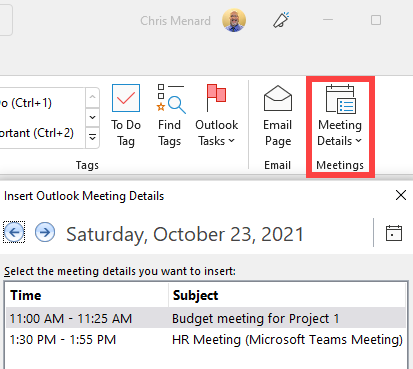
Insert Outlook Meeting Details into OneNote
**Tip # 2** - After taking meeting notes, email the notes back to the meeting participants.
Tip # 3**- Send an Outlook email to OneNote. Another great feature is to send emails, usually from your inbox but can be done with Sent items, into a OneNote section. The email becomes a page inside the section.
YouTube video
3 AWESOME TIPS when working with OneNote & Outlook
Tip 1 - Insert Meeting invite into OneNote
1. Open OneNote. 2. Create a new page if needed. I did in the video. 3. On the Home tab, select **Meeting Details**. Your meeting for the day will show. If you need a meeting from another day, select "Choose a Meeting from Another day..."
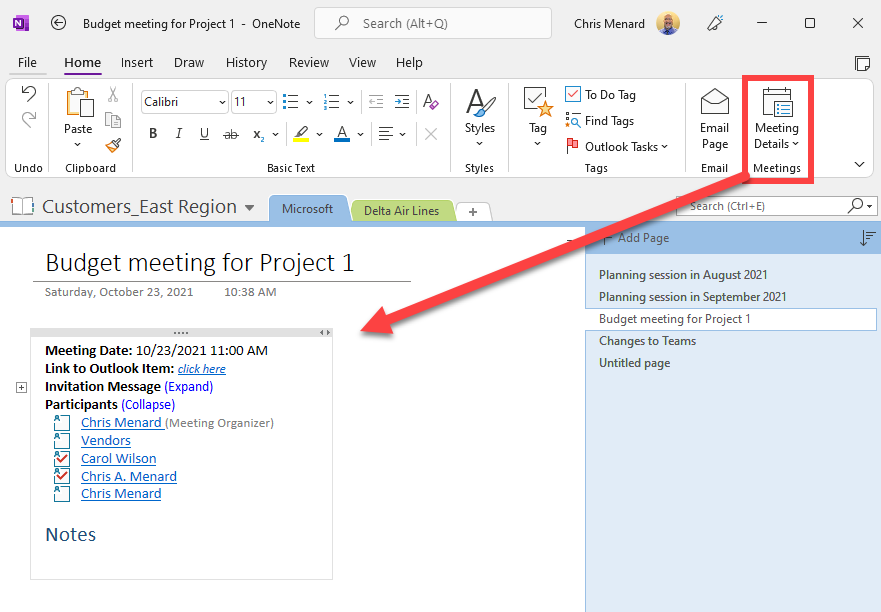
Meeting details inserted into OneNote - Notice the participants appear.
Tip 2 - Email meeting notes to participants
1. After taking meeting notes, in OneNote, select **Email Page** from the Home tab. 2. Outlook will open with the meeting participants already filled in and the notes in the body of the email.
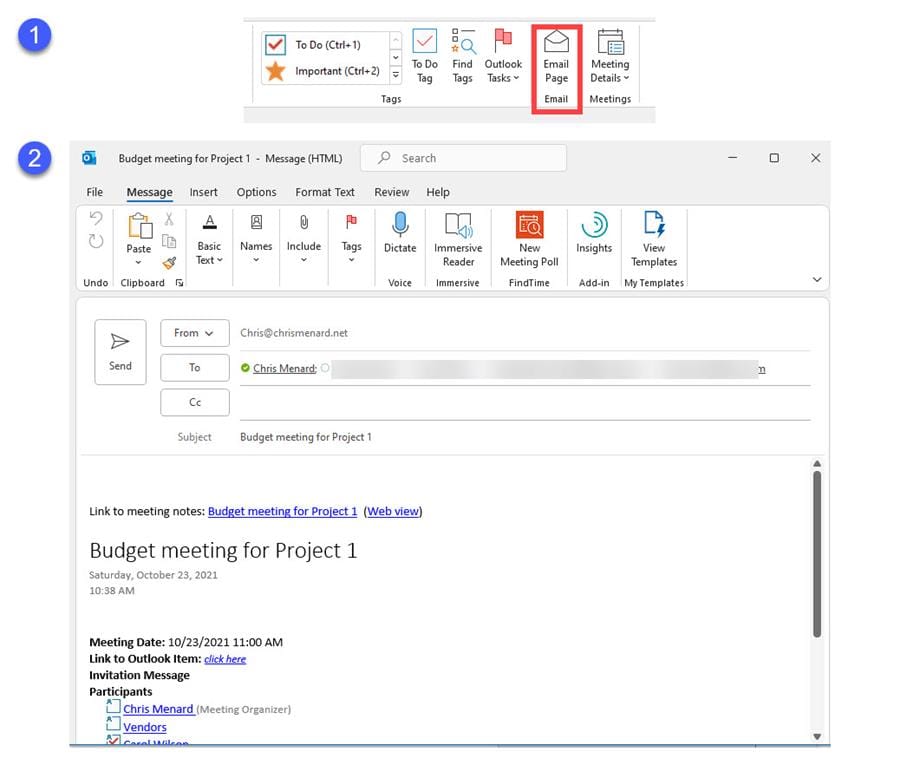
Email page from OneNote to Outlook
Tip 3 - Send email to OneNote
1. In Outlook, select the email you want to send to OneNote. 2. Right-click the email and click **OneNote** 3. Select the **OneNote notebook and section**. 4. Click **OK**.
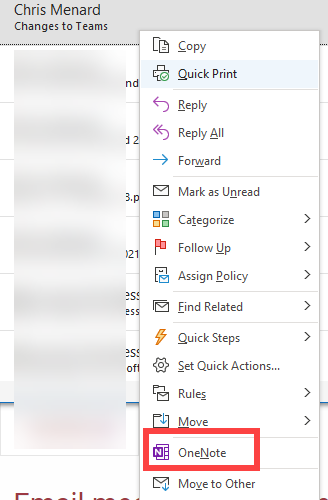
Send Outlook email to OneNote



