UNIQUE Function in Excel - Dynamic Array Formula

Posted on: 12/19/2018
Use the UNIQUE function to return a unique list from a range or array of items. The results will automatically "spill" into an adjacent range of the appropriate size when you press Enter. The UNIQUE function works on text and numbers.
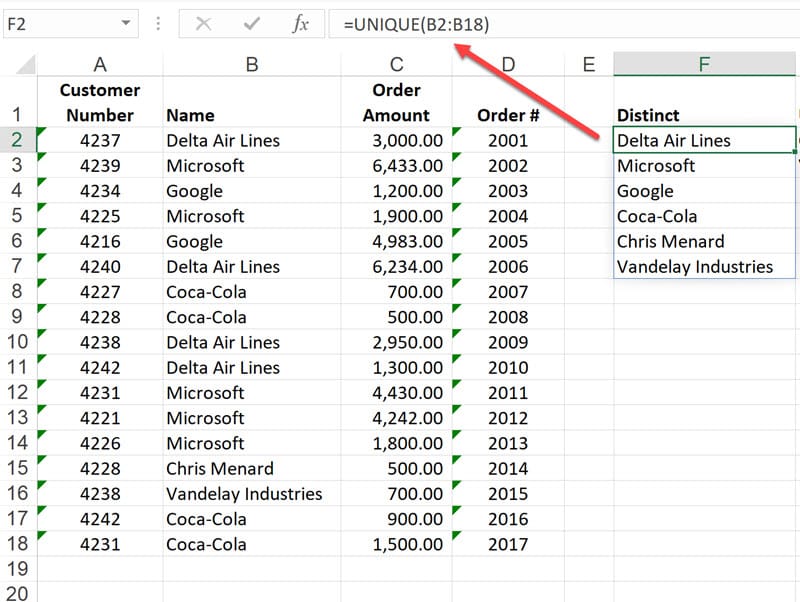
With the new UNIQUE function you'll be able to create a list of unique values (remove duplicate entries) using a very simple formula.
To create a list of unique values, you simply reference the range that contains duplicates in the array argument for UNIQUE.
> **Note**: September 24, 2018: The UNIQUE function is one of several beta features, and currently only available to a portion of Office Insiders at this time. We'll continue to optimize these features over the next several months. When they're ready, we'll release them to all Office Insiders, and Office 365 subscribers.