
Teams - Why can't I record? Video call vs. meeting

Microsoft Teams allows you to easily record meetings. I'm frequently asked, **"Why can't I record?"** or **"Why is recording disabled?"** The answer is that you are doing a video call. Most likely, you were chatting with one person (1-on-1 chat) or doing a group chat. A video call looks similar to a meeting, but it is a call, so the recording feature is disabled.
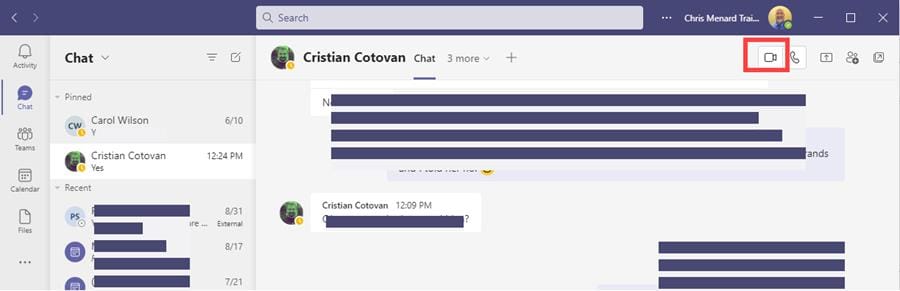
**Teams Video Call in Chat**
YouTube video
Teams - Why can't I record? Video call vs. meeting
Solution is to quickly start a meeting in Teams
I have easy solutions when you need to record. Start an impromptu meeting, and paste the meeting link in the group chat, or quickly invite the person or group you were chatting with. Now you can record since you are in a meeting.
Steps:
1. Go to your **Calendar** in Teams. 2. Click **Meet Now.** 3. Either **Gat a link to share** and paste in the group chat or click **Start meeting** and invite the person you were chatting with. 4. You can now record your meeting.
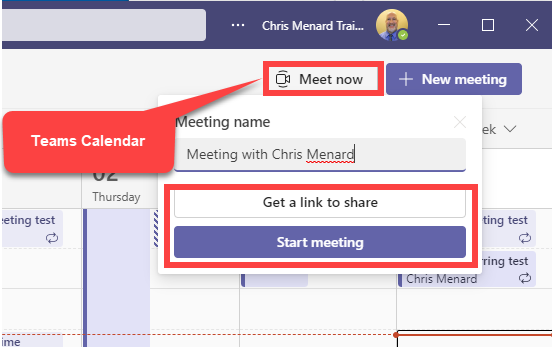
**Teams Meet Now - Get a link to share**