
PowerPoint Presenter View in Microsoft Teams


Share PowerPoint slides in a meeting
If you're a presenter and choose to share a PowerPoint file in a meeting, you will have some behind-the-scenes capabilities with the new **presenter view**.
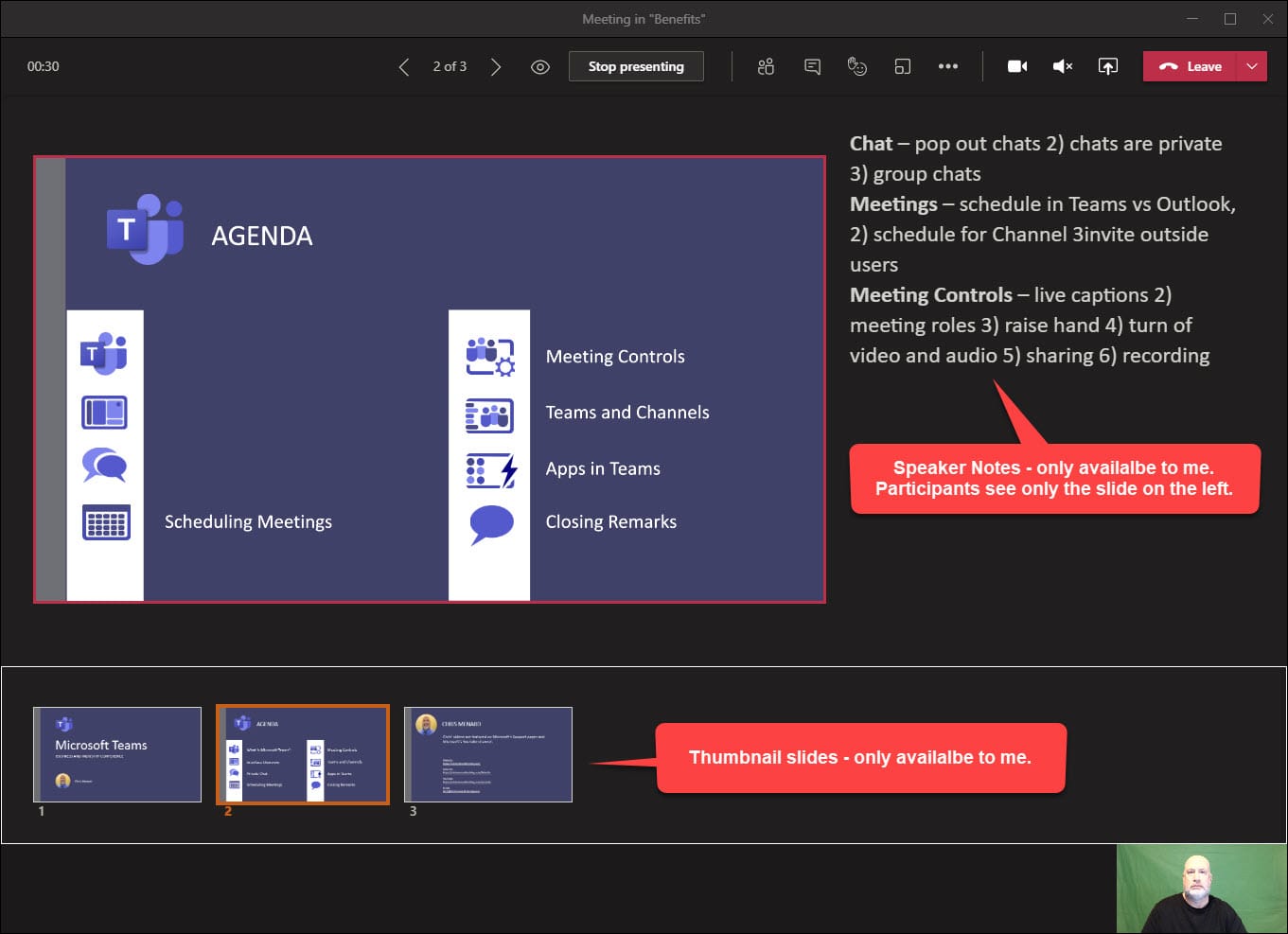
As the presenter you will see
- the current slide - the slide notes - thumbnail strip of all the slides in the deck
Participants can see
- The participants only see the current slide - They do not see your speaker notes - They do not see your slide thumbnails
YouTube Video on Presenter View in Microsoft Teams
PowerPoint Presenter View in Microsoft Teams!
Public Preview in Teams
_Note_: Presenter view is available as part of the public preview program and may undergo further changes before being released publicly. To get access to presenter view and other upcoming features, switch to the Teams public preview.
Presenter View in PowerPoint for Teams - Share content
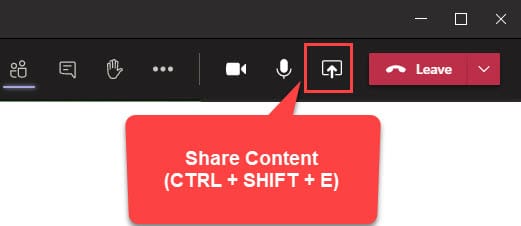
1. Select **Share content** button in your meeting controls. 2. In the PowerPoint section, select the file you want. Select **Browse** to find a different file.
Features that work in Teams Meetings with Presenter View
- Transitions - going from one slide to another slide - Animations - Show on users that are in Teams on the web
Features that did not work
- Highlighter - Pen - Make the screen black or white



