
Pop-out Chat in Microsoft Teams


Teams now allow you to instantly pop-out your one-on-one or group chat into a separate window. After popping out the chat, you can drag it, place it on another monitor, resize, or close the window as you wish. Pop-out chats are a great way to get a lot done when you’re in a meeting or in a call. I demonstrate in this short video how to have a meeting in Teams and then pop-out two chats.
Pop-out a chat
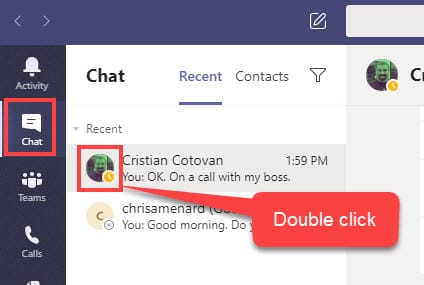
1. **Double-click** the chat name and you’ll see a new pop out chat window.
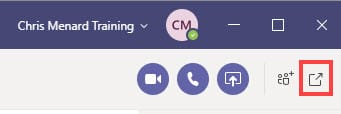
2. In the top right corner of the chat click **Pop-out chat**.
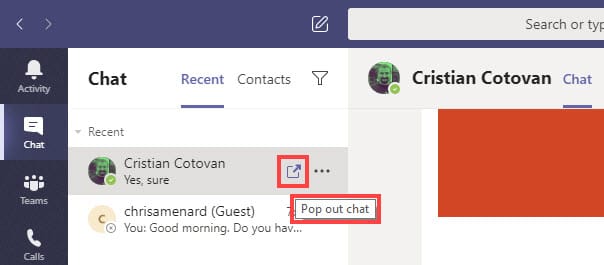
3. Hover over the chat and click **Pop out chat**.
YouTube video on pop-out chats
Pop out Chat in Microsoft Teams - YouTube
Microsoft Support article:
[https://support.office.com/en-us/article/pop-out-a-chat-in-teams-cff95cb0-34af-423f-8f69-fe9106973790](https://support.office.com/en-us/article/pop-out-a-chat-in-teams-cff95cb0-34af-423f-8f69-fe9106973790)



