
Microsoft Teams: Create customized backgrounds for Meetings


Teams allow you to use a default set of images selected by Microsoft as the background for meetings. Unlike Zoom, you can't upload your own images inside the Teams app. Microsoft is working on the ability to upload your own images, but here is a workaround that allows you to add your own images in a Teams Upload folder that will allow you to pick and use customized images in your meetings.
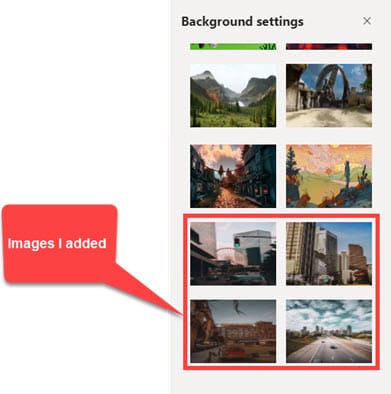
Steps to add a customize image to use in a Teams Meeting:
- Find an image or images you want to use.
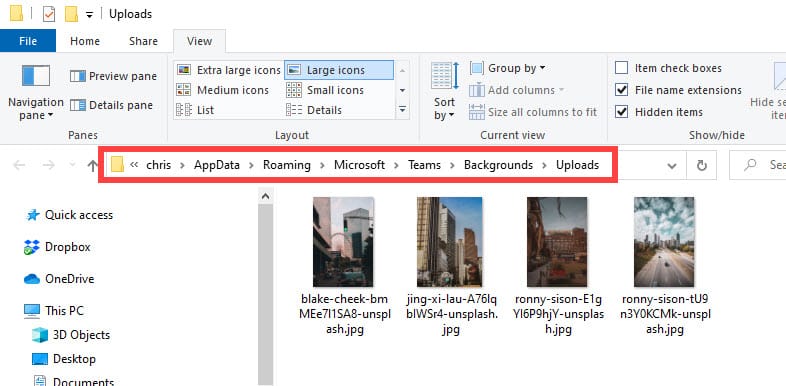
- Click **Start** or the **Windows Key** and paste in this information **%AppData%\\Microsoft\\Teams\\Backgrounds\\Uploads**

3. Drag and drop or **Copy** the images you want into the _Uploads_ folder.
4. Now when you are in a Teams Meeting those images will be available to you
**Note**: On a Mac **/users/<username>/Library/Application Support/Microsoft/Teams/Backgrounds/Uploads**
Teams: Create customized backgrounds for Meetings by Chris Menard - YouTube



