
Maximizing Efficiency in Teams Meetings with Copilot: A Comprehensive Guide


Introduction to Copilot in Teams Meetings
In today's fast-paced world, staying updated and efficient in meetings is more crucial than ever. That's where the feature "copilot in Teams meetings" comes into play. This innovative tool is designed to enhance your meeting experience by offering real-time assistance and summaries, ensuring you're always in the loop, even if you join late.
What Is Copilot?
Copilot in Teams meetings is a feature that acts as your personal assistant during Microsoft Teams meetings. It helps by providing summaries of discussions and pinpointing action items, making sure you don't miss out on critical information. Copilot in Teams is part of Microsoft Copilot for Microsoft 365. A paid subscriptino is required. Copilot works with
1. Teams 2. Outlook 3. Word 4. Excel 5. PowerPoint 6. OneNote 7. OneDrive
Key Features of Copilot
- **Meeting Summaries:** Copilot can give you a brief overview of what you've missed if you join a meeting late. It's also capable of providing a recap at the end of the session. **_See the image below_**. I showed up late to a meeting. Copilot accurately summarized whtat I missed. - **Action Items:** It identifies and lists actionable tasks discussed during the meeting, making follow-ups easier and more organized. - **Personalized Experience:** The copilot feature is tailored to each user. This means that the information it provides is unique to your interaction with the tool during the meeting.
Implementing copilot in Teams meetings can significantly improve your productivity by ensuring you're always informed and ready for action, regardless of when you join the meeting. Embrace this feature to enhance your Teams meetings experience.
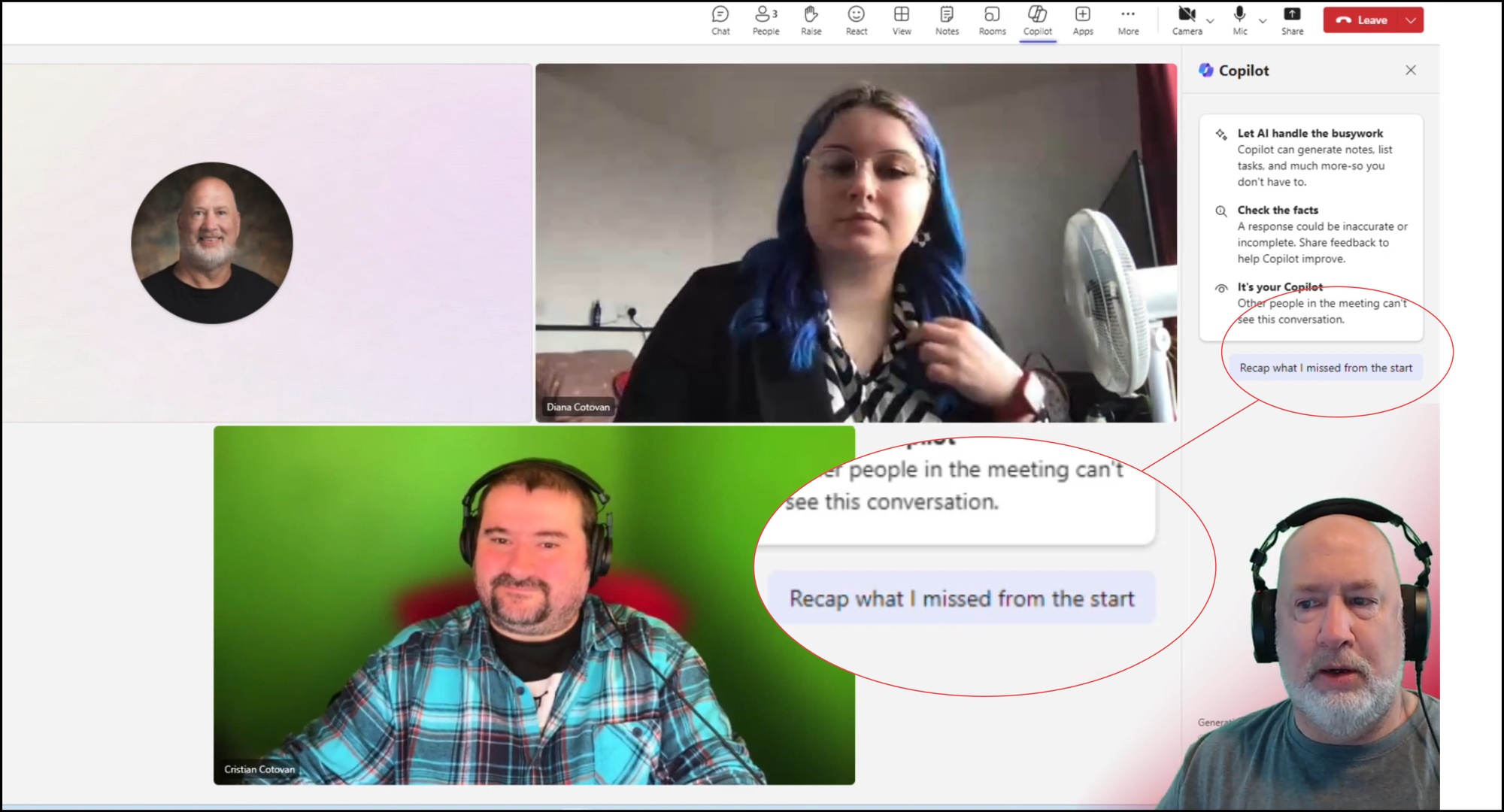
**Copilot in Teams - Recap what I missed**
YouTube Video - Copilot in Teams
Microsoft Copilot in Teams: Live Meeting Recap, Summary and More - YouTube
The Basics of Copilot: Features and Functions
Copilot in Teams meetings is a revolutionary tool designed to make your meetings more productive and efficient. At its core, Copilot offers a range of features aimed at enhancing your meeting experience, whether you're hosting or participating.
Real-Time Meeting Summaries
One of the standout features of Copilot is its ability to provide real-time summaries of meetings. This is particularly useful if you join a meeting late. With Copilot, you can quickly catch up on what you've missed without interrupting the flow of the meeting.
Action Item Identification
During discussions, it's easy for tasks and action items to get lost in the shuffle. Copilot addresses this issue by identifying and listing actionable tasks discussed during the meeting. This ensures everyone knows what needs to be done next, streamlining follow-ups and project management.
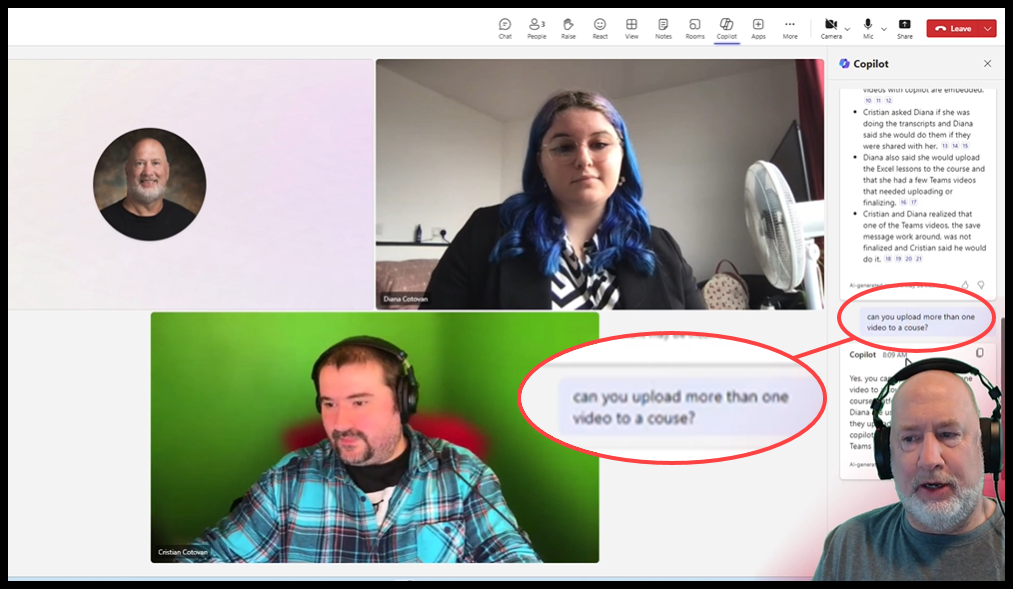
**Copilot in Teams - Ask questions about what has been discussed**
Personalized Experience
What sets Copilot apart is its ability to tailor the meeting experience to each user. This means the summaries and tasks you see are unique to your interaction with the meeting. It ensures that the information you receive is relevant and personalized, making your meeting experience more effective.
By integrating Copilot into your Teams meetings, you empower yourself and your team to stay on top of discussions, actions, and decisions made during calls. This tool is not just about staying informed; it's about enhancing the way you work together in a digital environment.



