
How to Customize Your Outlook Email Signature

As a professional, your email signature is an important part of your digital identity. A well-crafted signature can make a lasting impression and provide essential contact information. In this guide, I'll show you how to create a standout Outlook signature, complete with a customized oval profile picture.
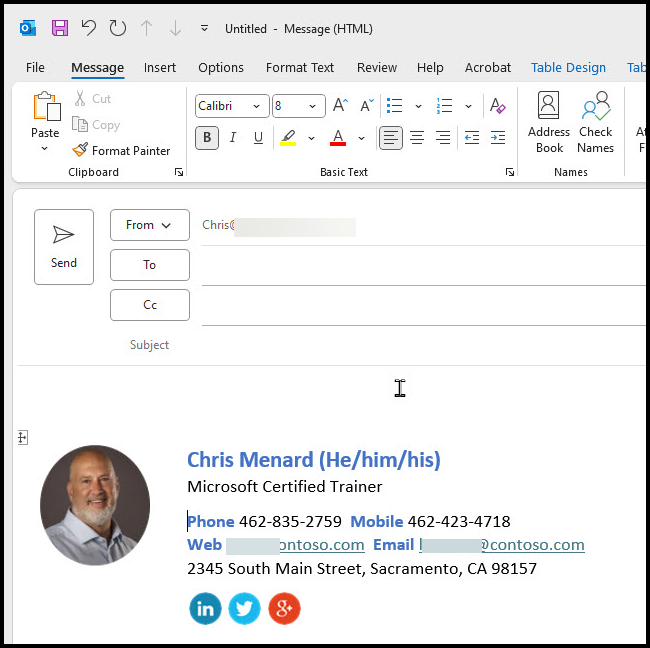
Getting Started with Templates
Microsoft offers email signature templates to get you started. While they've recently changed their template system, I'll provide you with access to the original Word document full of signature options.
Steps to Create Your Signature:
- Download the Word document with signature templates (link in resources section below)
- Choose a template you like and copy it
- Open Outlook and start a new email
- Paste the template into your email
YouTube Video - Customize Email Signature
Customize your Email Signature in Outlook! - YouTube
Customizing Your Signature
Once you've pasted the template, it's time to make it your own:
- Replace the placeholder text with your information
- Customize your profile picture (more on this below)
- Adjust social media icons and links as needed
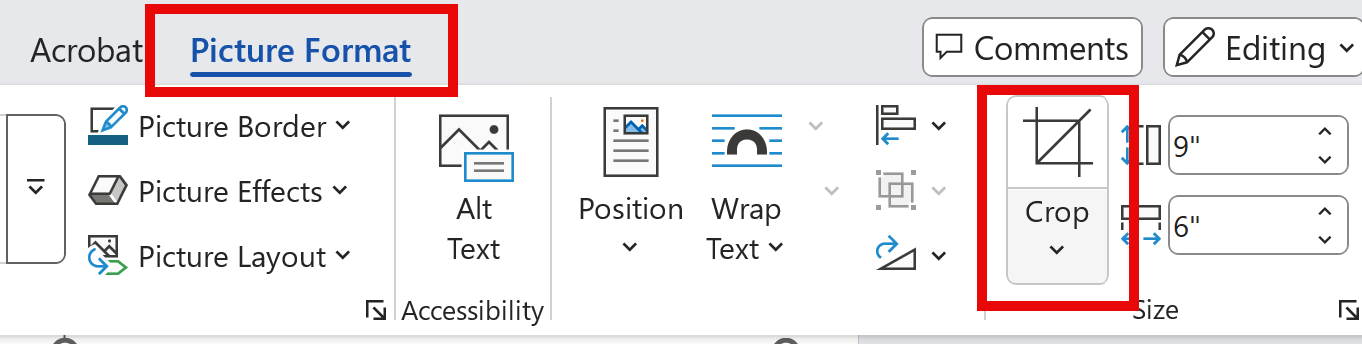
To create that eye-catching oval profile picture:
- Open your image in Word. Try and make sure the image is less than 300x300 pixels before inserting.
- Use the crop tool to make the image more square
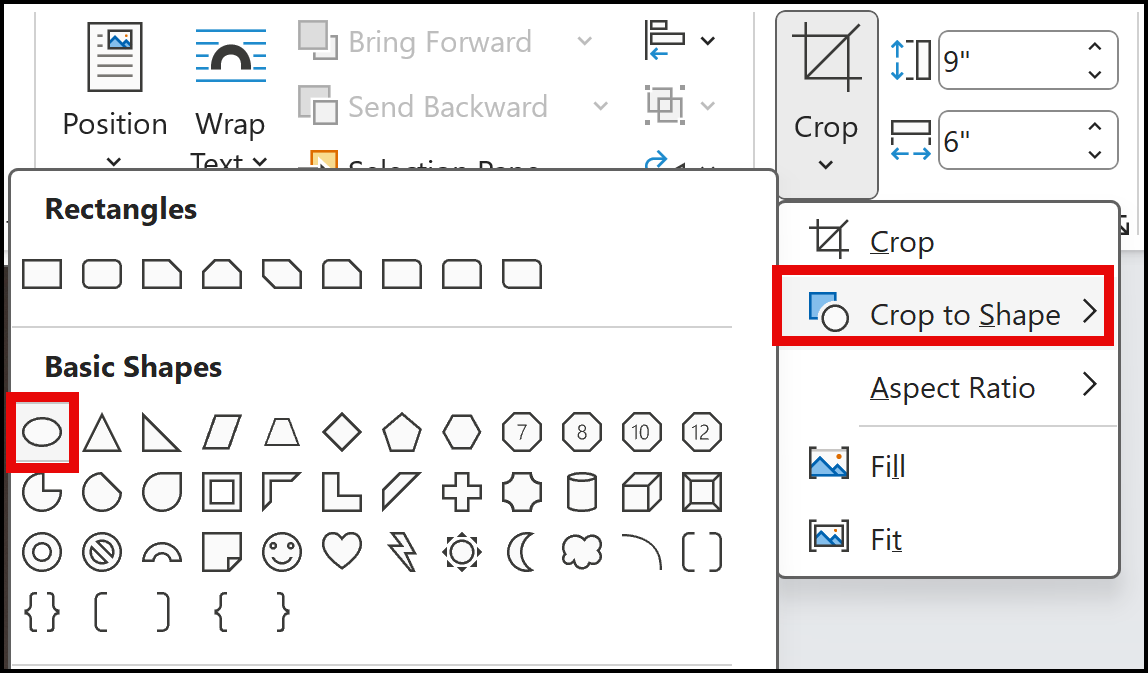
- Go to Picture Format > Crop to Shape > Oval
- Resize the image
- Copy and paste the oval image into your Outlook signature
Saving and Setting Your New Signature
Once you're happy with your customized signature:
- Copy the entire signature table
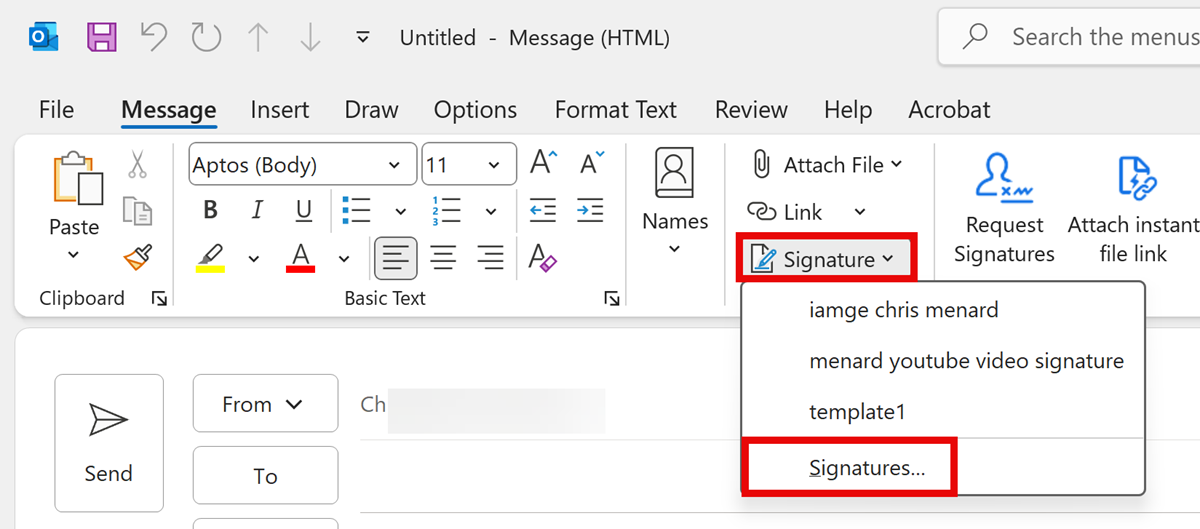
- In Outlook, go to Signatures > New
- Name your signature and paste the table
- Make any final adjustments to links or icons
- Choose when to use this signature (new messages, replies, etc.)
- Click OK to save
Resources
Two resources are listed below. The first is the link to Microsoft's instructions and their web gallery of templates. The second is the Word document template that Microsoft previously used. I prefer this one, but the web gallery is still a great resource.



