
Excel: Get & Transform Data - Unpivot Columns

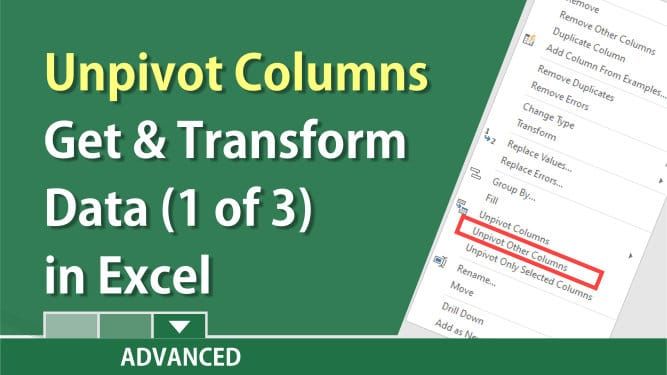
In Excel, use the Power Query Editor (Get and Transform data) to unpivot columns and transform your data. If your data is set up cross tabular, you can't sort, filter, subtotal, or create PivotTables. To transform your data, use Power Query Editor. It changes your columns into rows. It is located in Excel 2016 with the Get & Transform Data group on the Data tab. It is also available in Excel 2019, Excel 2013, and Excel 2010. The Microsoft support articles and a video are below.
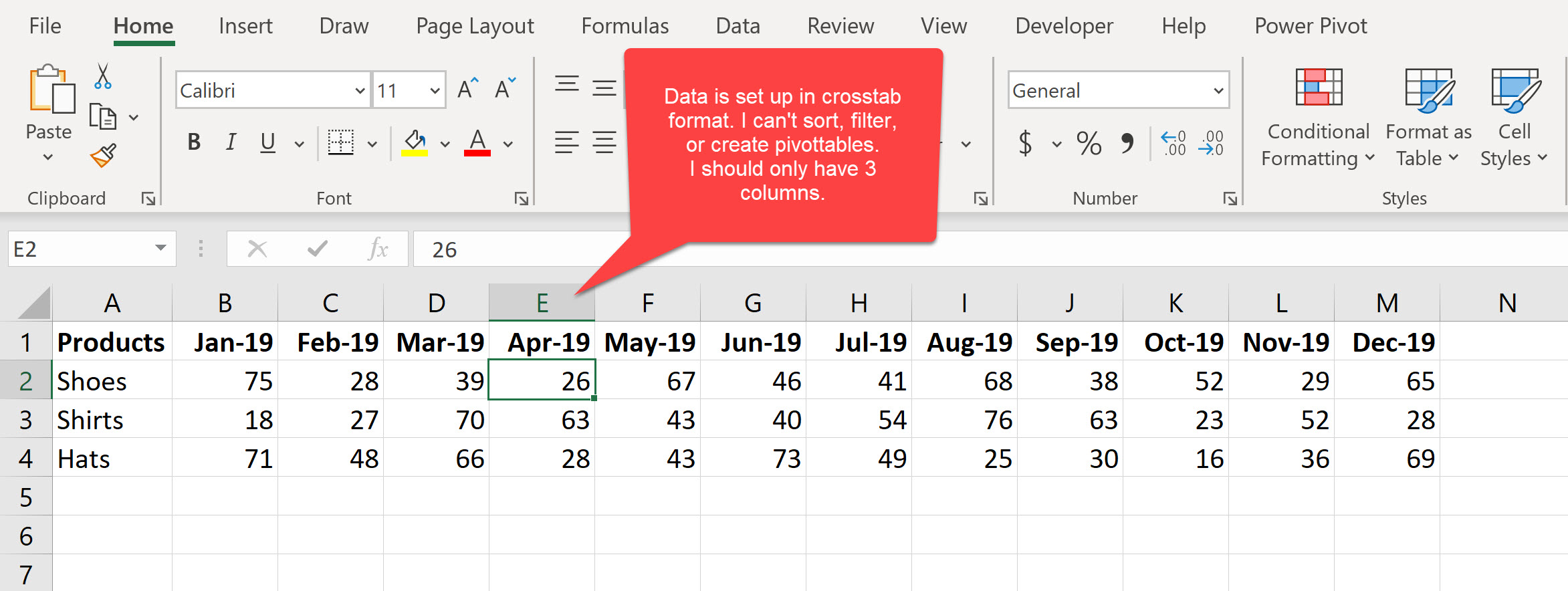
Screenshot 1 - Crosstab data - this is not correct
With the data below, I can't sort or filter. I can't make a PivotTable. I see data in this format all the time. I used Get & Transform to change it quickly, so the data is correctly displayed as three columns.
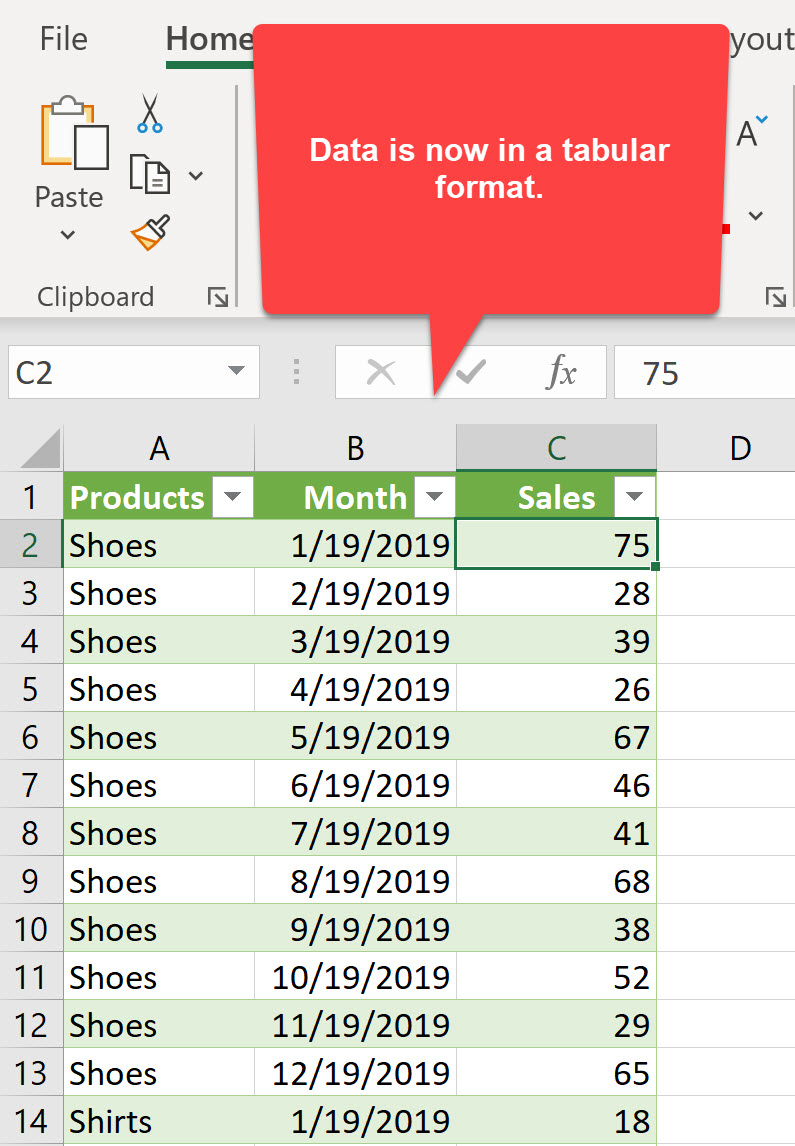
Screenshot 2 - Data after it has been transformed
Now that I've used Get & Transform to unpivot the columns, I can sort, filter, and create a PivotTable. This data is known as tabular data.
**Example**: In screenshot 1 above, in row 1, starting in cell B1 and running horizontally across are months, but this could be employee's names, countries, or states. In A1 is a category that is correctly set up. This is called cross tab data.
The correct method would be to have products in column A. The data starting in B1 needs to be labeled and then run down column B, not across. Column C would have the values. This shows in screenshot 2 above.
Steps to Unpivot columns with Get &Transform
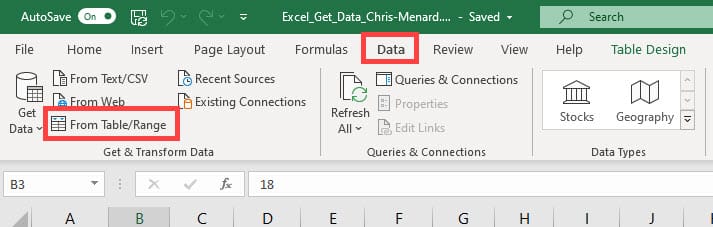
1. Click inside your data. 2. Click the **Data** tab. 3. In the Get & Transform data group, click **From Table/Range**.
4. Click **Yes** to transform into a table and the Power Query Editor automatically opens. 5. Right-click and **Unpivot other columns**.
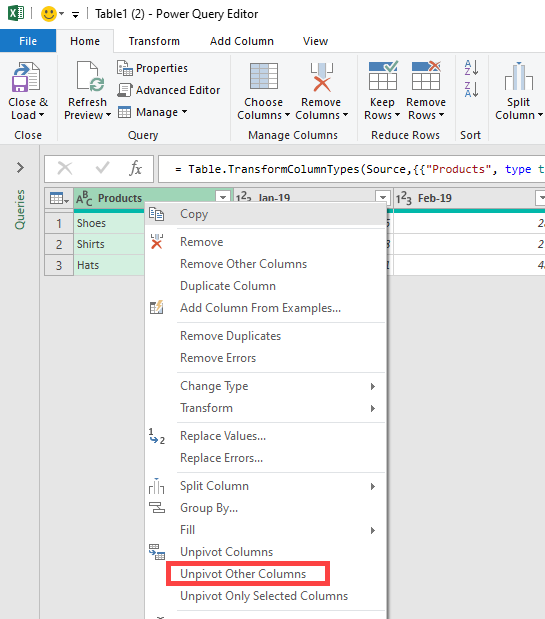
6. Change the data types, and rename columns if necessary. 7. Click **Close & Load**, then click **Close & Load To..**.
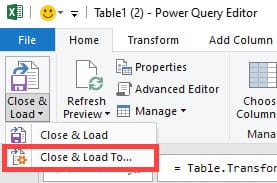
8. Make a table in a new workhsheet. 9. Click **OK**.
YouTube video of Get and Transform - Unpivot columns
Unpivot Columns in Excel - Get & Transform Data - Part 1 of 3 - by Chris Menard
Microsoft Support Articles
1. Unpivot columns - [https://support.office.com/en-us/article/unpivot-columns-power-query-0f7bad4b-9ea1-49c1-9d95-f588221c7098](https://support.office.com/en-us/article/unpivot-columns-power-query-0f7bad4b-9ea1-49c1-9d95-f588221c7098) 2. Getting started with Power Query - [https://support.office.com/en-us/article/getting-started-with-power-query-7104fbee-9e62-4cb9-a02e-5bfb1a6c536a](https://support.office.com/en-us/article/getting-started-with-power-query-7104fbee-9e62-4cb9-a02e-5bfb1a6c536a)



