4 Most Popular New Outlook Features from 2024

According to Microsoft 365 Insider, these are four of the most popular features that rolled out in Outlook during 2024. All four are available to Microsoft 365 subscribers using the new Outlook or Outlook on the web. Three of the four do not work in classic Outlook.
1. Shorten Meeting Duration Automatically
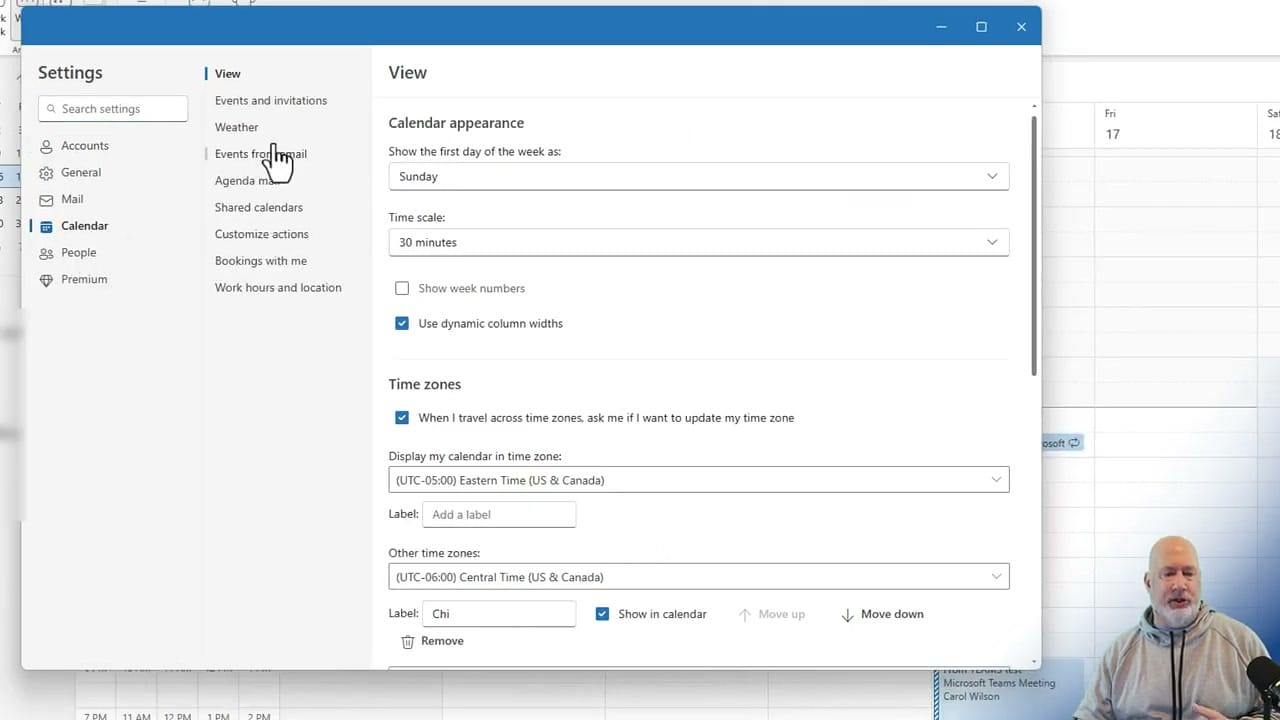
Give everyone a buffer between meetings. Go to Settings → Calendar → Events and Invitations. Check Shorten duration for all events and choose End events early or Start events late.
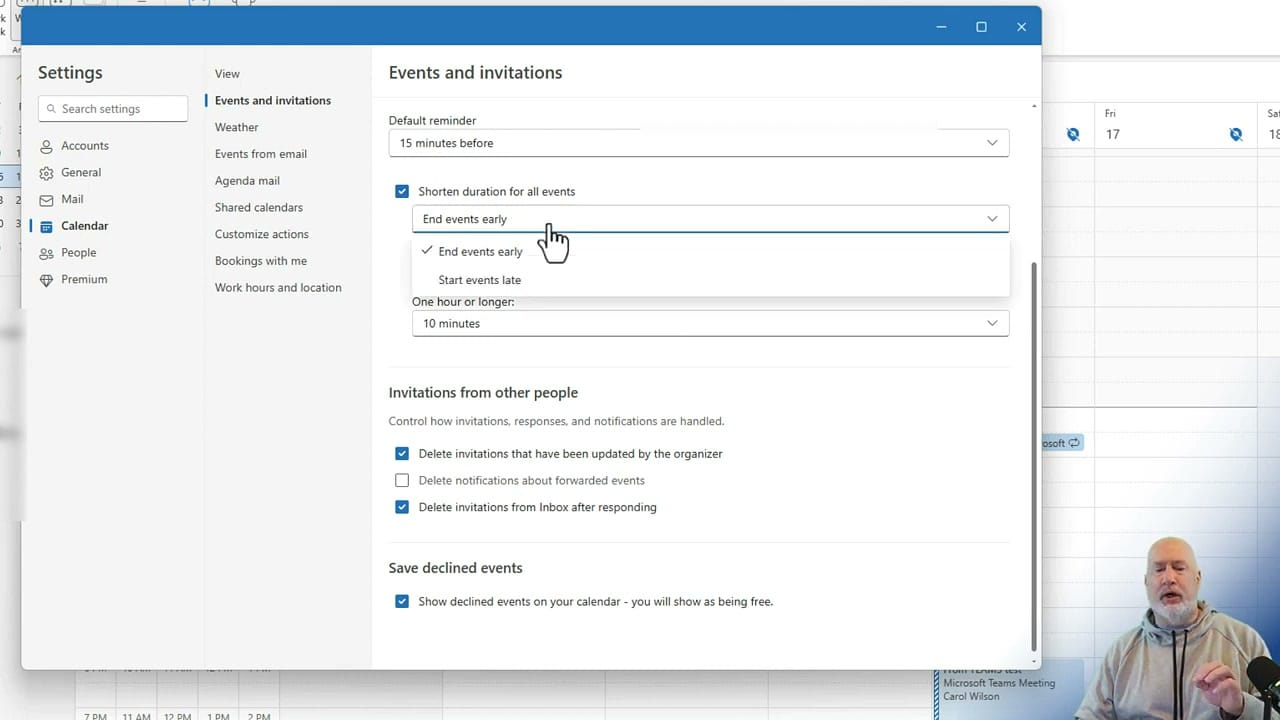
A 30-minute meeting at 11:00 would automatically end at 11:25. For longer meetings, you get additional duration options. People appreciate the buffer time to grab coffee or prepare for the next meeting.
If you use "Start events late" instead, consider adding a note at the top of the meeting invite so attendees know the actual start time.
2. Keep Declined Meetings on Your Calendar
Ever decline a meeting but still want to keep track of it? Go to Settings → Calendar → Events and Invitations and scroll to the bottom. Enable Show declined events on your calendar.
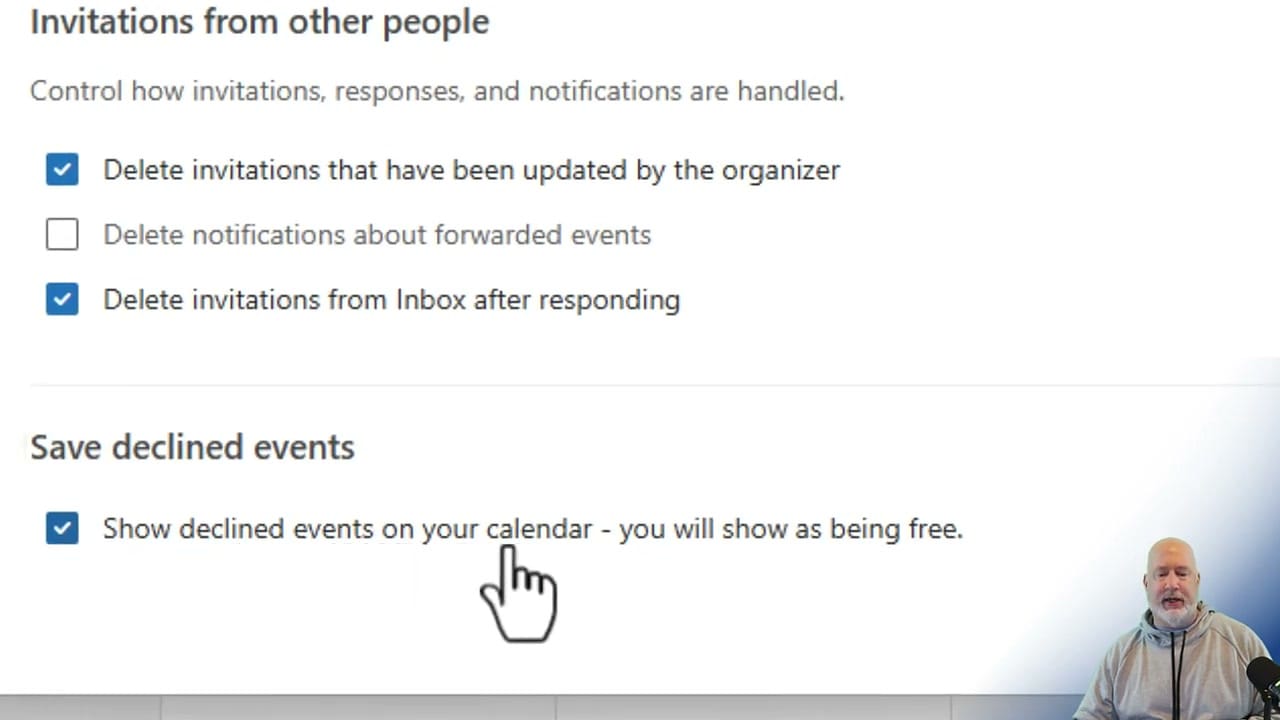
Declined meetings still appear on your calendar but your status stays Free. This works whether you decline from Outlook or Microsoft Teams — the declined event syncs across both apps.
3. Edit Recurring Meetings — This and All Following Events
In classic Outlook, changing a recurring meeting's time would change all occurrences, including past ones — messing up your calendar history. The new Outlook adds a third option: This and all following events.
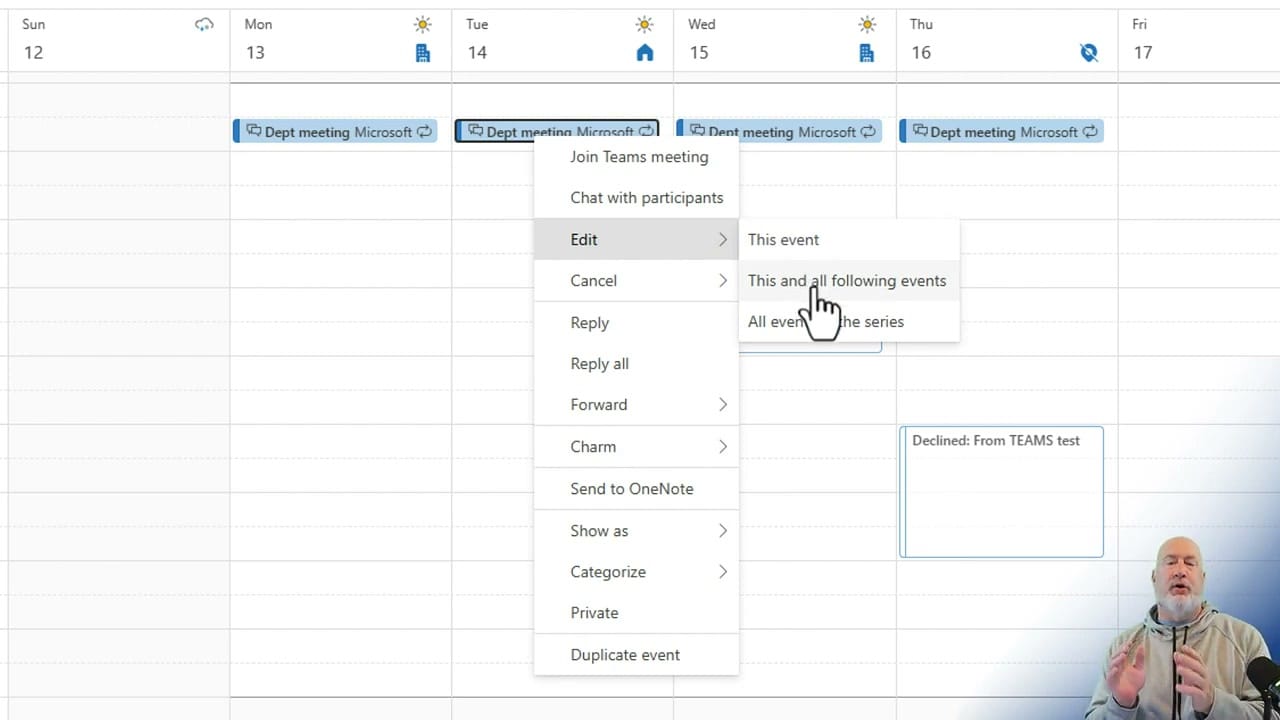
Move a weekly meeting to a new time starting next week without affecting past meetings. Previous occurrences keep their original times, preserving your calendar history accurately.
4. Share Your Work Location
Let colleagues know whether you are working from the office or remotely. Go to Settings → Calendar → Work Hours and Location. Pick your work days and set each one to Office or Remote.
This matters because Outlook now supports scheduling in-person meetings alongside Teams meetings. When people see your location, they know whether a face-to-face meeting is an option that day.
Want to learn more? Visit courses.chrismenardtraining.com for online training courses.
Related Outlook Tutorials
 Chris Menard
 Chris Menard
 Chris Menard
 Chris Menard
 Chris Menard