
Outlook Calendar - Meetings vs. Appointments

In Outlook we live in our calendar. We have three different types of calendar items - Meetings, Appointments, and Events. When do you use each?
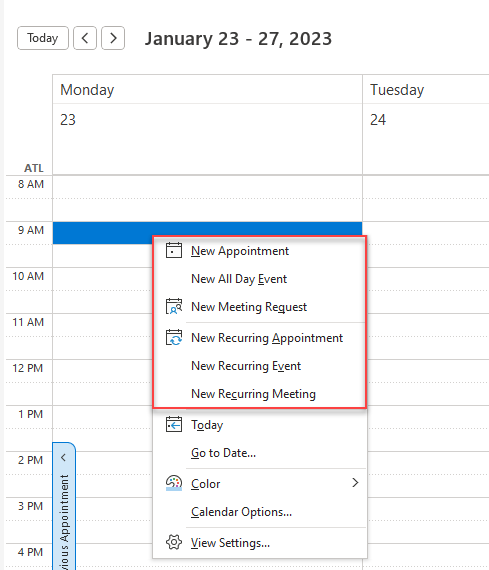
Outlook Calendar Meetings vs. Appointments
We will look at scheduling meetings, appointments, and all-day events. The main distinction is Appointments are for you and have a start and end time. Meetings are for you and someone else or multiple people and have a start and end time. All Day Events are usually for you and do not have a specific time like appointments do.
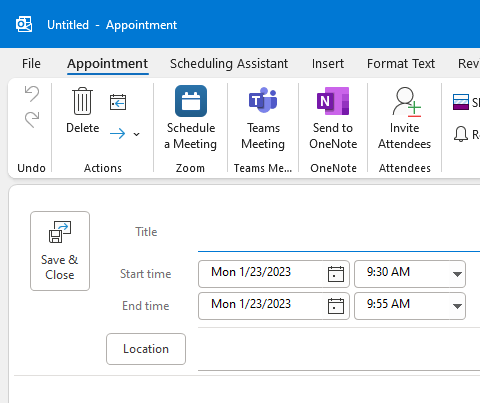
**Outlook Appointment** - Just you. You don't invite anyone
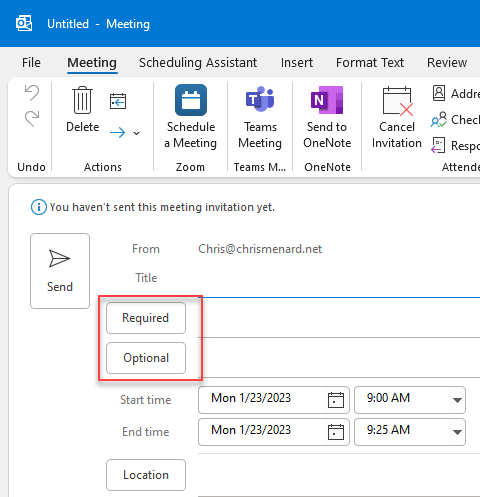
**Outlook Meeting** - You invite other people.
YouTube Video
Outlook Calendar - Meetings vs. Appointments
Outlook Recurring Appointments and Meetings - Examples
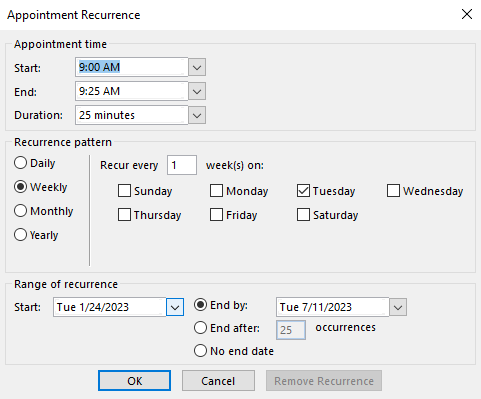
**Recurring Appointments and Meetings in Outlook**
For both appointments and meetings you can have recurring events. The recurrence can be
- Daily - Weekly - Monthly - Yearly
Examples of recurring daily appointments:
- Checking your emails in the morning. - Lunch
Examples of weekly or monthly meetings:
- Staff meetings - Project meetings
Frequently Asked Questions about Calendar items
Can I add or remove someone from a meeting invite?
Yes, open the meeting and delete or add an email. When you send by clicking **Send Update**, you will get the option to only **Send update only to added or deleted attendees**. That is the option you want to select. One exception would be if you added someone and changed the date or time of the meeting. Then, everyone would need to know.
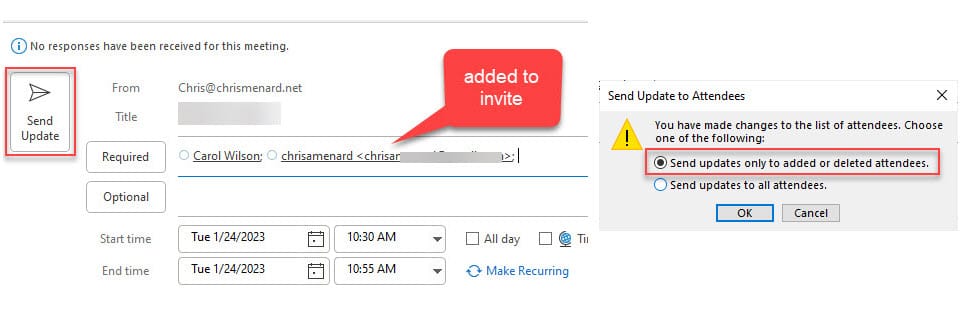
**Outlook - Send update to added or deleted attendees**
What is an all-day Event?
An all-day events has no start or stop time. An example would be if you were going on vacaton or holiday. You may be out of the office from August 13 to August 17. That is an all day event. One recommendation is to set the Show As to Out of Office.
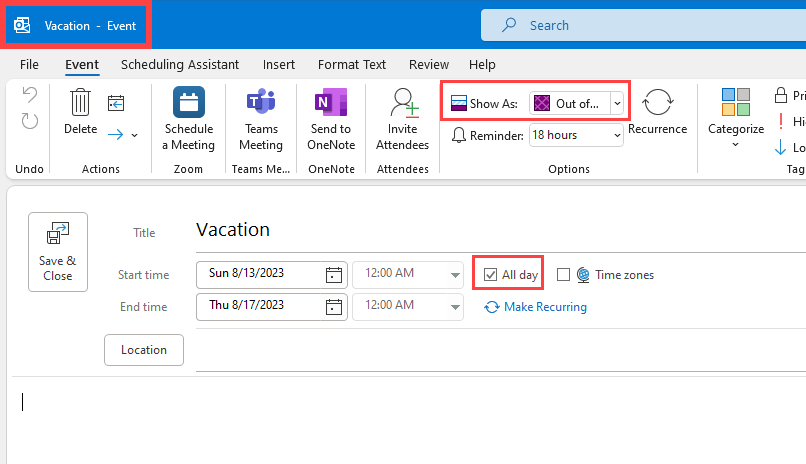
**Outlook Event - All Day**



