
Zoom Vanishing Pen Annotation | Draw on Screen during meetings or webinars while sharing. Zoom 5.6.3

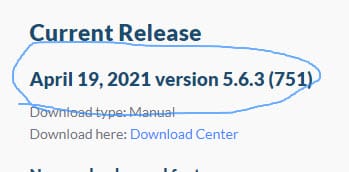
You can annotate your screen sharing, window sharing or webinars in Zoom by using a 'vanishing pen annotation'. Zoom had annotation features before, but in this update for Zoom version 5.6.3, you can draw anywhere on the screen, and in a few seconds, annotation disappears automatically.

**Zoom vanishing pen - will disappear after two to three seconds**
**Zoom blur background article**
- [**Zoom - Blur your background - virtual background - New Feature**](https://chrismenardtraining.com/post/zoom-blur-background) Zoom's latest update, 5.5.0, came out on February 1, 2021. One of the many new features is the ability to blur your background. You can still select a specific virtual background, but the blurred background is a great feature if you need added privacy.
How do I use the Vanishing Pen in Zoom?
1. You need to be in a Zoom meeting and sharing your screen to use the vanishing pen which is part of the annotation toolbar. 2. Click **Annotate**. Screenshot below. 3. Click **Spotlight** and then click **Vanishing Pen**. Screenshot below. 4. **Draw** using the pen and after two to three seconds, the ink will go away.
This is a great feature since you don't have to keep using undo or erase your drawing and the vanishing pen keeps your screen annotations clean.

**Annotate** in the screen sharing toolbar

**Spotlight** in the annotation toolbar
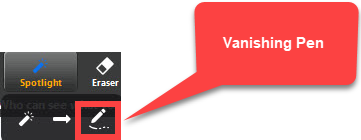
Vanishing pen in Zoom
Vanishing pen used in Zoom - the blue ink will disappear in a couple seconds
YouTube video
Zoom Vanishing Pen Annotation | Draw on Screen during meetings or webinars while sharing. Zoom 5.6.3



