
ZOOM: Share Multiple Applications at Once


Zoom has released a new update - version 5.4.3 - on November 16, 2020. The update includes a great new feature that allows you to share multiple programs at once!
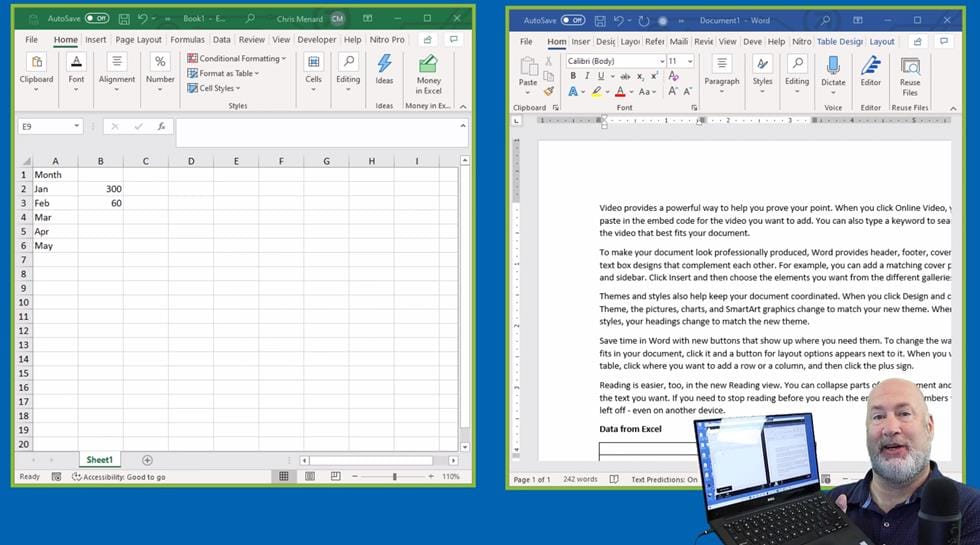
Users can select multiple desktop programs at once for sharing, instead of sharing their entire desktop. Other programs and unoccupied areas on the desktop will not be visible to the viewer. The sharer will always know which applications they are sharing by an extensible green border. Only the user employing this feature will need to be on version 5.4.3. Viewers or participants can be connected with older versions.
In this article, I will show you how to share both Excel and Word programs at once.
How to share multiple programs at once.
Before this update, you could share your screen or a window or application. You can still share your screen, but you can now share multiple applications.
1\. During the meeting, click on **Share** in the bottom toolbar. You will see all your opened windows, waiting for you to select a window or application that you want to share. In this example, I want to share both Excel and Word.
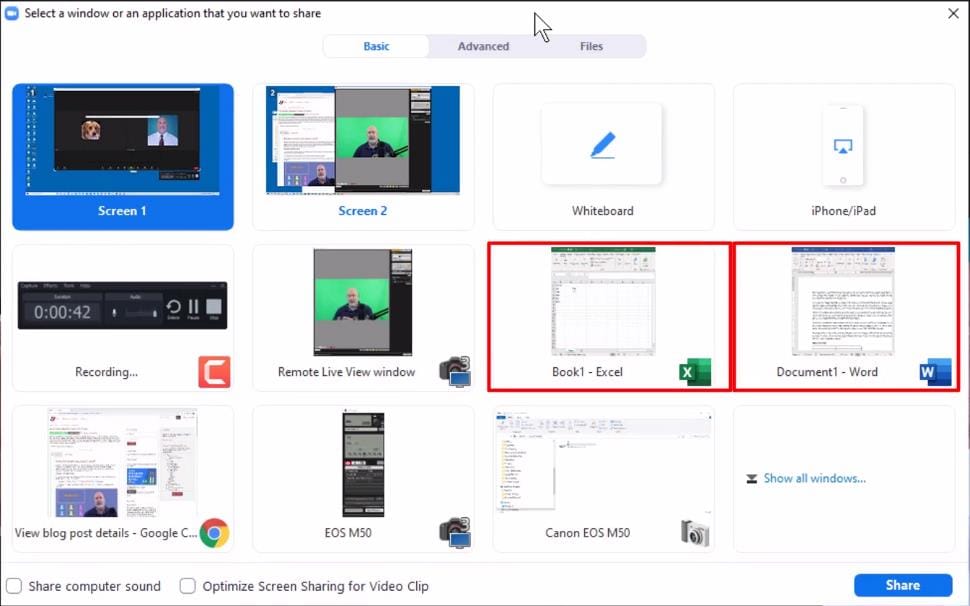
2\. When you click and select one of the applications to share, a message will pop-up saying, **"Hold Ctrl to select multiple windows." H** old the **Ctrl** key and select another window, and then click **Share.** You can share more windows and applications than just two.
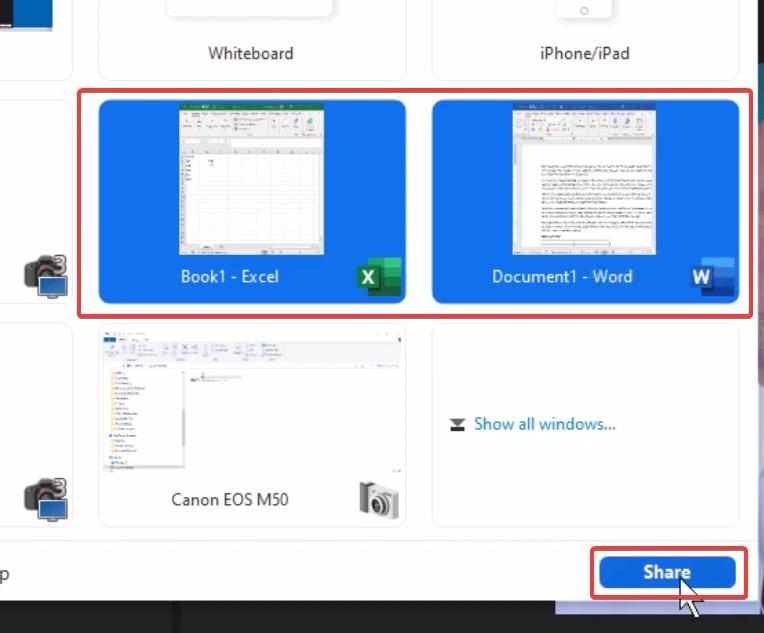
And you are set. As you will notice, both selected applications are displayed next to each other; an active green border surrounds both for the attendees to see. Multiple windows look great!
YouTube Video on Sharing Multiple Windows in Zoom
Zoom share multiple applications/windows at once - Zoom 5.4.3 - YouTube



