Zoom Security - Using and Changing your Personal Meeting ID (PMI)

Your Personal Meeting Room is a virtual meeting room permanently reserved for you to access with your Personal Meeting ID (PMI). With your PMI, you can start instant meetings or schedule a meeting that uses your PMI. I find myself starting instant meetings with co-workers using the PMI. Your Personal Meeting ID doesn't change and stays static.
YouTube Video
Zoom - Security Options - Using & Changing your Personal Meeting ID
Access your Zoom Personal Room
To get into your personal room - licensed or basic account - do the following steps:
1. Sign in to your Zoom account on [Zoom.US](https://zoom.us/) 2. Click **Meetings** 3. Click **Personal Room**
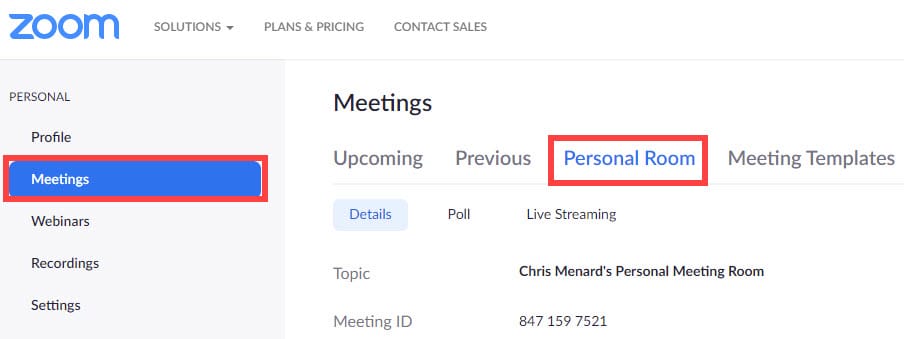
**Note**: Since I'm in a licenses account, other Zoom features are available to me. Below the Personal Room are the features for Poll and Live Streaming. Polling and Live Streaming are available with a Licensed account.
Editing your Personal Meeting ID
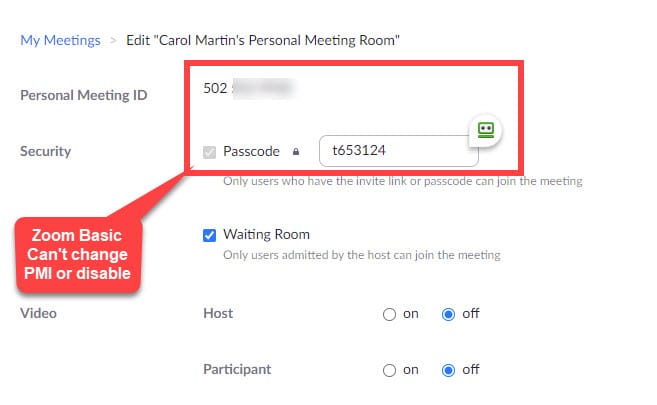
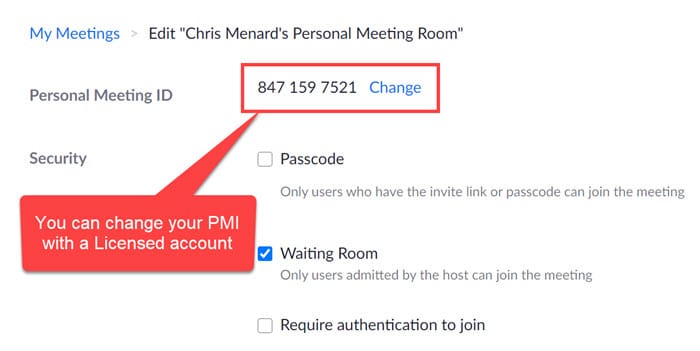
Your personal meeting room is associated with your Personal Meeting ID. To change your PMI, you must be on a licensed account. Free or Basic accounts can't change their PMI.
1. Sign in to your Zoom account on [Zoom.US](https://zoom.us/) 2. Click **Meetings** 3. Click **Personal Room** 4. Click **Edit** 5. Select **Change** next to your PMI
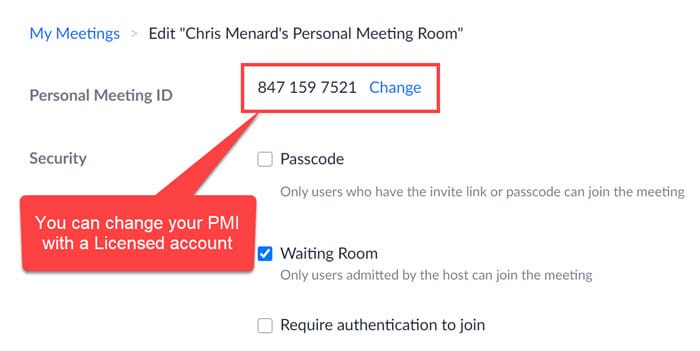
Features not available with a Free or Basic Zoom account
With a Basic Zoom account
1. You can't change your Personal Meeting ID (PMI) 2. You can't disable a passcode for the meeting. You can change the passcode, you can't turn it off.