
Zoom - Record Separate Audio Tracks for easy editing


Zoom has a great feature where you can separate audio tracks. Most Zoom users aren't aware that they can record audio files on separate tracks. This feature is beneficial for content creators such as Livestreams, Podcasters, and anyone doing interviews.
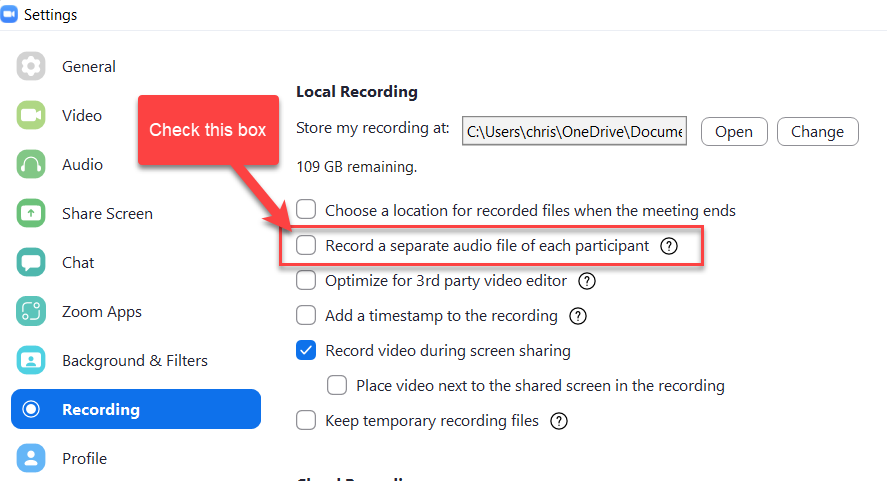
Zoom - Record a separate audio file for each participant
YouTube Video
Zoom - Record Separate Audio Tracks for easy editing
With separate audio files, you can enhance the audio quality in post-production.
The maximum amount of separate audio tracks you can record is 80. If people join your Zoom meeting via telephone, they will all be on the same audio track.
To enable separate audio track recordings
1. Open the Zoom client, and click the **Setting** icon on the desktop app. 2. Go to **Recordings** 3. Check **Record a separate audio file of each participant**.
Record and Save audio tracks to your computer
1. Start a meeting. 2. Click **Record**. Make sure you record locally, not to the cloud. 3. Once the meeting is over and the recording has processed, open the recording folder.



