Zoom Polling - View all poll results at one time during a meeting


Zoom's polling is a great feature. One tip that most users don't know is that you can view all polls' results during a meeting. By default, as the host, you can easily share one poll's results during the meeting, but you can launch a web browser and see every poll's results. This may be handy when you need to discuss the poll results or schedule breakout rooms based on poll results.
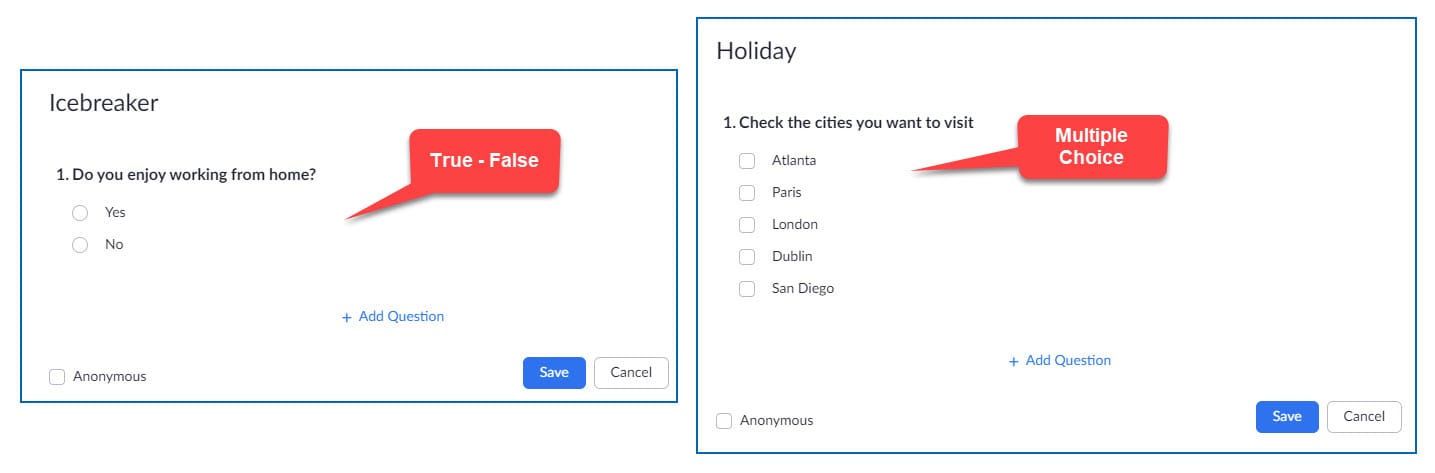
Zoom Polls - Question Types
1. True/False 2. Multiple Choice
Note: one poll can contain multiple questions.
Screenshot of two question types
On the left is a **True-False** question and on the right is a Multiple Choice question.
YouTube video
Zoom Polling - View all poll results at one time during a meeting
View all poll results at one time in a meeting
Try it!
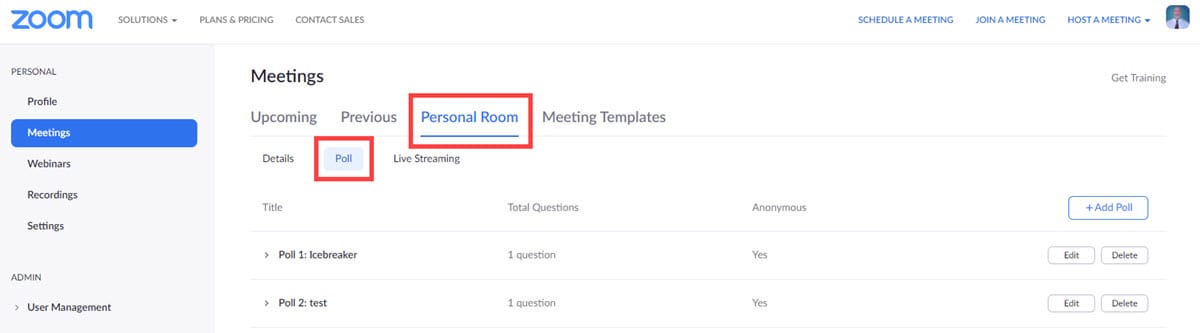
1. Sign in to your Zoom account at Zoom.US 2. Go to the Meeting you are currently hosting. 3. Click the meeting title under **Upcoming** if you are in a meeting now. 4. Polls are at the bottom of the page for dynamic meeting ids. Poll results are under your Personal Meeting (screenshot below). 5. Expand the polls, and you can view all the results.
Personal Meeting Poll results