
Zoom - Add Video to the Waiting Room


The Zoom Waiting Room is very popular. You have always been able to customize the waiting room with your logo and a description. Now, with the release of Zoom 5.7.3, you can add a video to your waiting room.
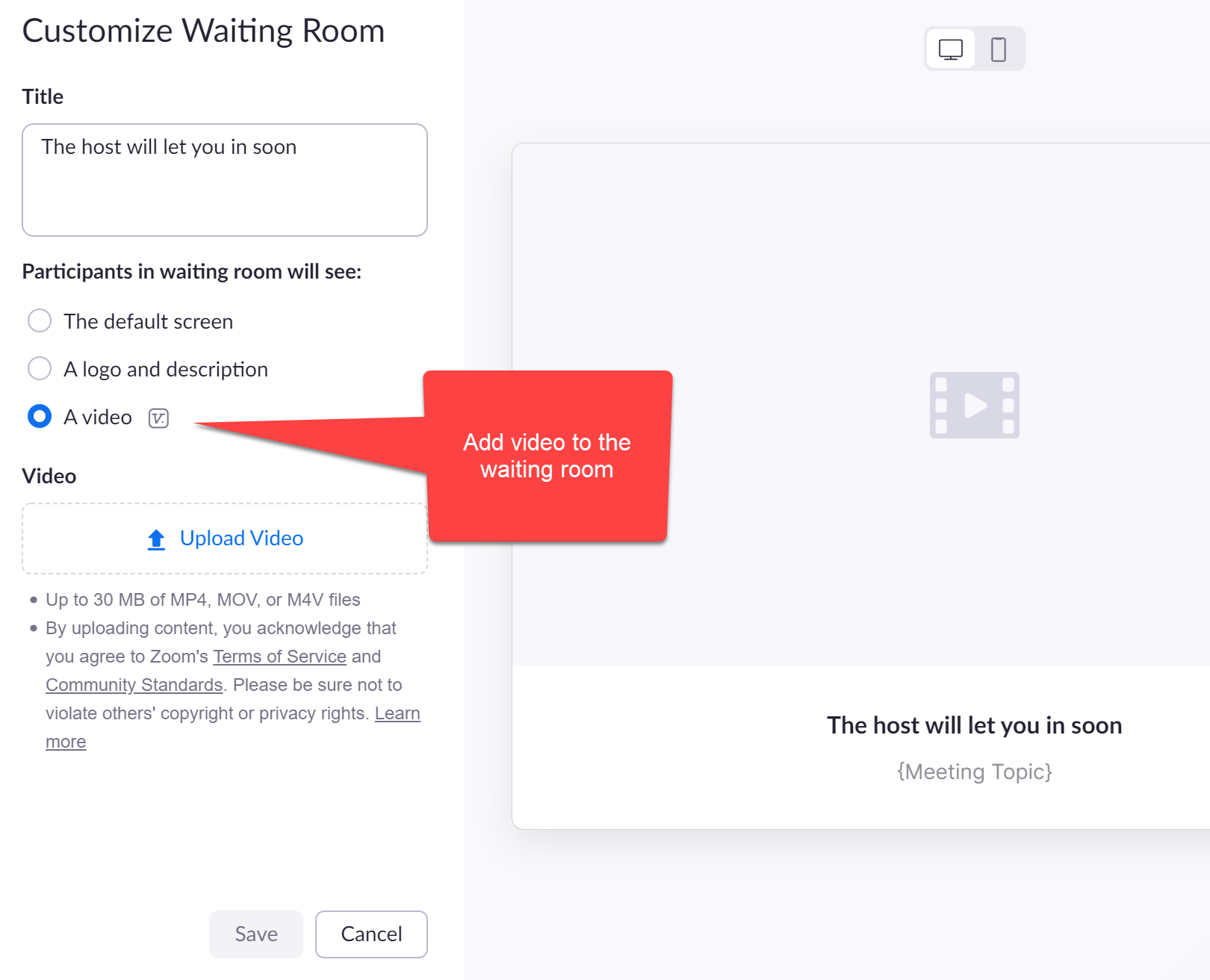
**Zoom waiting room - add video**
This is a great way for participants in your waiting room to see your product line, view upcoming webinars, or learn about your company. If you are a university professor or teacher, you can use video in your waiting room to discuss courses you teach, how your class is run, and important course dates.
YouTube video
Zoom: Add Video to the Waiting Room | New Feature with 5.7.3 release
Steps to get video added to a Zoom waiting room
_Waiting Rooms only work with a paid account_
**Steps**
1. Sign in to your Zoom account 2. Click **Settings** 3. Under Security, select **Customize Waiting Room** 4. Select **A** **video** 5. Upload your video
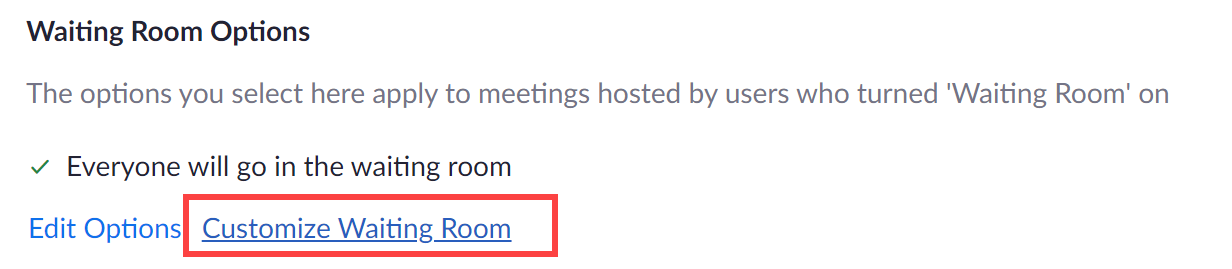
**Customize the Zoom Waiting Room**
Video format and video size
- Up to 30 MB for video - Only MP4, MOV or M4V



