
Working with Time in Microsoft Excel | Time Functions and Conversion


Do you need to add or subtract time in Excel? Some time calculations are easy, but depending on how the time is entered, you may need to use the TIME function or formula to add or subtract time. For example, if you have 9am in B2, and in cell C2, you have 3, for three hours, you can't add them with B2+C2 and get the correct answer without the TIME function.
YouTube Video
Working with Time in Microsoft Excel \| Time Functions and Conversion - YouTube
TIME Function in Excel
TIME(hour, minute, second)
The TIME function syntax has the following arguments:

Hour
Required. A number from 0 (zero) to 32767 representing the hour. Any value greater than 23 will be divided by 24, and the remainder will be treated as the hour value. For example, TIME(27,0,0) = TIME(3,0,0) = .125 or 3:00 AM.
Minute
Required. A number from 0 to 32767 representing the minute. Any value greater than 59 will be converted to hours and minutes. For example, TIME(0,750,0) = TIME(12,30,0) = .520833 or 12:30 PM.
Second
Required. A number from 0 to 32767 representing the second. Any value greater than 59 will be converted to hours, minutes, and seconds. For example, TIME(0,0,2000) = TIME(0,33,22) = .023148 or 12:33:20 AM
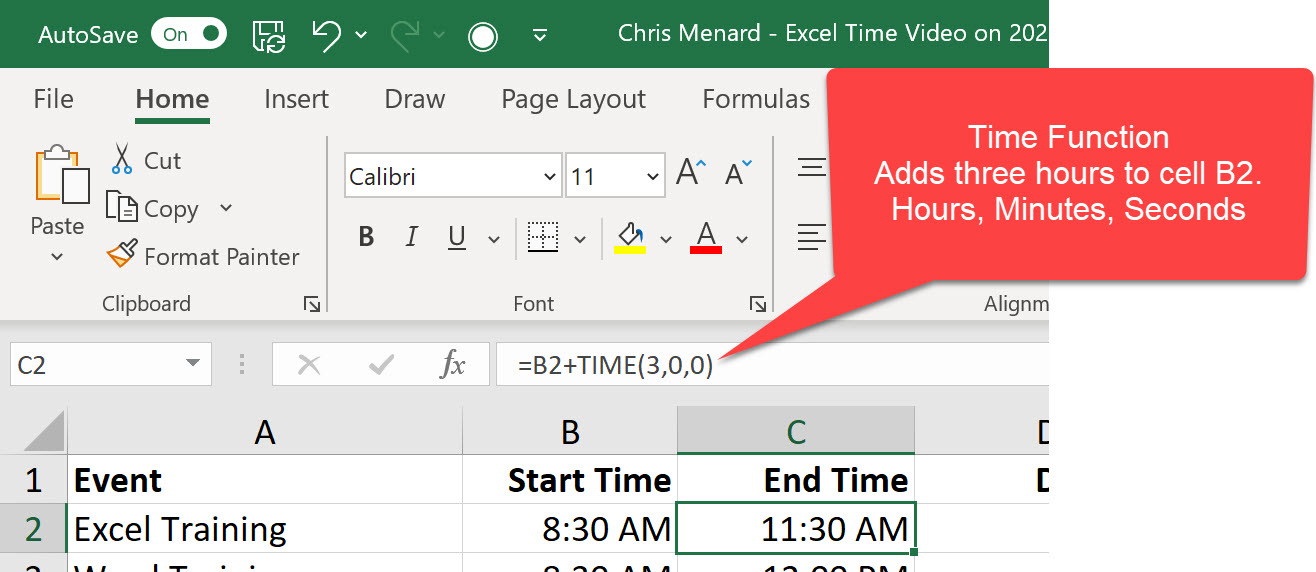
=B2+TIME(3,0,0)
If B2 contains 9am, the function will return at 12pm. It adds, 3 hours to 9am.
Video Chapters
- 00:00 Intro to chapters - 01:00 TIME function - 02:56 Add two-time numbers - 4:10 Add time format and number together - 5:25 Subtract time - 6:20 Total time over 24 hours - 7:30 Subtract time over midnight - 8:20 Time as a decimal



