
Word: use Insert Text from File to combine multiple Word documents

Share
Word: use Insert Text from File to combine multiple Word documents

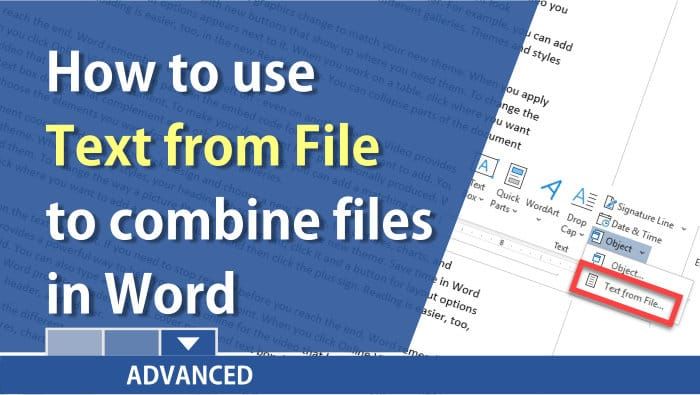
Steps to combine multiple Word documents:

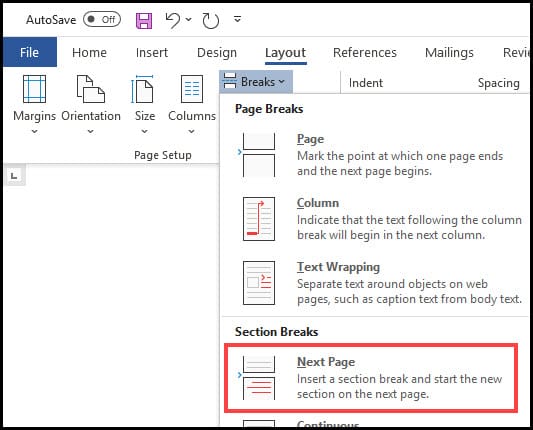
1. Have one Word document open. 2. Insert a Section break next page by clicking the **Layout** tab - Breaks - and selecting **Section Break Next Page**.
3. Add or combine the next Word document by selecting the **Insert** tab - clicking the **drop-down arrow** in Object in the Text group and selecting **Text from File**.

4. Locate your Word document and click **Insert.**

* * *

YouTube Video - Text from File in Word

Word: Insert Text from File to combine Word documents by Chris Menard - YouTube

Read more

Copilot Skills in PowerPoint - Live Stream on October 20, 2026

Copilot Skills in PowerPoint - Live Stream on October 20, 2026

๐— ๐—ผ๐˜€๐˜ ๐—ฃ๐—ผ๐˜„๐—ฒ๐—ฟ๐—ฃ๐—ผ๐—ถ๐—ป๐˜ ๐˜‚๐˜€๐—ฒ๐—ฟ๐˜€ ๐—ธ๐—ป๐—ผ๐˜„ ๐—–๐—ผ๐—ฝ๐—ถ๐—น๐—ผ๐˜ ๐—ฐ๐—ฎ๐—ป ๐—ฐ๐—ฟ๐—ฒ๐—ฎ๐˜๐—ฒ ๐˜€๐—น๐—ถ๐—ฑ๐—ฒ๐˜€. ๐—™๐—ฎ๐—ฟ ๐—ณ๐—ฒ๐˜„๐—ฒ๐—ฟ ๐—ธ๐—ป๐—ผ๐˜„ ๐—ฎ๐—ฏ๐—ผ๐˜‚๐˜ ๐˜๐—ต๐—ฒ ๐Ÿด ๐—ฏ๐˜‚๐—ถ๐—น๐˜-๐—ถ๐—ป ๐—–๐—ผ๐—ฝ๐—ถ๐—น๐—ผ๐˜ ๐—ฆ๐—ธ๐—ถ๐—น๐—น๐˜€ ๐˜๐—ต๐—ฎ๐˜ ๐—ฐ๐—ฎ๐—ป ๐—ฐ๐—ผ๐—บ๐—ฝ๐—น๐—ฒ๐˜๐—ฒ๐—น๐˜† ๐—ฐ๐—ต๐—ฎ๐—ป๐—ด๐—ฒ ๐—ต๐—ผ๐˜„ ๐˜†๐—ผ๐˜‚ ๐—ฏ๐˜‚๐—ถ๐—น๐—ฑ, ๐—ถ๐—บ๐—ฝ๐—ฟ๐—ผ๐˜ƒ๐—ฒ, ๐—ฎ๐—ป๐—ฑ ๐—ฝ๐—ฟ๐—ฒ๐˜€๐—ฒ๐—ป๐˜ ๐—ฎ ๐—ฑ๐—ฒ๐—ฐ๐—ธ. Join me live on October 20, 2026, at Noon Eastern as I demonstrate each Copilot Skill and show practical ways to use them in your presentations. PDF of the 8 Copilot Skills in Pow

By Chris Menard

