
Use array functions in Excel to perform multiple calculations in one cell: Chris Menard Training

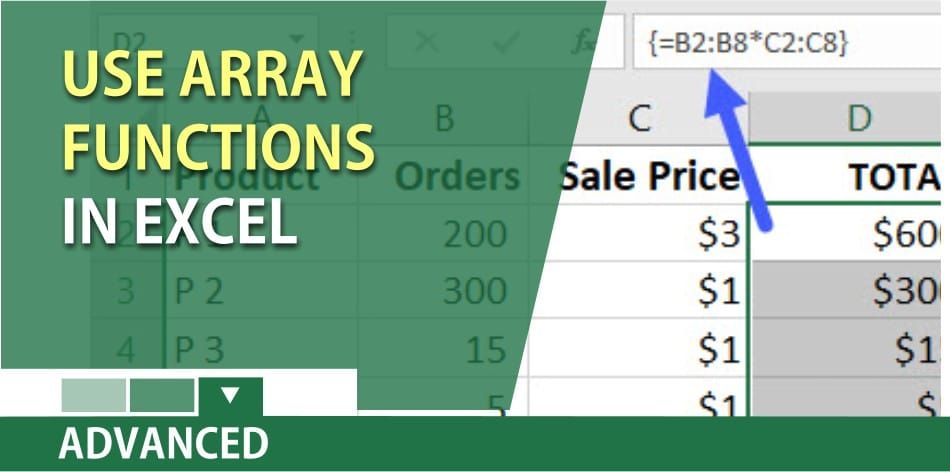
If you want to become a master of Excel, you need to learn how to use array formulas. Array formulas will perform calculations that other formulas in Excel can’t do.
Here is example 1 – multi-cell calculation to return multi results
1. Select D2 to D8. 2. Type **=B2:B8\*C2:C8**. 3. Press **Ctrl + Shift + Enter** on the keyboard. 4. Click in cell D2 and look at your formula bar.
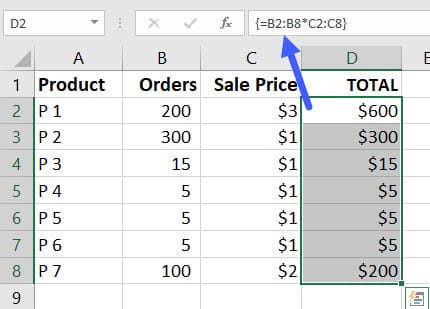
An array function will have braces { } around it. You can not manually type the braces. You must use Ctrl + Shift + Enter.
Here is example 2 – multi-cell calculation to return one result
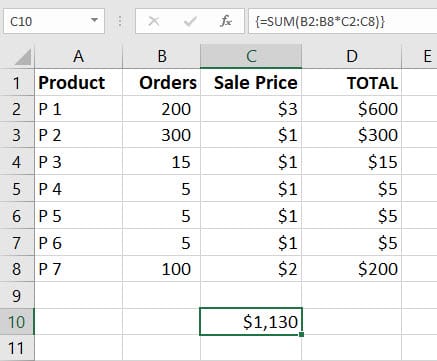
Using the same example from above, I want to know what is the grand total.
1. Click in cell C10. 2. Type **=SUM(B2:B8\*C2:C8)**. 3. Press **Ctrl + Shift + Enter** on the keyboard. 4. Click in C10 and look in the formula bar.
YouTube Video on Array formula
Shown in the video:
1. Four array formulas including Frequency function. 2. Countif 3. Countifs
Array Functions in Excel vs Countif and Countifs by Chris Menard



