
Troubleshooting Zoom Virtual Background not working


Zoom virtual backgrounds are extremely popular. Many users have commented on my channel that their virtual background is not working. Many users have asked if virtual backgrounds only work with a paid Zoom account. Virtual backgrounds do work with the free account, and if you are having issues getting virtual backgrounds to appear, here is my solution.
Virtual backgrounds work in Zoom with images and virtual videos. As mentioned, virtual backgrounds do work with the Free or Basic Zoom account. I used a free or basic account to make this video.
If your virtual background is not showing up when you start a meeting, do the following:
1. Go to [**Zoom.Us**](http://zoom.us/) and sign in to your account.

2. Go to **Settings** on the left.

3. Under In Meeting (Advanced) **turn Virtual Background on**.

4. Back in the Zoom app, **sign out** of Zoom. Don't just close the app, you need to sign out.
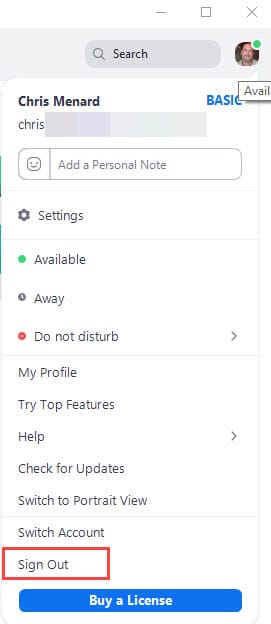
5. Sign back into Zoom. 6. Your background should be working.
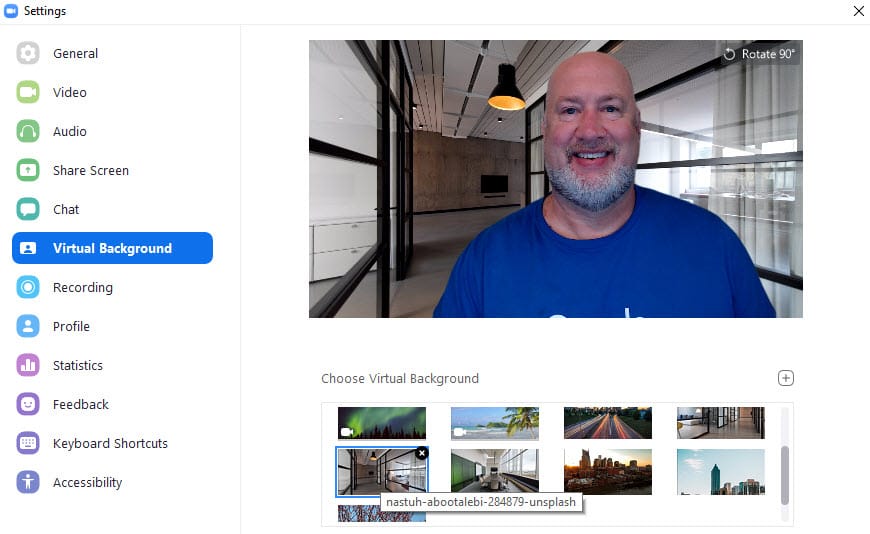
Free video virtual backgrounds
Need free video virtual backgrounds? Here is my Zoom support center page with 25 virtual video backgrounds. Click the image below.
[

](https://chrismenardtraining.com/zoom/zoom-resource-center)
YouTube Video: Zoom virtual backgrounds not working? Solution by Chris Menard
Zoom virtual backgrounds not working? Solution by Chris Menard - YouTube



