
Teams - How to Add an Excel file or Word Doc to a Teams Channel Tab


Need to quickly access an Excel file or Word document in a Teams Channel? It is easy to add a file as a documents tab in a channel. This is so much easier than trying to find a file. If there is an Excel file you access daily or frequently in Teams, make it a Tab. Before making the document tab, the file must exist in the channel.
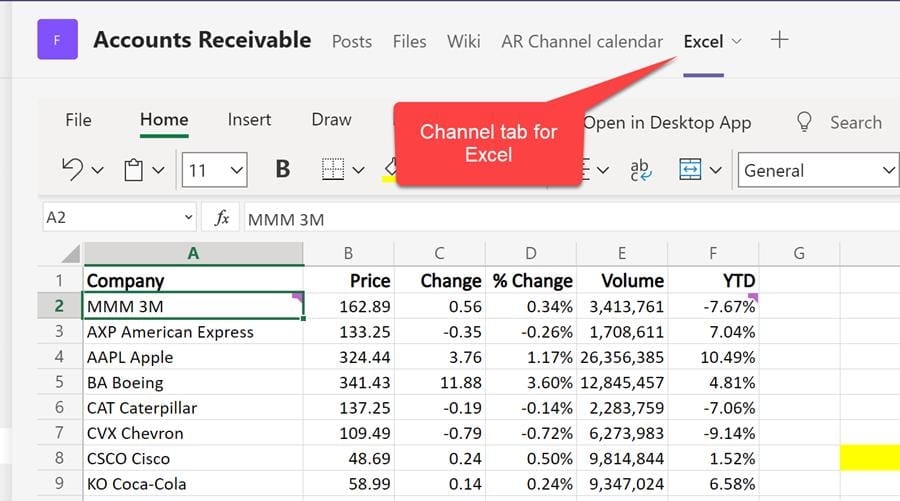
**Excel file in a Teams Channel Tab**
Method 1 to make a channel tab
1. Select the Channel where you want to make a tab. 2. Click the **plus sign** to add a tab. 3. Click or **Search** for the app you want to make a tab. I used Excel in the video. 4. Teams will display the file type you selected. If you searched for Word, you would see Word documents, and if you searched for Excel, you would see Excel spreadsheets. 5. Select the file you want to make a tab. 6. **Post to this Channel** will allow others to find the tab for the 1st time quickly. 7. Click **Save**.

**Add a tab to a channel in Teams**
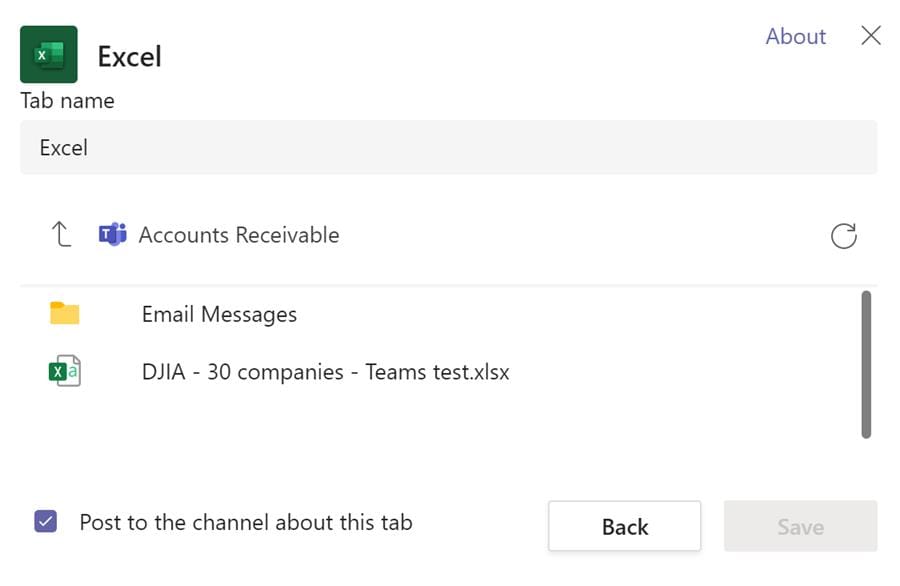
**Add Excel as a tab in Teams channel**
YouTube Video - Add Excel or Word as a tab in a Teams channel
Teams - How to Add an Excel file or Word Doc to a Teams Channel Tab
Method 2 to make a channel tab
1. Click on **Files** tab 2. Find the file you want to make a tab 3. Click the three dots for **Show Actions** 4. Click **Make this a Tab**
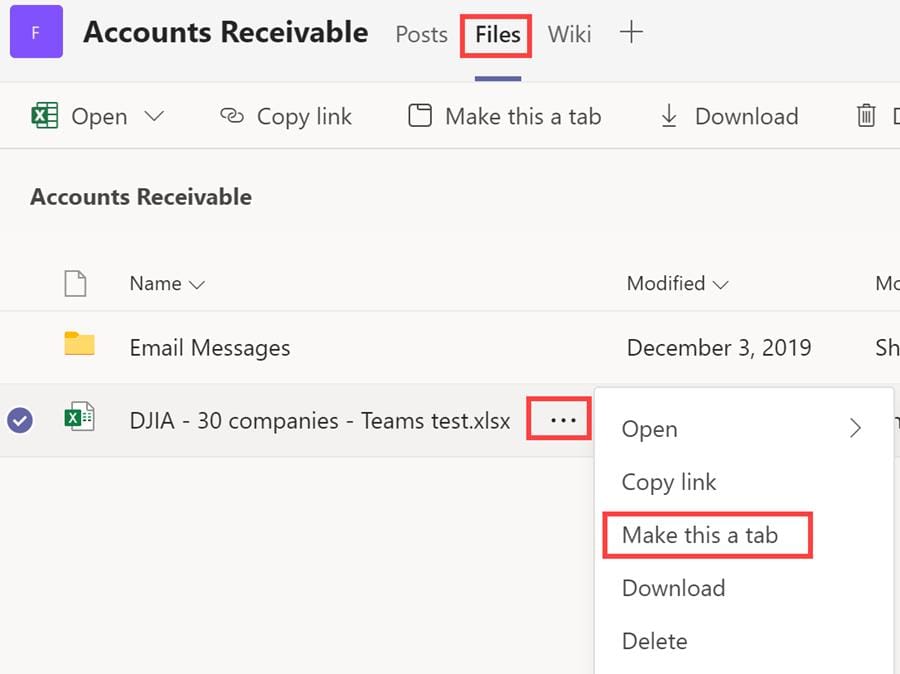
**Files - Make this a tab in Teams**
Rename or Remove a Tab in a Teams Channel
1. Click the **dropdown** next to the right of the Tab name. 2. Select either **Rename** or **Remove**
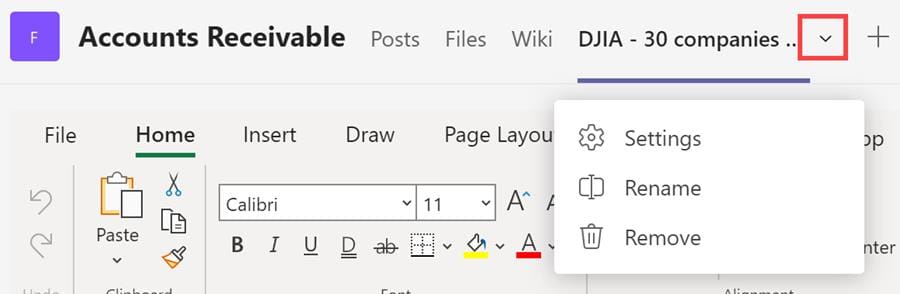
**Teams channel rename or remove**



