
Teams and Outlook folders automatically created in OneDrive


Microsoft OneDrive for Work or School, formerly known as OneDrive for Business, creates folders for Teams and Outlook files.
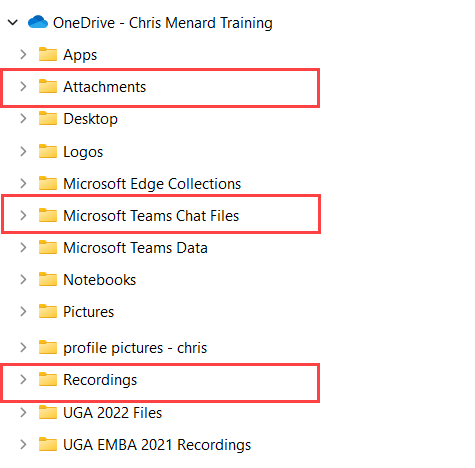
OneDrive folders created by Teams and Outlook
The Teams folders are Microsoft Teams Chat Files and Recording folders. The Microsoft Teams Chat Files shows files you uploaded in chat by clicking the paperclip icon. The Recordings Folder shows meeting recordings that are stored in OneDrive.
Teams Recording has an expiration date for most companies. You can find a recording in the OneDrive Recycle Bin if a recording gets deleted. Important recording, you can change the expiration at any time and not have it expire. The Outlook folder is the Attachments folder. This folder contains Outlook attachments saved to OneDrive.
YouTube video
OneDrive - Teams and Outlook folders automatically created in OneDrive -
Chapters
- 0:00 Intro - 0:28 Teams folders created in OneDrive - 1:10 Microsoft Teams Chat Files - 1:45 Recording folder for Teams - 2:50 Outlook Attachments Folder



