
Subtotal Command in Excel - automatically calculate subtotals and grand totals


The Subtotals Command will automatically calculate subtotals and grand totals in a list for a column. Subtotals come with an automatic outline in Excel. The outline will show 1, 2, and 3 to the left of column A. I follow three rules before I use Subtotals - 1) Save, 2) Sort, and 3) Subtotal. You can also do multiple Subtotals.
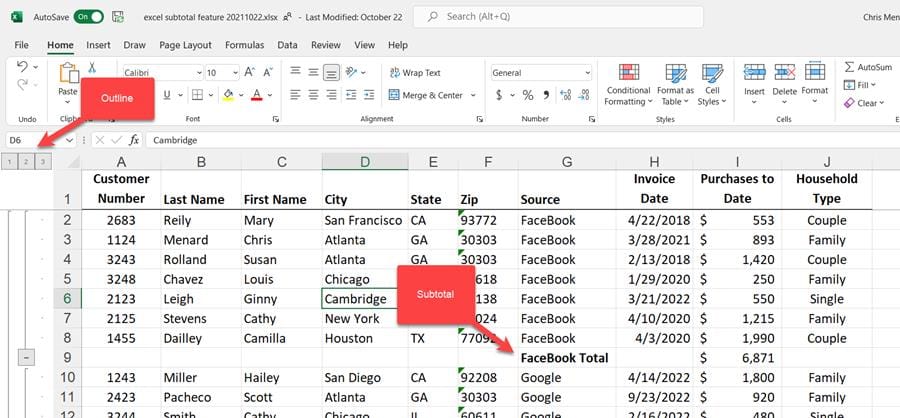
Subtotal command in Excel
YouTube video
Subtotal Command in Excel - automatically calculate subtotals and grand totals
Steps to Subtotal
1. Sort your data by what you want to subtotal.In the screenshot below, I sorted by State, so I'll subtotal by State. 2. Click **Data**\- **Subtotal** 3. At each change in, select the column you sorted by in step 1. 4. Use a function, in the video I used Sum, and check what you add subtotals. 5. Click **OK**.
To Remove Subtotals
1. Click **Data**- **Subtotal** 2. Click **Remove All**.
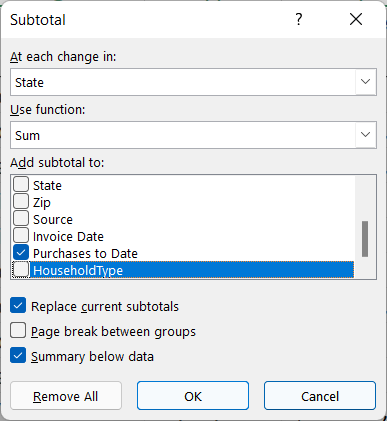
Data Subtotals in Excel
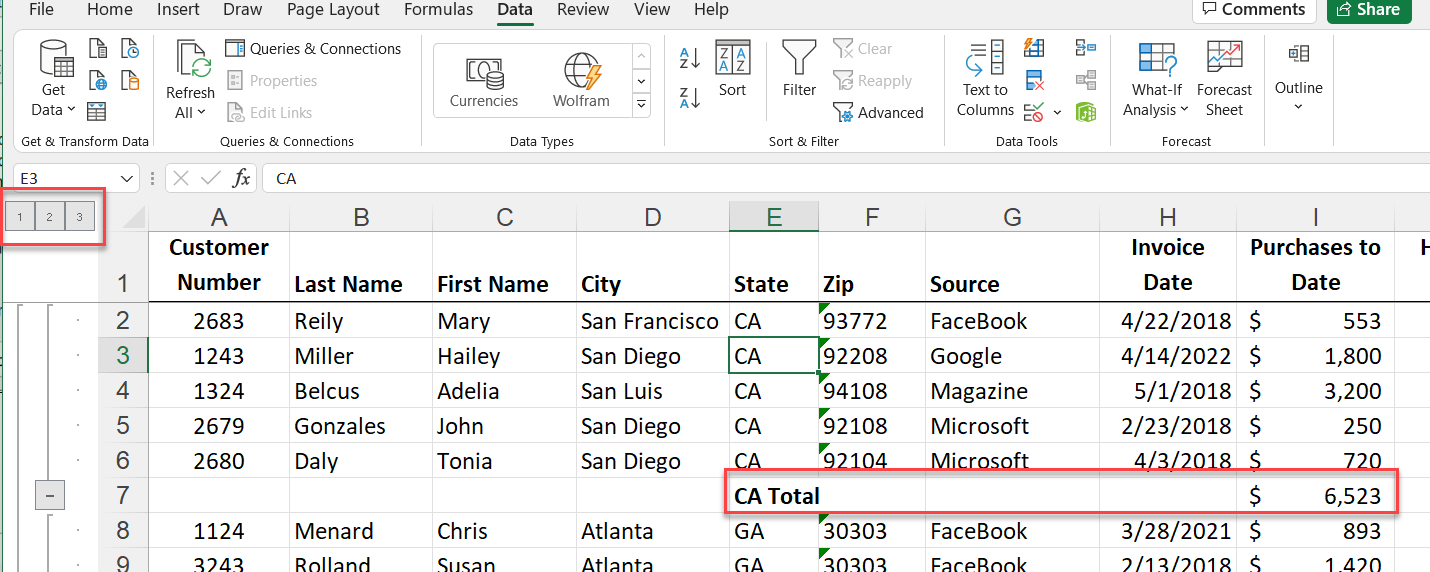
Subtotals by State
Using the Outline
Subtotals come with an outline.
- Outline 1 is Grand Totals - Outline 2 is Subtotals and Grand Totals - Outline 3 shows all data.It is the default when you first do Subtotals.
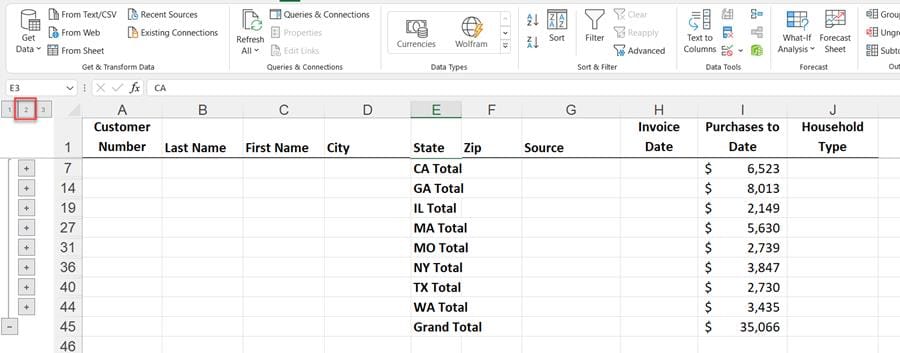
Outline 2 in Excel Subtotals



