
Snagit: capture cursor, use callouts, and shapes by Chris Menard

Posted on: 01/31/2019
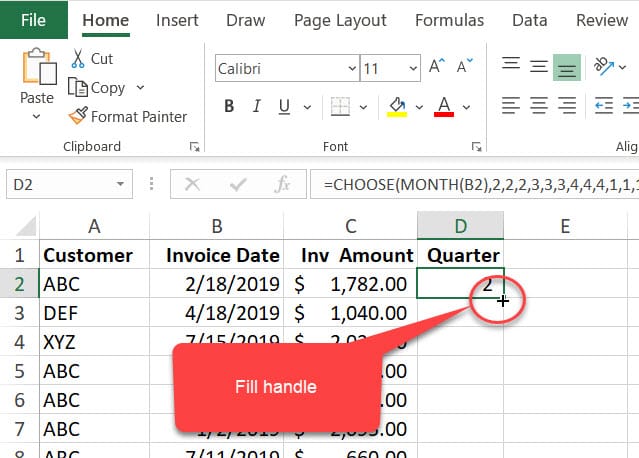
Showing someone that doesn't know Excel where the fill handle is located, is difficult to explain, but Snagit makes it easy with a capture cursor and adding a shape and a callout.
Try out Sangit
**[Click here to try out Snagit.](https://techsmith.pxf.io/c/1339065/476802/5161)**
YouTube Video on capturing the cursor and shapes with Snagit.
Snagit: capture cursor, add a shape and callout by Chris Menard
To capture the cursor in Snagit
1. Open Snagit 2. Check Capture Cursor
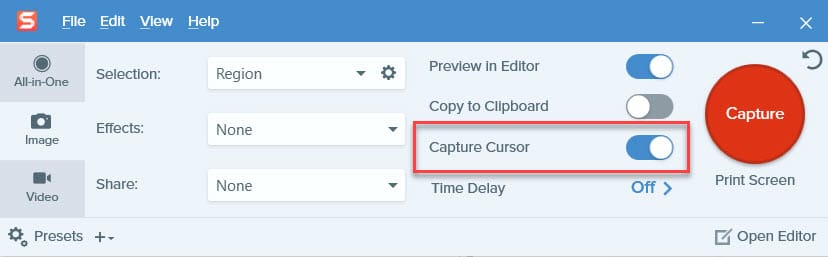
3. Put your mouse where you want it to be captured. 4. Press PrintScreen



