
Share Outlook email to Teams - New Feature April 2021


Do you need to send an email from Outlook to Teams? Teams and Outlook integration has a great new feature (April 2021). From Outlook or Outlook on the web, you can share emails to Team chats or Team channels. Does the email contain attachments? You have the option to share the attachments. This is a great update.
Examples of why you would Outlook email to Teams:
1. A customer sends you an email with attachments, and your Team channel needs to see the attachments and have a conversation about the attachments. You can have a threaded conversation or even a meeting. 2. You need to send an invoice to a co-worker to approve or discuss it. You could send an email to a chat also. 3. Any email or email with attachments you need in Teams, this feature has you covered.

Outlook Share Emails to Teams - Chat or Channel
How do I share an email from Outlook?
While viewing an email in the **Outlook desktop app**, select **Share to Teams** located in the toolbar ribbon on the Home Tab. See the screenshot above.
In **Outlook on the web** (and the new Outlook for Mac), select **More actions** and choose **Share to Teams**.
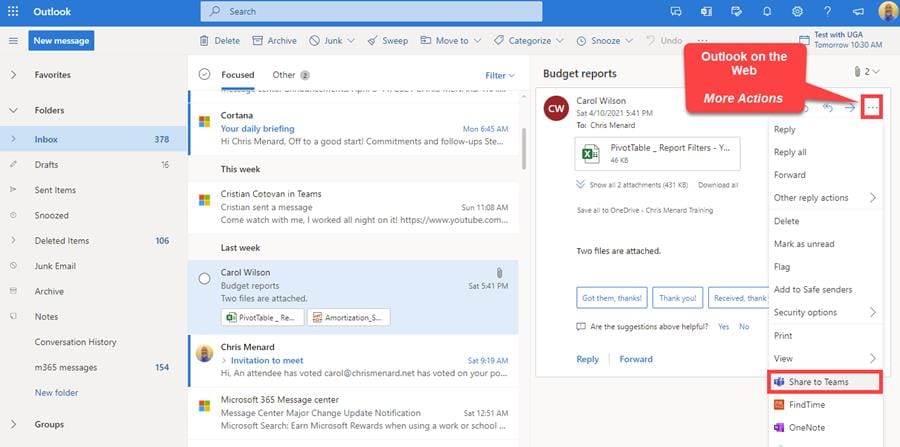
Share to Teams - Outlook on the web
Send the email to a Chat or Channel
After you click Share to Teams. Choose the person or channel that you want to share your email with in this step. You can type in a message and decide if you want to include attachments.
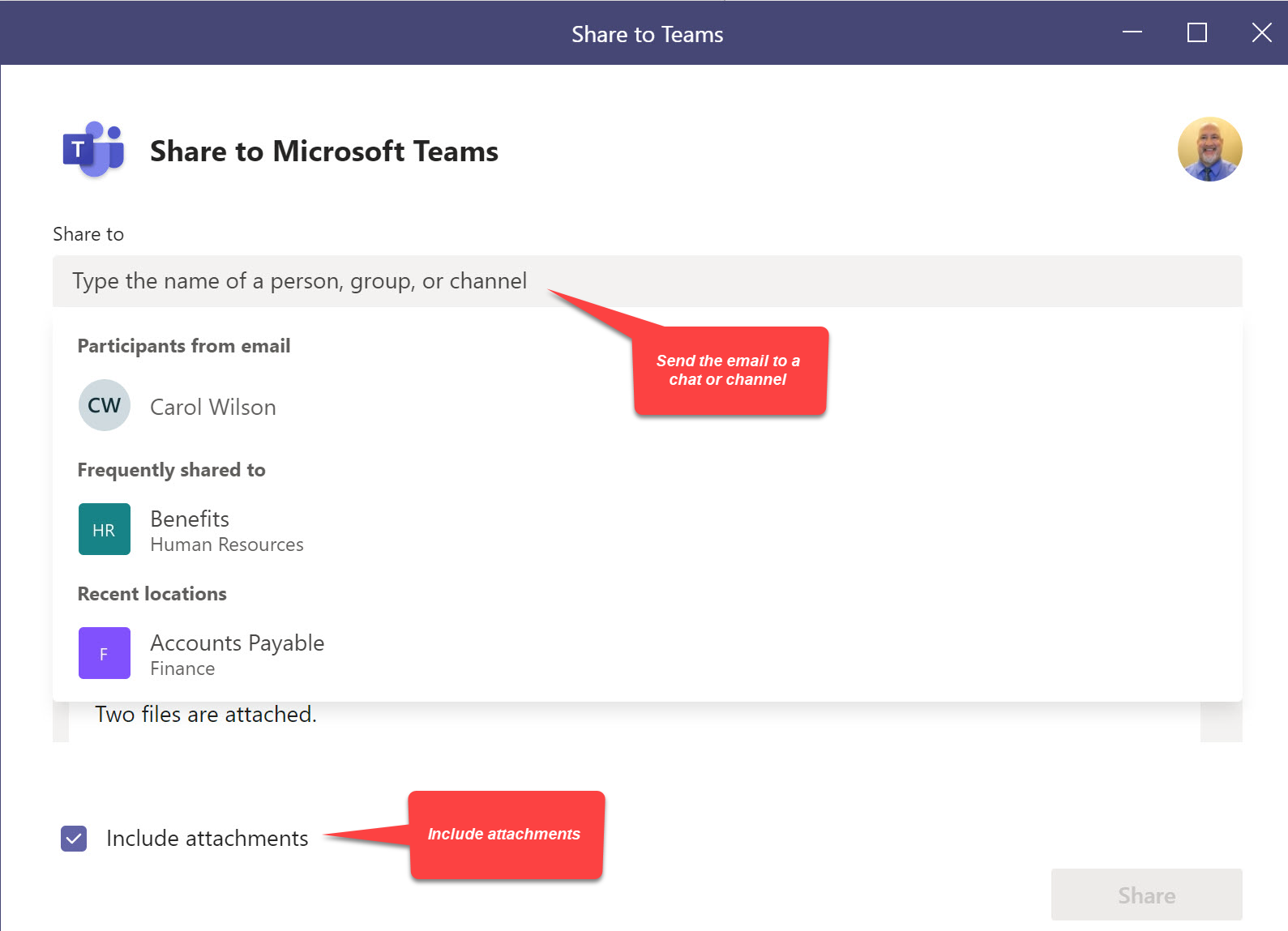
Send an Outlook email to a chat or channel and include attachments
YouTube video
Share an email from Outlook to Teams - New Feature April 2021
Where are the outlook email attached stored in a channel?
After sending the email and attachements, the files and email message show under Posts tab in the channel, but the files are stored under **Files tab** in a folder called **Email Messages**.
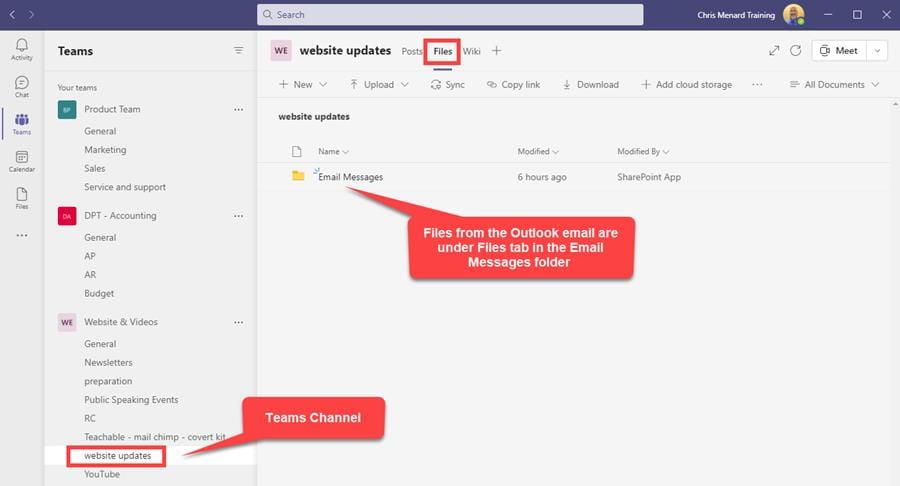
Outlook email attachments are stored under Files Tab in Email messages folder



