
Send Confidential Emails with Gmail

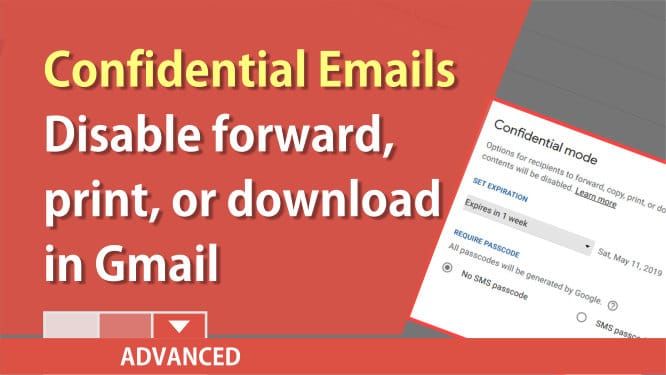
Gmail allows you to send confidential emails. The receipent cannot forward, print, or download attachements. You can even set an expiration date on your confidential emails. This feature allows you to protect sensitive information.
To send a confidential email with Gmail
1. Open Gmail 2. Click **Compose** 3. Type your email 4. Click **Turn confidential mode on or off**

5. Change your confidential settings
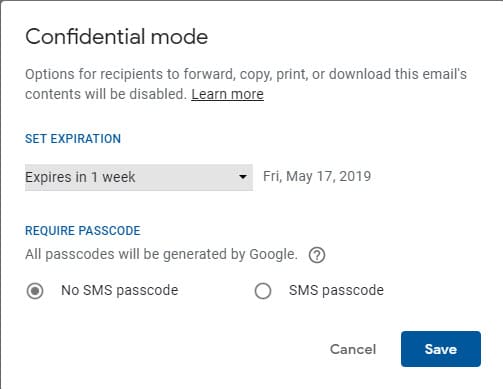
6. Click **Save**
7. **Send** the email
Confidential Mode Options
No SMS passcode," recipients using the Gmail app will be able to open it directly. Recipients who don't use Gmail will get emailed a passcode.Make sure you remind non-Gmail users to check their spam folder.
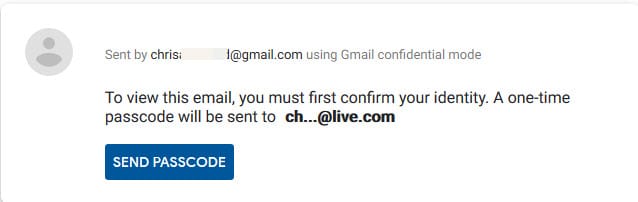
If you choose "SMS passcode," recipients will get a passcode by text message. Make sure you enter the recipient's phone number, not your own. This is the most secure method of sending a confidential email.
* * *
YouTube Video of sending confidential emails
Use Gmail to send Confidential emails by Chris Menard - YouTube



