PowerPoint: 3D models. New Feature for Office 365 Subscribers

Share
PowerPoint: 3D models. New Feature for Office 365 Subscribers

Inserting a 3D Model on a slide from Online Sources

1. Click the **Insert** tab, click **3D Models** in the Illustration group, and click **From Online Sources**.

2. After the 3D models load, select **All Animated Models** or any of the groups with a Runner icon showing.
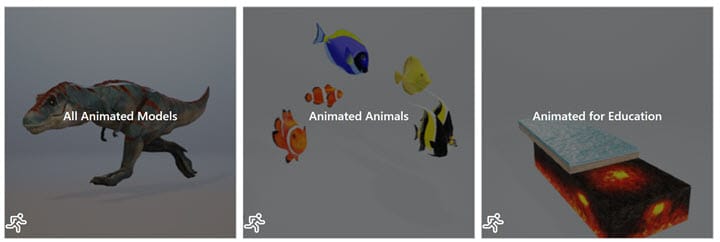
3. Select one or more and click **Insert**.

To change or run the Scene of a 3D Model

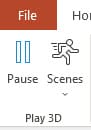
1. Select the 3D Model 2. Click **Format** on the 3D Model Tab 3. In the Play 3D group, select **Pause or Play** to run the animation. Click **Scenes** to change the scene.โ€‹

YouTube Video on 3D Models in PowerPoint

PowerPoint now has animated 3D models by Chris Menard - YouTube

Microsoft Support Article for 3D Animation

https://support.office.com/en-us/article/animation-in-3d-ad6ade3a-be41-4cf1-b761-46dcfd14dfc8?ui=en-US&rs=en-US&ad=US

Read more

Copilot Skills in PowerPoint - Live Stream on October 20, 2026

Copilot Skills in PowerPoint - Live Stream on October 20, 2026

๐— ๐—ผ๐˜€๐˜ ๐—ฃ๐—ผ๐˜„๐—ฒ๐—ฟ๐—ฃ๐—ผ๐—ถ๐—ป๐˜ ๐˜‚๐˜€๐—ฒ๐—ฟ๐˜€ ๐—ธ๐—ป๐—ผ๐˜„ ๐—–๐—ผ๐—ฝ๐—ถ๐—น๐—ผ๐˜ ๐—ฐ๐—ฎ๐—ป ๐—ฐ๐—ฟ๐—ฒ๐—ฎ๐˜๐—ฒ ๐˜€๐—น๐—ถ๐—ฑ๐—ฒ๐˜€. ๐—™๐—ฎ๐—ฟ ๐—ณ๐—ฒ๐˜„๐—ฒ๐—ฟ ๐—ธ๐—ป๐—ผ๐˜„ ๐—ฎ๐—ฏ๐—ผ๐˜‚๐˜ ๐˜๐—ต๐—ฒ ๐Ÿด ๐—ฏ๐˜‚๐—ถ๐—น๐˜-๐—ถ๐—ป ๐—–๐—ผ๐—ฝ๐—ถ๐—น๐—ผ๐˜ ๐—ฆ๐—ธ๐—ถ๐—น๐—น๐˜€ ๐˜๐—ต๐—ฎ๐˜ ๐—ฐ๐—ฎ๐—ป ๐—ฐ๐—ผ๐—บ๐—ฝ๐—น๐—ฒ๐˜๐—ฒ๐—น๐˜† ๐—ฐ๐—ต๐—ฎ๐—ป๐—ด๐—ฒ ๐—ต๐—ผ๐˜„ ๐˜†๐—ผ๐˜‚ ๐—ฏ๐˜‚๐—ถ๐—น๐—ฑ, ๐—ถ๐—บ๐—ฝ๐—ฟ๐—ผ๐˜ƒ๐—ฒ, ๐—ฎ๐—ป๐—ฑ ๐—ฝ๐—ฟ๐—ฒ๐˜€๐—ฒ๐—ป๐˜ ๐—ฎ ๐—ฑ๐—ฒ๐—ฐ๐—ธ. Join me live on October 20, 2026, at Noon Eastern as I demonstrate each Copilot Skill and show practical ways to use them in your presentations. PDF of the 8 Copilot Skills in Pow

By Chris Menard