
Outlook Sweep Feature - Awesome built-in tool to keep your inbox clean


The Sweep feature in Outlook gives you options to automatically delete all incoming emails from a particular sender, to keep only the latest email, or to delete emails older than 10 days (which I use all the time). Sweep is a great way of keeping your inbox clean.
YouTube video on Outlook's Sweep Feature
Outlook Sweep Feature - Awesome built-in tool to keep your inbox clean - YouTube
To use Sweep
1) Click an email using Outlook on the web.
2) Click Sweep

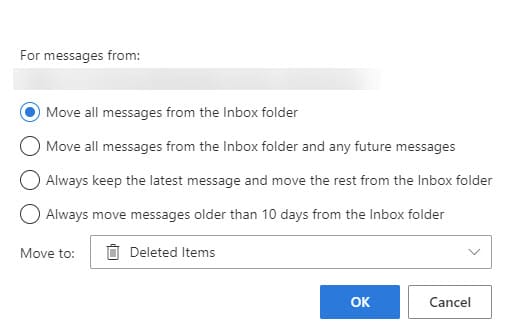
3) Pick one of the four options when Sweep opens
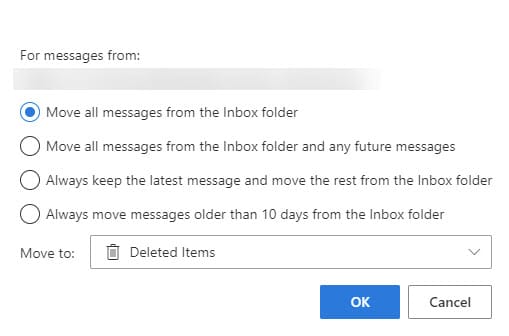
4) Select where to move the emails. The default move is Deleted Items. You can make a new folder if necessary.
Sweep rules
When you use Sweep, it creates rules in Outlook. Some rules are Rules and other rules are Sweep Rules. You can find the rules by opening setting on Oultook on the web and searching for Sweep rules.
Availability of Sweep
Sweep is not available on Outlook desktop, but any sweeps you do in Outlook on the web, reflect in Outlook on the desktop. Sweep works in my personal Outlook and my work Outlook, but as pointed out, still only for the web.



