
Outlook: Manage your Inbox using Ignore, Archive, Block, Delete, and Clean Up
Your inbox in Microsoft Outlook can become overwhelming to manage. Microsoft Outlook has some easy commands located on the Home tab to help manage your inbox.

Posted on: 03/04/2023
Your inbox in Microsoft Outlook can become overwhelming to manage. The average office worker receives around 121 emails every workday. Microsoft Outlook has some easy commands located on the Home tab to help manage your inbox.
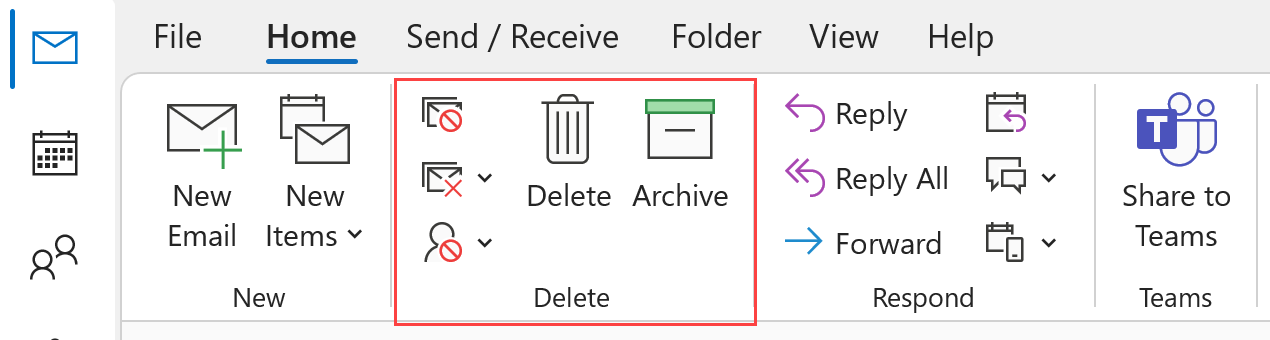
We will look at Archive, Ignore, Block, Junk, Delete and Clean Up commands. All of these commands are located in the Delete Group in Outlook.
I also show a quick preview of Microsoft Loop. Microsoft Loop is a powerful app that lets you stay in sync with coworkers. Microsoft Loop is already in Teams but is coming to Outlook.
YouTube Video
Outlook - Manage your Inbox using Ignore, Archive, Block, Delete, and Clean Up - YouTube
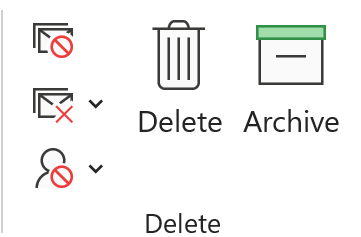
Delete Group Commands
- Archive will move the selected email or emails to the Archive folder. Please note that Archive is different from Online Archive if your organization uses Online Archive.
- Delete will send an email to the Deleted Items folder. A great tip is to do Shift + Delete to permanently delete an email. Shift + Delete will not send the email to the Deleted folder.
- Ignore Conversation will move the current Conversation and future conversations to the deleted folder. Use this when you receive an email you don't care about, and anticipate a lot of Reply All messages.
- Clean Up will remove redundant messages in the current Conversation. Usually, with Reply All or replies, some messages get shown twice. Clean Up will remove the redundant message.
- Junk allows you to add a sender or domain to your Junk list. You can also make senders safe if they are getting picked up for Junk.



