
OneDrive: Share a Folder as Read Only | Set Expiration Date and Password

One of my favorite OneDrive features is sharing a folder with Read Only permissions. This allows me to add files and folders so students or co-workers, or even clients can download the files, but they can't delete or edit the files. I can even set an expiration date and add a password.
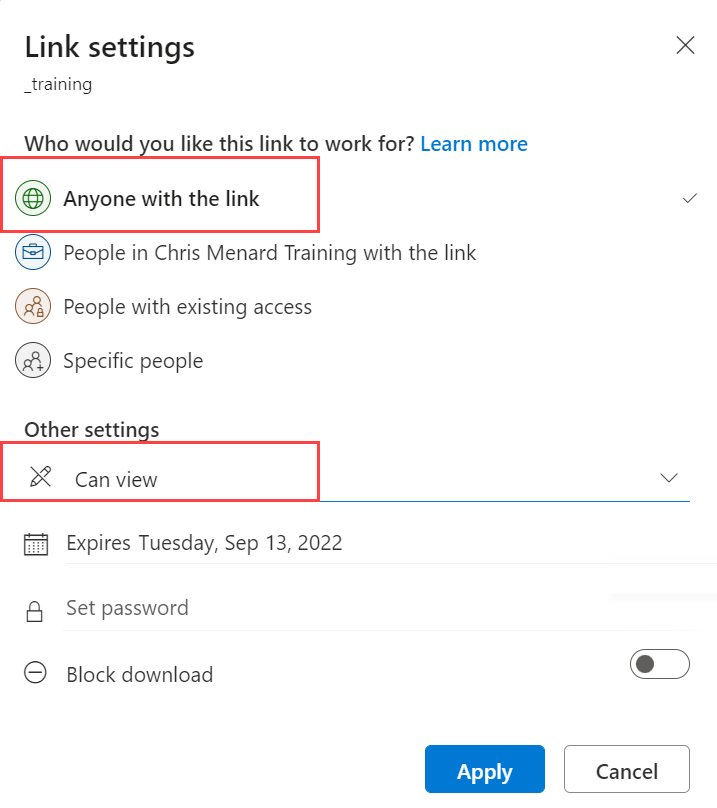
**OneDrive - View only - Share folder**
When sharing a folder as read-only, there is even an option to turn off the download of files. OneDrive gives you a lot of flexibility for sharing files and folders. I'm using OneDrive for Work in this video. There is also OneDrive personal. OneDrive for Work or School for formerly called OneDrive for Business.
YouTube Video - OneDrive Read Only Folder
OneDrive - Share a Folder as Read Only \| Set Expiration Date and Password



