
Mastering Track Changes in Word: A Comprehensive Guide : Chris Menard Training

Have you ever wondered how to effectively use track changes in Microsoft Word? As a Microsoft certified trainer, I'm here to guide you through this powerful feature that can revolutionize your document collaboration process. In this comprehensive guide, we'll explore how to turn on track changes, understand its various features, and efficiently manage edits and comments in your Word documents.
Getting Started with Track Changes
To begin using track changes in Word, follow these simple steps:
1. Open your Word document 2. Navigate to the "Review" tab at the top of the screen 3. Locate the "Tracking" group 4. Click on "Track Changes" or use the keyboard shortcut Ctrl+Shift+E
Once activated, you'll notice the "Track Changes" button turns gray, indicating it's on. In Microsoft 365, you'll also see "Reviewing" in the top right corner, next to the "Share" button.
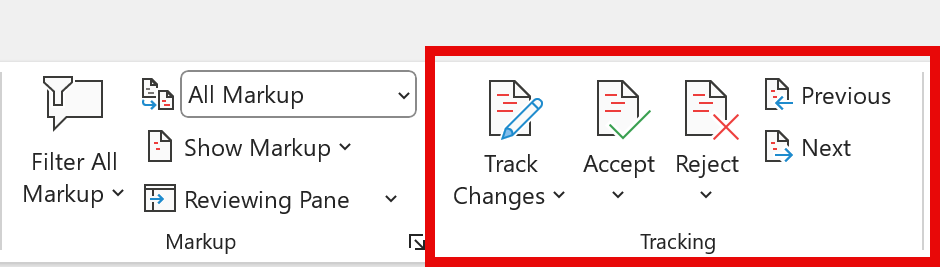
Track Changes in Microsoft Word
Understanding Track Changes Features
Track changes in Word handles five main types of edits:
1. Insertions: Adding new text or objects 2. Deletions: Removing text or objects 3. Formatting changes: Altering font sizes, types, colors, or styles 4. Comments: Adding notes or suggestions 5. Moved content: Relocating text or objects within the document
Working with Insertions and Deletions
Let's explore how track changes works with insertions and deletions:
To delete text, simply select it and press the delete key. The deleted text will appear with a strikethrough.
To add text, just type as usual. The new text will be underlined and in a different color.



