
Insert Online Videos in Microsoft Word and Troubleshooting Tips


Inserting videos from the web inside a Word document is easy. You can link to a video from a document, using the Insert Hyperlink function, but you are also able to insert the actual video in Word, so it shows the thumbnail and you can access playback.
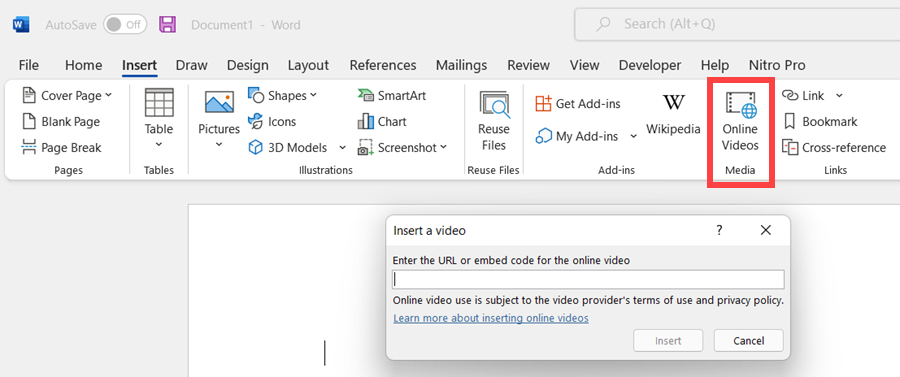
**Word - Insert online video**
The problem is with videos, they won't play inside the document by default. I get this question all the time, maybe it's got to do with security options. But in this tutorial, I walk you through a few ways of inserting videos in Word documents and how to link to them, access them, find them, play them.
You will see how much better the Word document looks with videos embedded in it, thumbnails and links. I also show you how to add heading styles above the videos so that people can find them quickly, in Word and in PDF, if you decide to save your Word document as a PDF.
I show a quick troubleshooting for when the video doesn't play, and how to open it in the browser.
YouTube video
Insert Online Videos in Microsoft Word and Troubleshooting Tips
Steps to insert online video
1. Copy the URL of the video you want to put in MS Word 2. In Word, click the **Insert** Tab 3. Click **Online Videos** in the Meda group. 4. Paste the URL into the dialog box 5. Click **Insert** 6. Optional: Add a Heading 2 styles above the video.
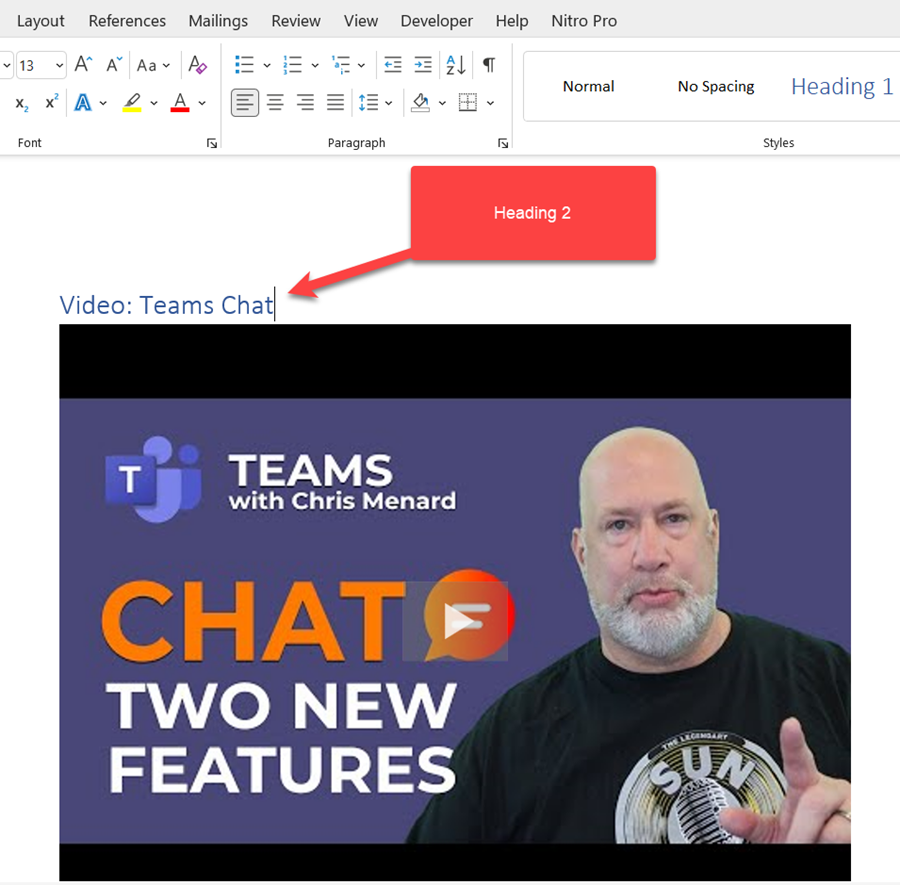
**Insert video into Word**
Video Chapters:
- 00:00 Introduction - 00:27 Add video with Insert Hyperlink - 01:20 Insert online video directly - 02:00 Find videos in doc with heading styles - 02:55 The Navigation Pane - 03:26 Video doesn't play inside document - 03:37 Open video in browser - 03:59 Save as PDF with video - 05:07 Closing remarks
Save Word document as a PDF file
1. In Word, click **File**\- **Export** 2. Select **Create PDF/XPS Document** 3. Click **Create PDF/XPS Document** on the right. 4. Name you PDF file and click **Publish**.
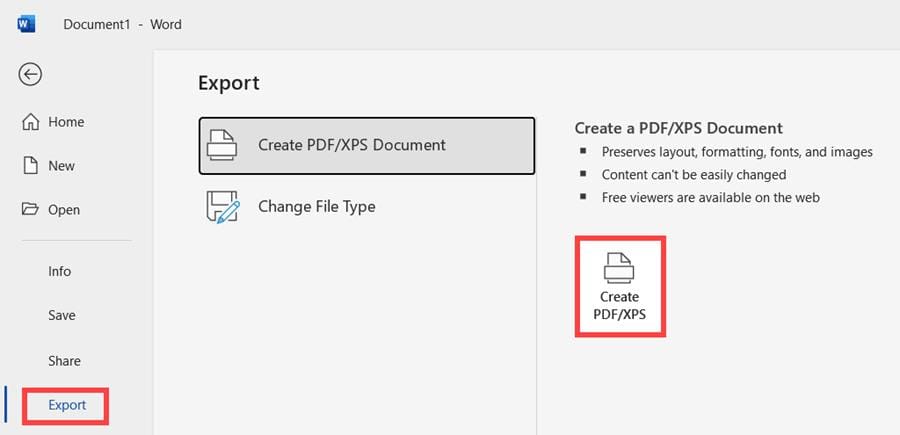
Save Word as PDF file



