
Import CSV file with recurring or repeating events into Google Calendar

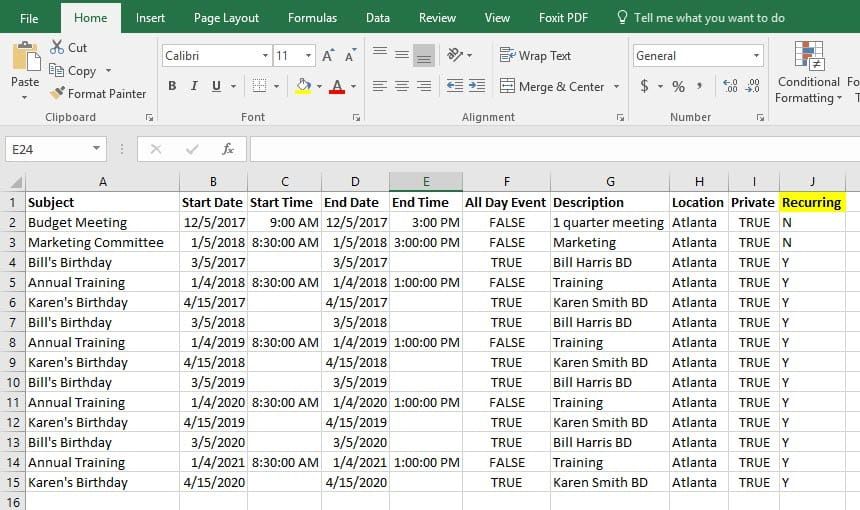
You can’t import recurring or repeating events into the Google Calendar. Here is a workaround I use so you can pull in the recurring events. The top row of your csv file should contain the fields needed to import into Google Calendar. I added a field called Recurring and make my events either Yes or No. Then I sorted the events so all the recurring events are together.
The last step is to use Excel’s date function with the year, month, and day.
Video on importing recurring events into Google Calendar from CSV file
Import csv file with recurring events into Google Calendar by Chris Menard - YouTube



