IHG Points vs. Money: How to Save Over 50% on Hotel Rooms Using Excel to Compare

If you're an IHG One Rewards member, you might be leaving serious money on the table by paying cash for hotel rooms. Let me walk you through a real example where I saved over 50% — more than $1,900 — on a four-night stay at one of Washington, DC's most iconic hotels by using points instead of cash. I'll also show you how to use Microsoft Excel to compare the numbers side by side.
What Is IHG?
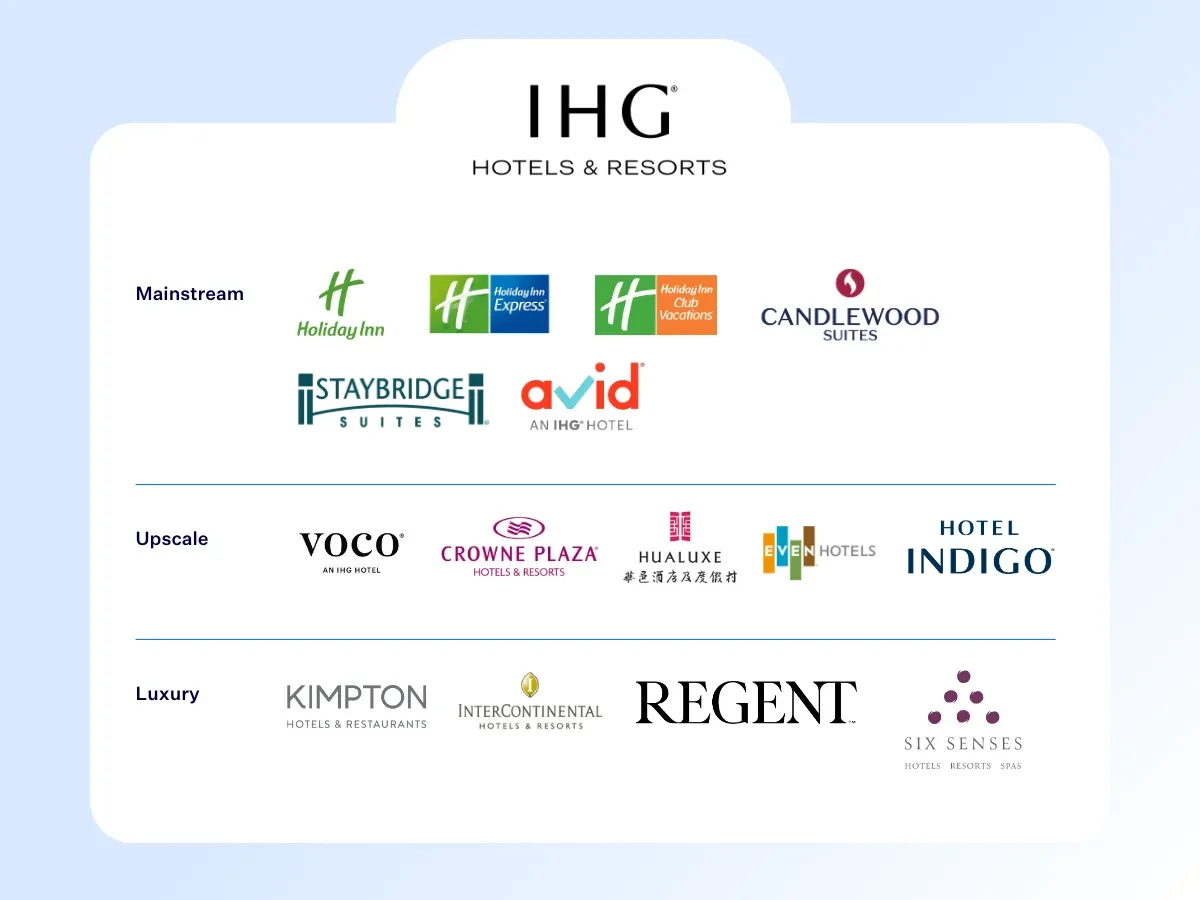
IHG stands for InterContinental Hotels Group. It's one of the largest hotel companies in the world and includes brands across multiple tiers — from luxury options like Six Senses, Regent, and InterContinental to familiar names like Holiday Inn, Crowne Plaza, and Candlewood Suites.
The Hotel: InterContinental The Willard Washington D.C.
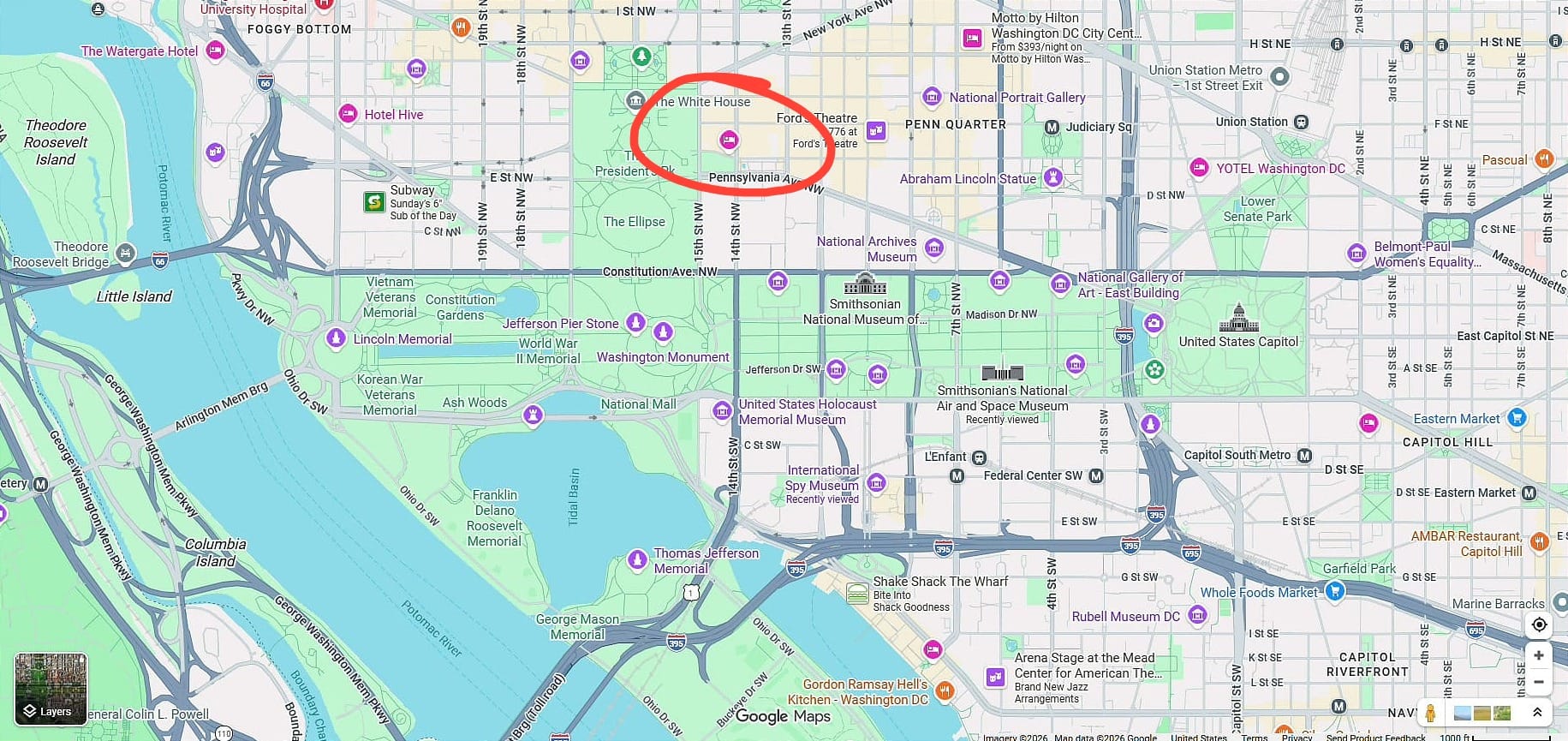
My family has been wanting to visit Washington, DC for years. There's a particular hotel I've always had on my bucket list — the InterContinental The Willard Washington D.C. It's located right on Pennsylvania Avenue, steps from the White House, the Washington Monument, the National Mall, the Capitol, Ford's Theatre, and dozens of museums. The location is so central you don't even need to rent a car.
Step 1: Check the Cash Price
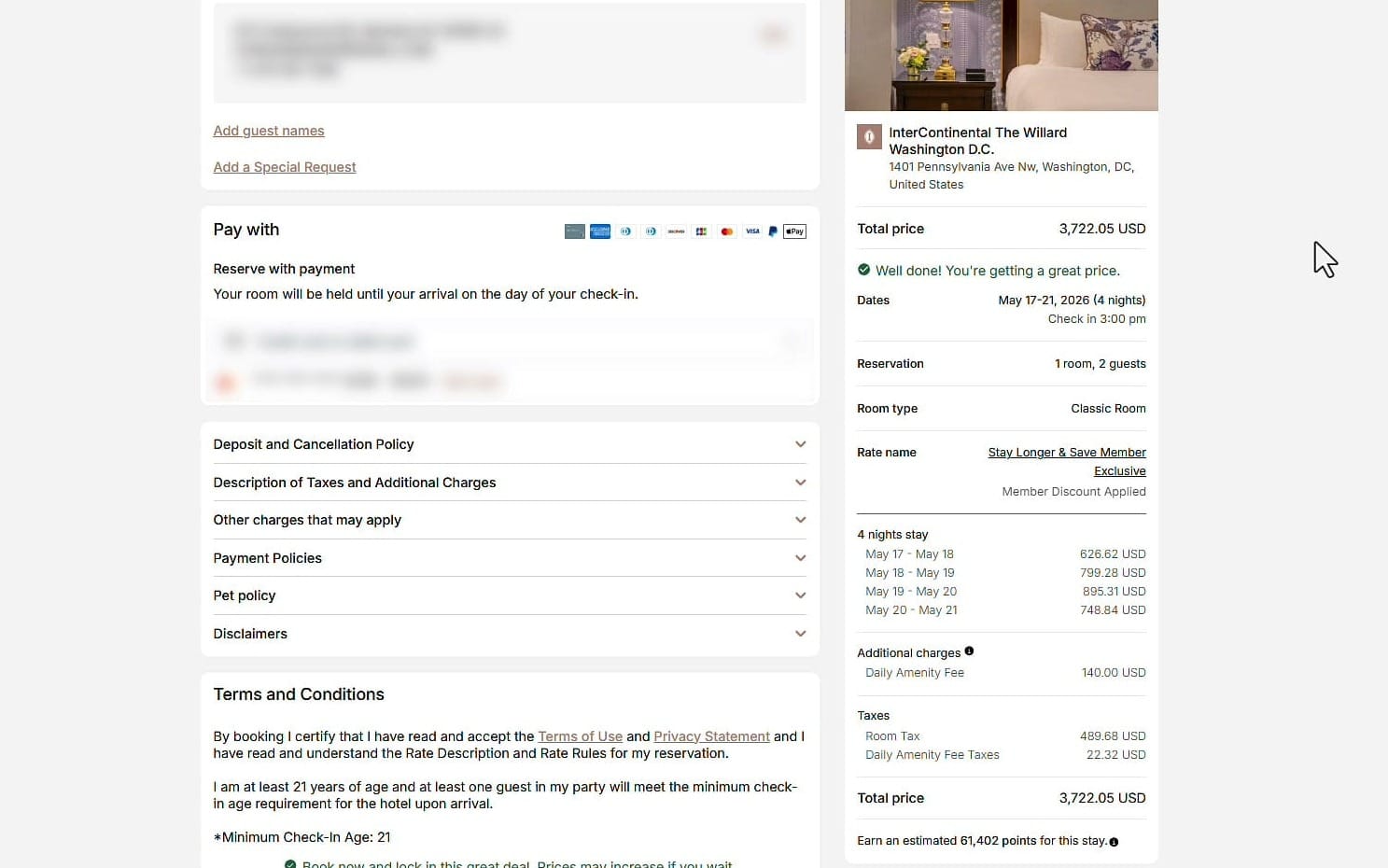
I searched the IHG website for a four-night stay from May 17 through May 21, 2026. I selected the least expensive Classic Room and declined all upgrades. Here's the breakdown:
- Four nightly rates ranging from $626 to $895
- Daily Amenity Fee: $140
- Room Tax: $489.68
- Daily Amenity Fee Taxes: $22.32
- Total cash price: $3,722.05
DC hotel taxes are notoriously high. After seeing that total, my first thought was: I am not paying that.
Step 2: Check the Points Price
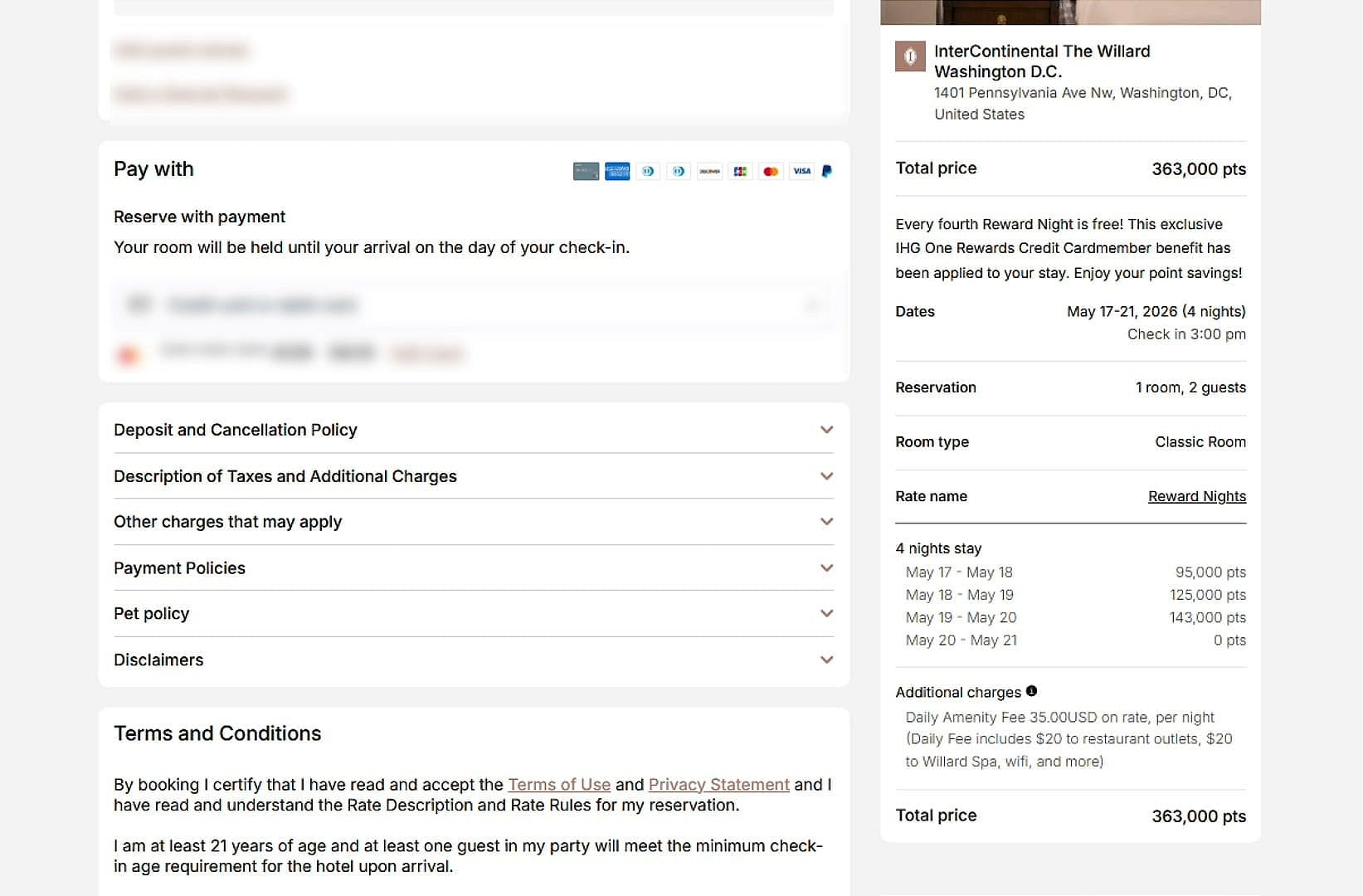
On the same IHG website, I switched from "Money" to "Points" and selected the exact same Classic Room. The nightly points varied from 95,000 to 143,000, with the fourth night free (an IHG One Rewards Credit Cardmember benefit). The total came to 363,000 points.
Step 3: Compare in Excel
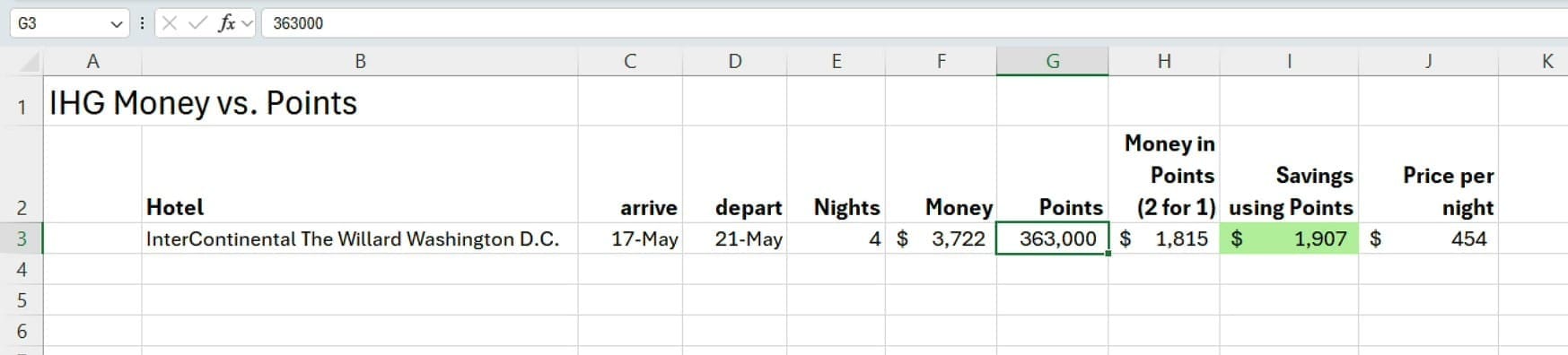
I pulled up Microsoft Excel to compare these side by side. Here's what my spreadsheet looks like:
- Hotel: InterContinental The Willard Washington D.C.
- Dates: May 17–21 (4 nights)
- Cash price: $3,722
- Points required: 363,000
- Cost per point: $0.005 (half a cent — I'll explain below)
- Dollar equivalent of points: $1,815
- Savings: $1,907
- Price per night using points: $454
At $454 per night, that's a solid rate for a luxury DC hotel where most rooms run $500–$800 per night.
How I Get Points at Half Price
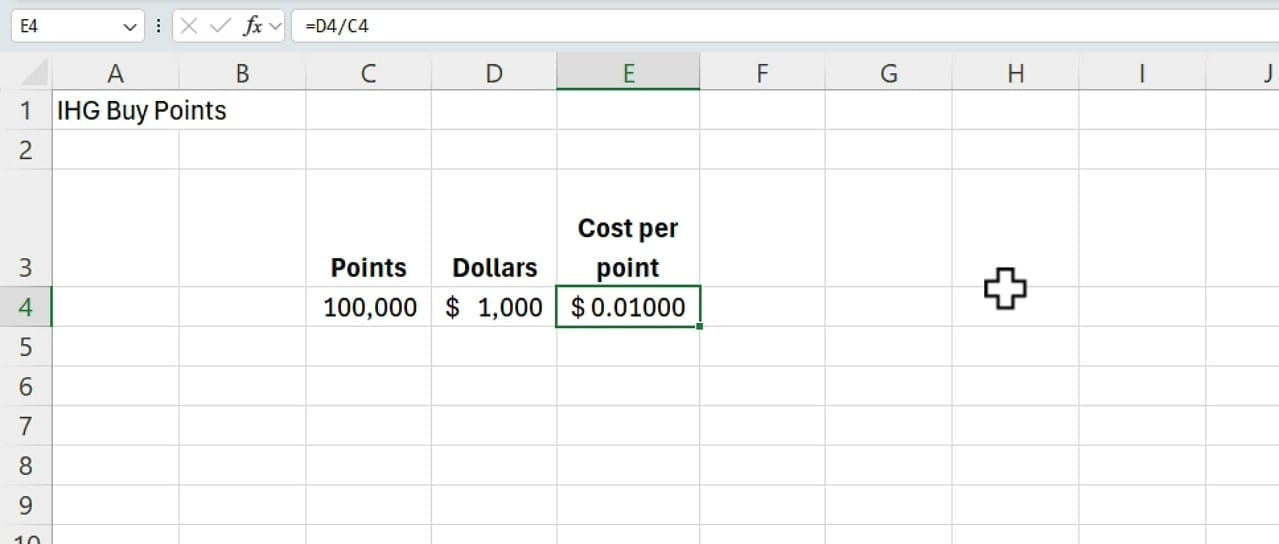
The key number in that Excel formula is the cost per point. At the default IHG rate, 100,000 points costs $1,000 — that's one cent per point. Do not buy points at full price.
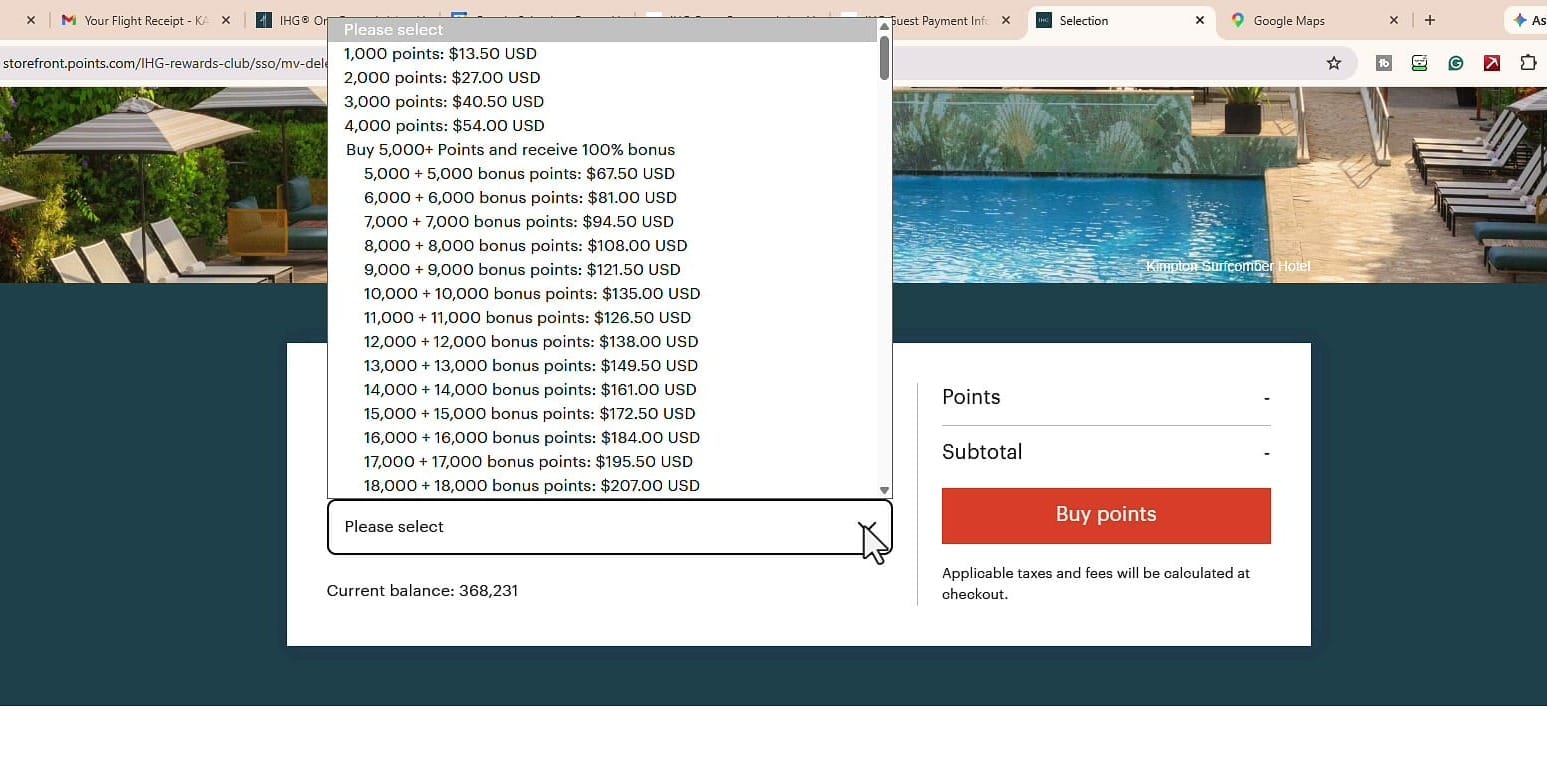
IHG regularly runs promotions throughout the year:
- Buy 100,000 points, get 50,000 bonus (50% extra)
- Buy 100,000 points, get 75,000 bonus (75% extra)
- Buy 100,000 points, get 100,000 bonus — the 2-for-1 deal
The 2-for-1 deal is the one to wait for. You pay $1,000 and receive 200,000 points, bringing your effective cost down to half a cent per point ($0.005). That's the number I used in the Excel calculation above.
The Bottom Line
Here's the final comparison with the percentage savings calculated in Excel:
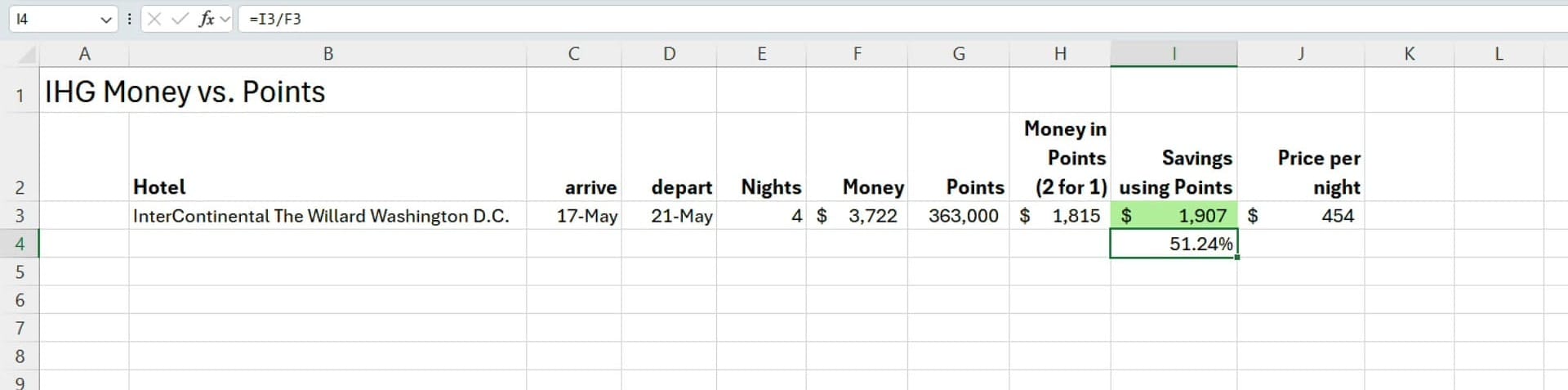
- Cash price: $3,722
- Points equivalent: $1,815
- Savings: $1,907 (51.24%)
One important note: not every hotel gives you this kind of deal. Sometimes the points price and the cash price work out to roughly the same value. The trick is to compare the numbers — and Excel makes that comparison straightforward. When you find a hotel where points deliver real savings, that's when it's worth buying points during a promotion.
If you're an IHG member, always wait for the 2-for-1 points promotion, then use Excel to compare your options before booking.
Want to learn more? Visit courses.chrismenardtraining.com for online training courses.
Related Excel Tutorials
 Chris Menard
 Chris Menard
 Chris Menard
 Chris Menard