How to Use the TAKE Function in Microsoft Excel


The TAKE function in Excel lets you extract a specific number of rows or columns from a range or array. It's especially powerful when combined with other functions like SUM and AVERAGE to create dynamic calculations. In this tutorial, Chris Menard demonstrates how to use TAKE with practical examples.
Watch the full tutorial:
What Is the TAKE Function?
TAKE is a dynamic array function introduced in Excel 365. Its syntax is:
=TAKE(array, rows, [columns])- array — The range or array to extract from
- rows — Number of rows to take. Positive = from the top, negative = from the bottom
- columns — (Optional) Number of columns to take
Extracting the Last N Rows
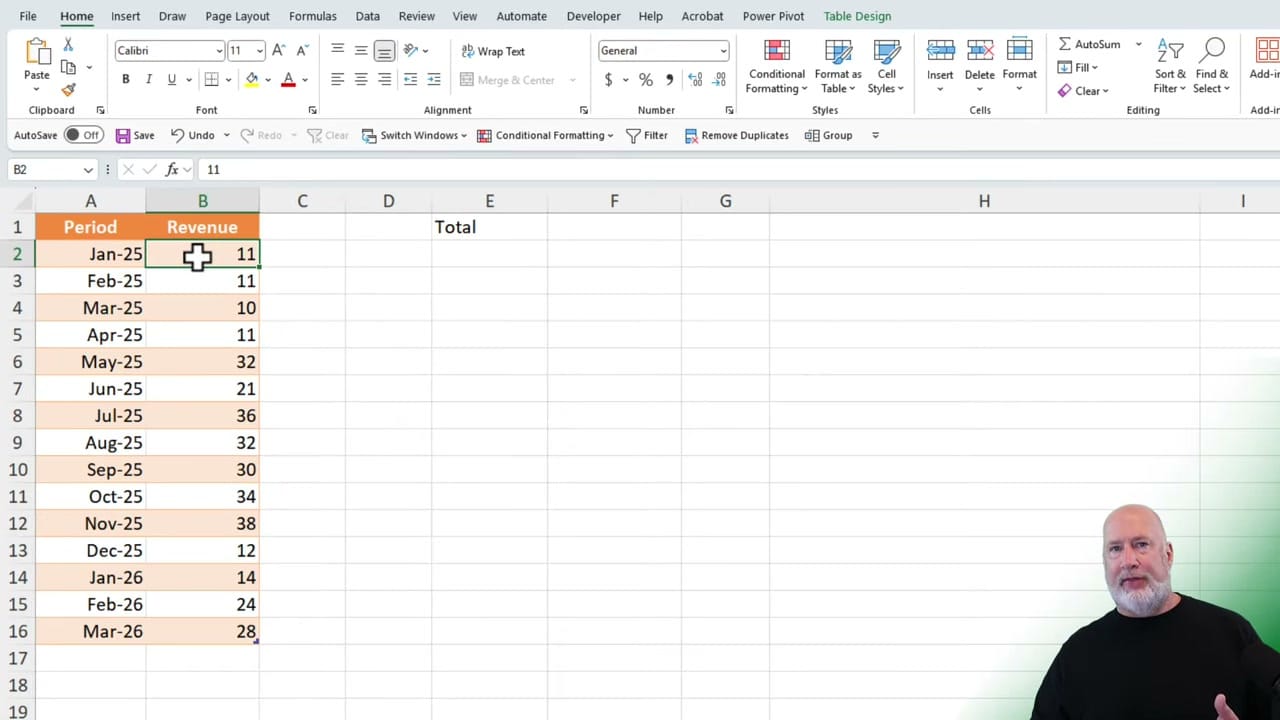
The most common use case is grabbing the last few entries from a growing dataset. For example, if you have a table of monthly revenue data:
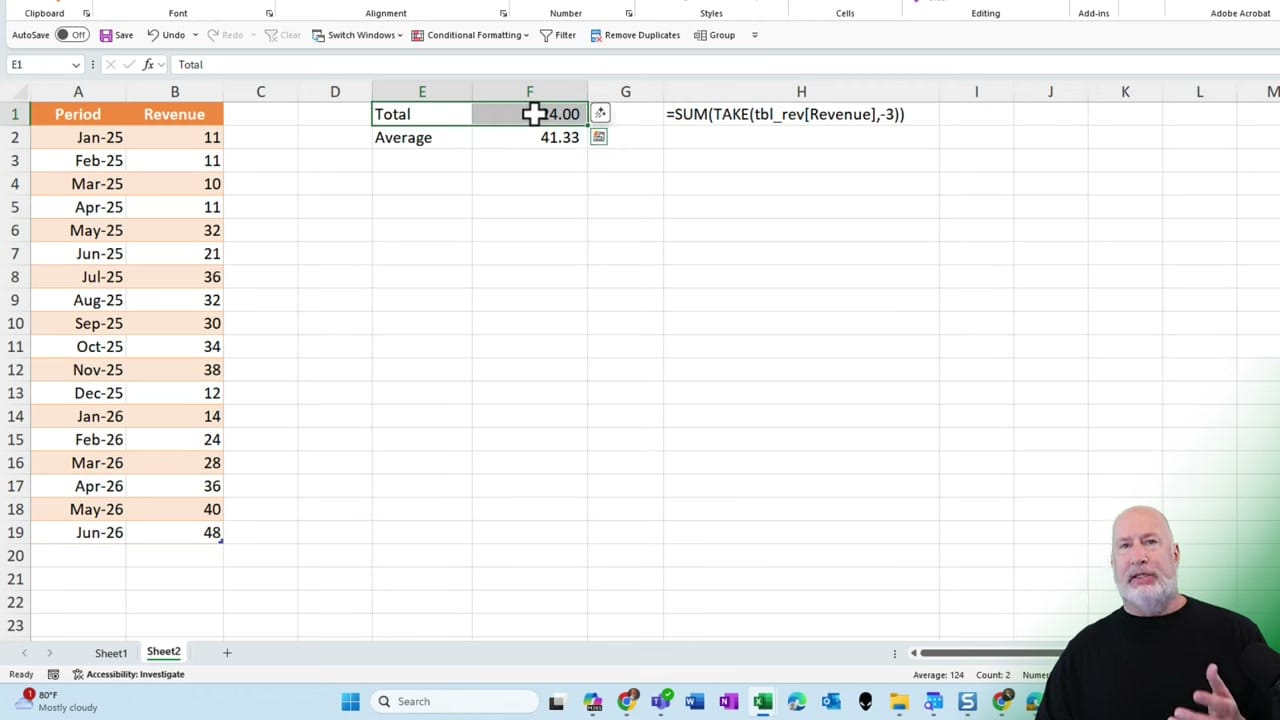
=TAKE(tbl_rev[Revenue], -3)This returns the last 3 revenue values from the table. The negative number tells Excel to count from the bottom. As new months are added to the table, the formula automatically updates to always show the most recent 3 entries.
![Excel formula bar showing =TAKE(tbl_rev[Revenue],-3) with tooltip explanation](https://chrismenardtraining.com/content/images/2026/03/excel-take-formula-last-three.jpg)
Combining TAKE with SUM and AVERAGE
Where TAKE really shines is in combination with aggregate functions. To get the total of the last 3 months of revenue:
=SUM(TAKE(tbl_rev[Revenue], -3))For the average of the last 3 months:
=AVERAGE(TAKE(tbl_rev[Revenue], -3))These formulas are fully dynamic — when you add new data to the table, the calculations automatically adjust to include the latest entries. No need to update cell references manually.
TAKE vs Other Approaches
Before TAKE, you'd need complex formulas with OFFSET, INDEX/MATCH, or INDIRECT to extract the last N rows from a range. TAKE simplifies this to a single, readable function. It's part of the same family of dynamic array functions as SORTBY, UNIQUE, and FILTER.
Related guides
- SORTBY Function in Excel - Dynamic Array Function
- UNIQUE Function in Excel - Dynamic Array Formula
- Excel FILTER Function - One Minute Quick Reference
- How to Combine UNIQUE, CHOOSECOLS, COUNTA, and SORT in Excel
Want to learn more? Visit courses.chrismenardtraining.com for online training courses.