How to Use GROUPBY with HSTACK for Non-Adjacent Columns in Excel


Excel's GROUPBY function is a formula-based alternative to PivotTables that updates automatically and offers more aggregation options — including MEDIAN, MODE, and custom LAMBDA functions. When you need to group by columns that aren't next to each other, HSTACK lets you combine non-adjacent columns into a single range that GROUPBY can use.
The Source Data
The example uses a car dealership invoice table with columns for Brand, Dealership, Rep, Invoice Date, Invoice Amount, and Cost. The goal is to aggregate invoice totals by Brand and Dealership, then later by Brand and Rep — where Brand and Rep aren't adjacent columns.

Setting Up GROUPBY for Adjacent Columns
The basic GROUPBY syntax is =GROUPBY(row_fields, values, function). For adjacent columns like Brand and Dealership, you can reference them as a single range:
=GROUPBY(Table35[[Brand]:[Dealership]], Table35[Invoice], SUM)
This group's invoice totals by Brand and Dealership. The function parameter offers many options beyond SUM — you can choose AVERAGE, MEDIAN, COUNT, MAX, MIN, PERCENTOF, and more. Unlike PivotTables, GROUPBY gives you access to aggregation functions that PivotTables don't support natively.
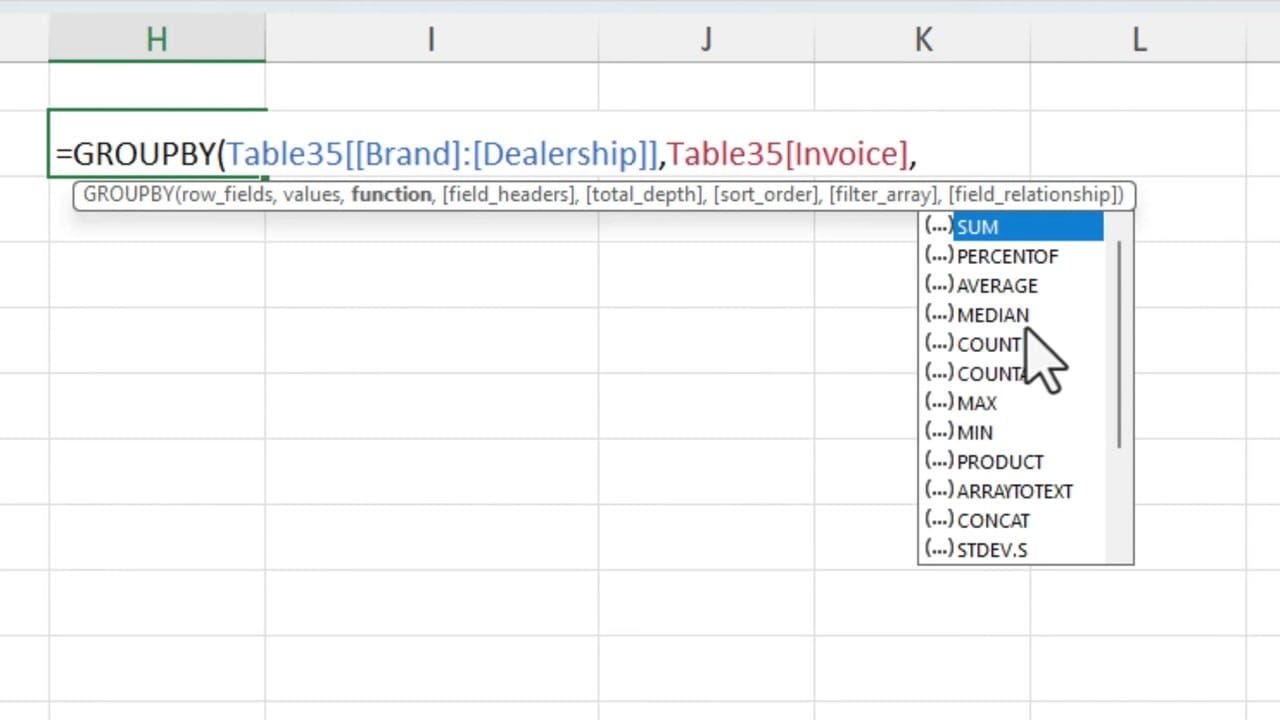
GROUPBY results update automatically when you add or change data in the source table. There's no need to refresh like you would with a PivotTable.
Using HSTACK for Non-Adjacent Columns
What if you want to group by Brand (column A) and Rep (column C)? These columns aren't next to each other, so you can't reference them as a single range. The solution is HSTACK, which horizontally stacks multiple ranges into one:
=GROUPBY(HSTACK(Table35[Brand], Table35[Rep]), Table35[Invoice], SUM)
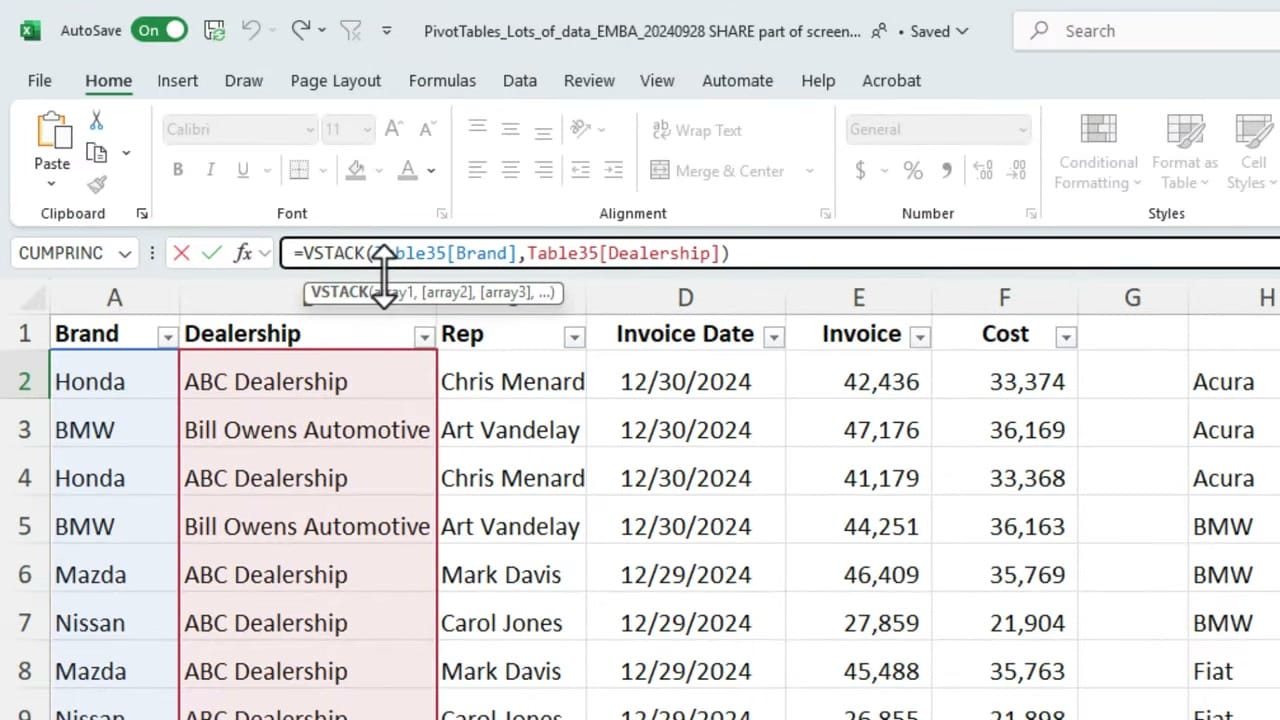
HSTACK combines the Brand and Rep columns side by side. GROUPBY then treats this combined range as its row_fields parameter, giving you invoice totals grouped by Brand and Rep.
Key Advantages Over PivotTables
- Automatic updates — No manual refresh needed when source data changes
- More aggregation functions — Access MEDIAN, MODE, PERCENTOF, and custom LAMBDA functions
- Formula flexibility — Combine with other dynamic array functions like UNIQUE, SORT, and FILTER
- Non-adjacent grouping — HSTACK lets you group by any columns, regardless of position
Related guides
 Chris Menard
 Chris Menard
 Chris Menard
Want to learn more? Visit courses.chrismenardtraining.com for online training courses.