
How to schedule delivery of Gmail messages and track if opened


I love Gmail and I’ve been using if for over 10 years. One feature that Outlook has that I frequently use is called “Delayed Delivery”. Instead of sending an email at 3:45 pm, when it may not get read today and end up way down in the recipient’s inbox the next day, I schedule the email to go out at 7:30 am with Delayed Delivery. It automatically goes out. You are simply scheduling when an email will be sent.
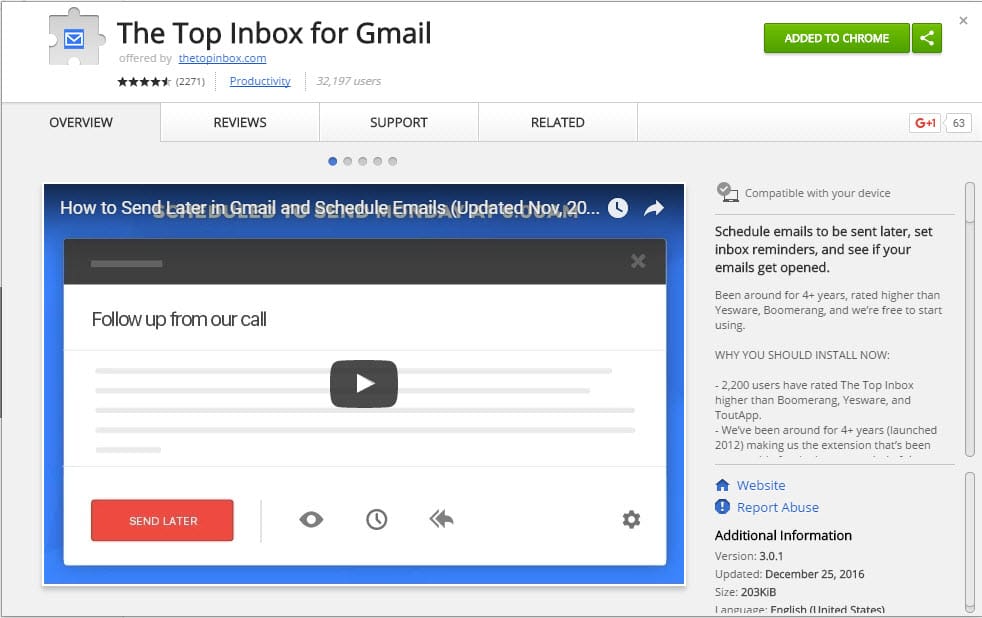
Gmail doesn’t have Delayed Delivery. That stinks. But I found a free extension, that allows you to not only schedule delayed delivery with Gmail messages but also track if the email was opened and set reminders on emails. The extension is called The Top Inbox for Gmail. As you can see from the image below it is highly rated and very popular. When using this extension you must be in Gmail and using the Chrome browser. It doesn’t work with IE, Microsoft Edge, Firefox, or other browsers. To add the extension to Chome, see my simple instructions below.
Using The Top Inbox for Gmail
After loading the extension, **The Top Inbox for Gmail**, when you click on Compose in Gmail there will be a red rectangle that reads “Send Later”. Clicking on Send Later gives you options for minutes, hours, days, or you can use the calendar. It is a very handy feature. See images below.
How to add Extensions in Chrome
1. Go to the Chrome Web Store. 2. Find and select the extension you want. In our example, type in “The Top Inbox for Gmail” and press Enter. 3. Click the plus sign that reads Add to Chrome. 4. For some extensions, you’ll see a box that lists the data that the extension will be able to access. 5. Click Add to grant the extension access to your data and install the extension.



