How to get and transform data in Microsoft Excel

Many Excel files are not set up properly. Data that should be in a flat file is laid out in a crosstab file format, or in this example, the data is missing information and has totals manually applied. The issue with data being set up incorrectly is the following can’t be done:
- Sorting data - Filtering data - Creating a PivotTable - Subtotals
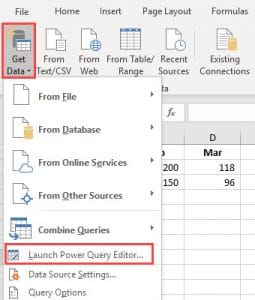
To get data in a flat file, Excel has a great feature on the Data tab. It is called Power Query Editor.
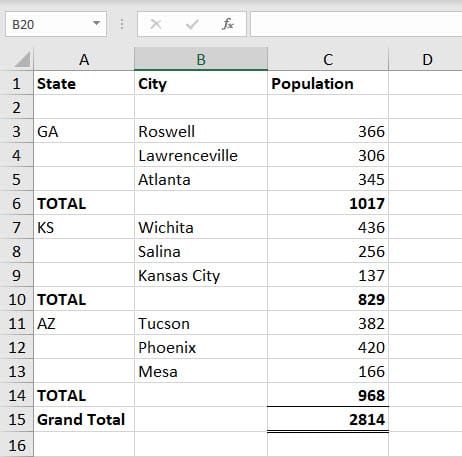
Below is a screenshot of an Excel file set up incorrectly. The numbers are correct but notice the missing cells in column A. Notice the blank row in row 2, and totals and the grand total have been calculated but this is not the correct place to do these calculations.
YouTube Video of “Get and Transform” with Power Query Editor
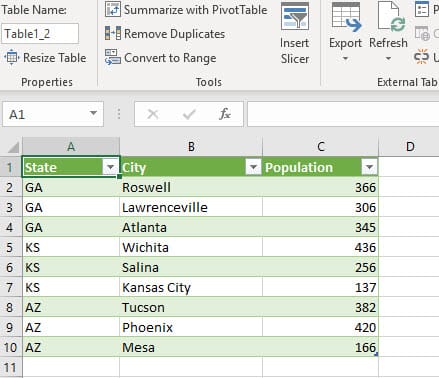
The end result of using the Power Query Editor is the screenshot below.