
How to calculate the weighted average in Excel

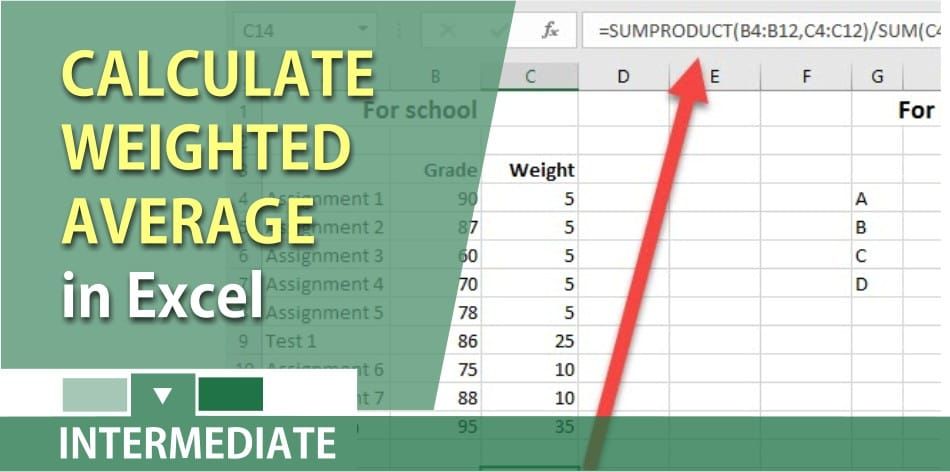
Need to calculate the weighted average for work or school? There are two ways to do it but the easiest is to use the sumproduct function in Excel. It is easy to calculate the average. Just use the average function in MS Excel which will show you the calculated “central” value of a set of numbers.
What do you do when some values have more weight than others? An example would be if we shipped 140 units of Product A that cost $5 each, and 10 units of product B that cost $125 each. The average cost is $130 / 2 = $65, but the weighted average cost is $13. Who uses the weighted average? A lot of teachers and professors use a weighted average for their classes. Some assignments are not weighed as much as a test, and some tests aren’t weighted as much as the final exam.
Sumproduct Function
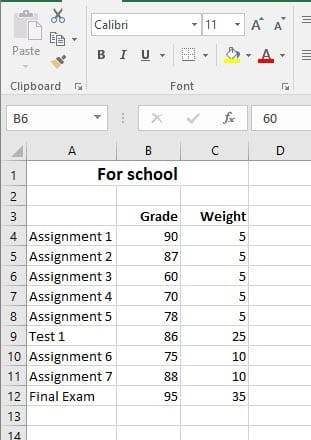
With the sumproduct function, you are multiplying all the grades times their respective weight and totaling them, then dividing by the total weight to get the weighted average. So the image on the left would be =B4\*C4, B5\*C5, B6\*C6, etc…Total those numbers and divide by the total of the weight.
The Microsoft Excel SUMPRODUCT function multiplies the corresponding items in the arrays and returns the sum of the results.The SUMPRODUCT function is a built-in function in Excel that is categorized as a Math/Trig Function. It can be used as a worksheet function (WS) in Excel. As a worksheet function, the SUMPRODUCT function can be entered as part of a formula in a cell of a worksheet.
Video for weighted average
How to calculate the weighted average in Excel by Chris Menard - YouTube
**Excel file for** **weighted** **average**
Feel free to download the weighted average Excel file chris_menard_weighted_average
**Microsoft Office Sumproduct webpage**
https://support.office.com/en-us/article/SUMPRODUCT-function-16753e75-9f68-4874-94ac-4d2145a2fd2e



