How Excel Copilot Writes Complex XLOOKUP Formulas Automatically

Excel's Copilot formula completion feature can write complex XLOOKUP formulas for you. Instead of memorizing syntax and figuring out the arguments, you describe what you want in plain English and Copilot generates the formula. In this tutorial, Chris Menard demonstrates this using a sneaker sales dataset.
Watch the full tutorial:
Setting Up the Data
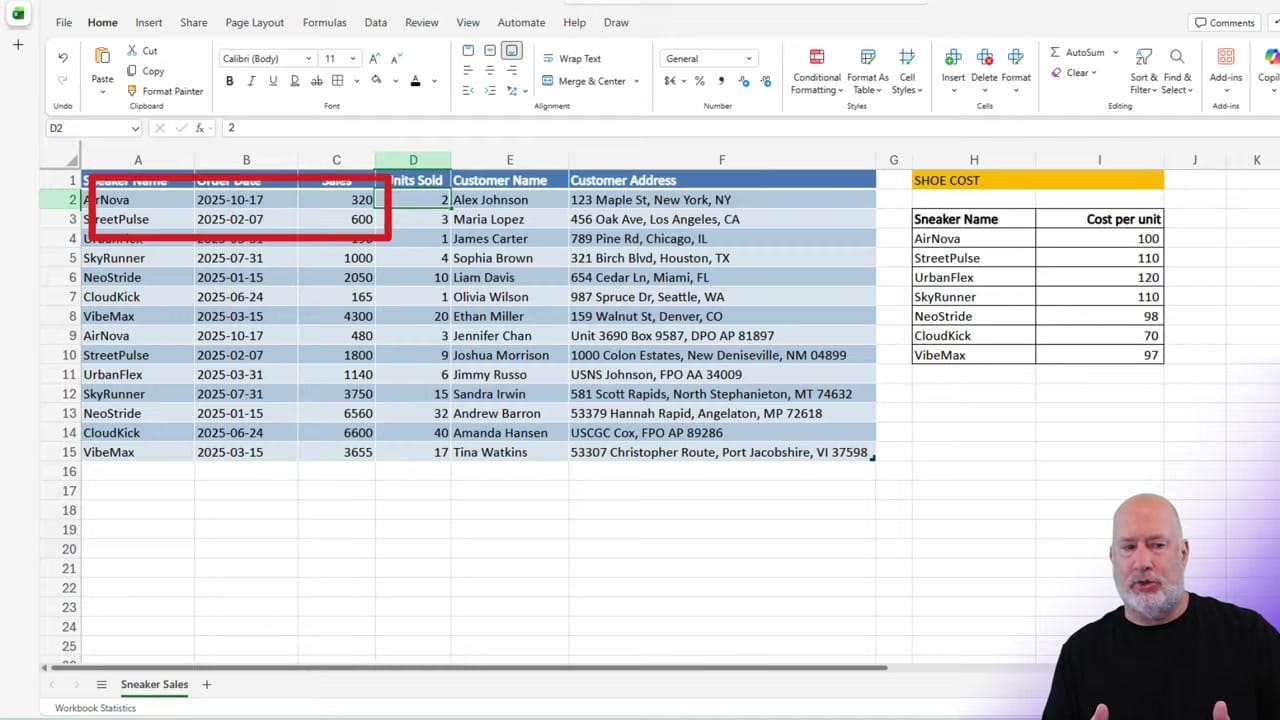
The example uses two data sets:
- A sneaker sales table with columns for date, shoe model, quantity, and sale price
- A shoe cost lookup table with the cost per unit for each shoe model
The goal is to pull the cost from the lookup table into the sales table to calculate profit — a classic XLOOKUP scenario.
Using Copilot Formula Completion
Here's how to let Copilot write the formula:
- Click in the cell where you want the formula result
- Type = to start a formula
- Begin typing a description of what you want, like "Calculate profit" or "Look up shoe cost"
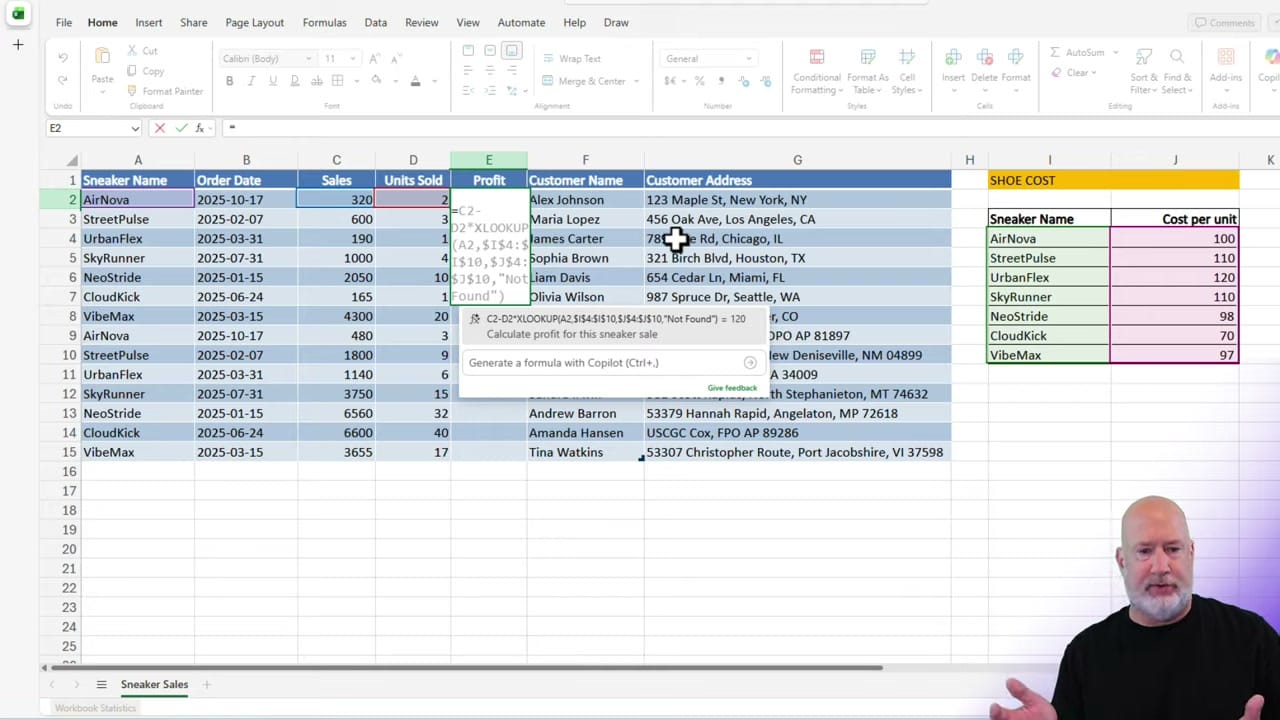
- Copilot displays a formula suggestion with a preview of the result
- Press Tab to accept the suggestion
Copilot analyzes your data structure, identifies the lookup table, and generates a complete XLOOKUP formula — including the lookup value, lookup array, and return array arguments.
Why This Matters
XLOOKUP is one of Excel's most powerful functions, but its syntax can be intimidating — especially when dealing with multiple tables or nested formulas. Copilot formula completion removes that barrier by letting you describe the result in natural language.
This is different from the COPILOT() function, which is a separate formula that uses AI to generate values. Formula completion, by contrast, helps you write traditional Excel formulas like XLOOKUP, SUM, and IF — Copilot just assists with the syntax.
Related guides
- Excel Formula Completion - Using XLOOKUP
- Excel Copilot Formula Completion Now Available on Desktop
- How to Use the COPILOT() Function in Excel
- Excel Formula Completion vs COPILOT(): When to Use Each
Want to learn more? Visit courses.chrismenardtraining.com for online training courses.