
Google Calendar - 3 Lab features you need to use

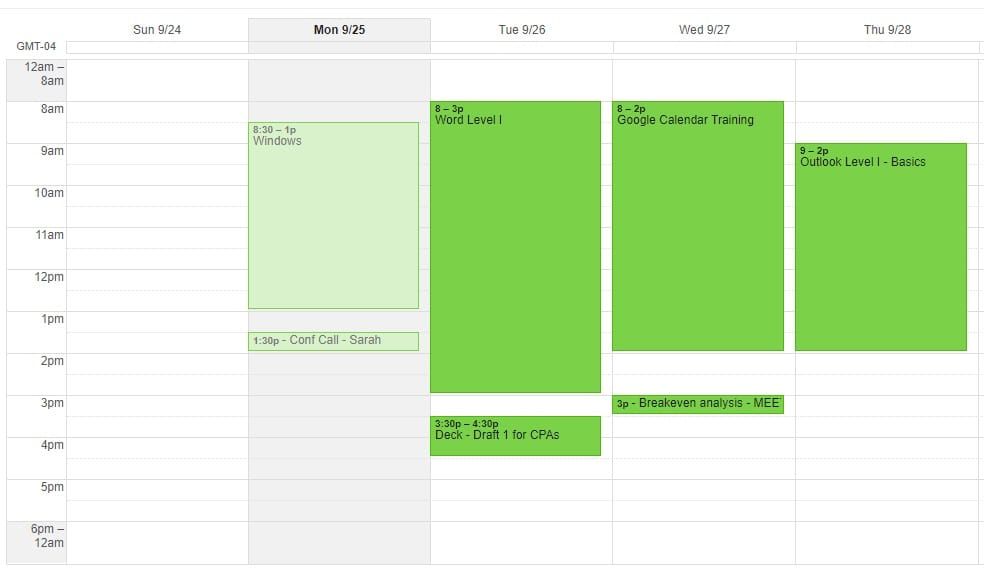
The Google calendar is great. Not many people utilize the Labs feature in Google calendar. Here are three features you probably didn’t know about, but should use from Google labs.
Hide Morning and Night
Do you have meetings at 2 am? Likely not. There is no reason to see midnight to 7 am or 8 am. With Hide morning and night, you can disable your non-working hours. Google is smart enough to show you if you do have an event during your hidden hours.
To turn on Hide morning and night
1. Click on Setting. 2. Click on Labs. 3. Enable Hide morning and night. 4. Click Save. 5. Change your calendar to either day, week, or 4 Days. 6. You can collapse or expand the hidden time.
Year view
Year view allows you to see all twelve months of a year at once.
1. Click on Setting. 2. Click on Labs. 3. Enable Year View. 4. Click Save. 5. In the top right, you will see a year, click GO.
YouTube Video on Google Calendar Lab Features
Google Calendar - 4 features to turn on: Hide times - Year view - Jump to by Chris Menard - YouTube
Jump To Date
Jump to Date allows you to navigate to dates in the future.
1. Click on Setting. 2. Click on Labs. 3. Enable Jump to date. 4. Click Save. 5. In the top right, put in a date and click Jump to Date.



