
Excel SORT Function | Excel One Minute Quick Reference


The SORT function in Excel sorts the contents of a range or array. Example, =SORT(B2:B20). You can also sort in ascending or descending order with the SORT function. =SORT(B2:B20,,-1) would sort descending or highest to lowest. The number 1 would sort ascending, which is the default sort. The SORT function has four arguments, but only 1 is required.
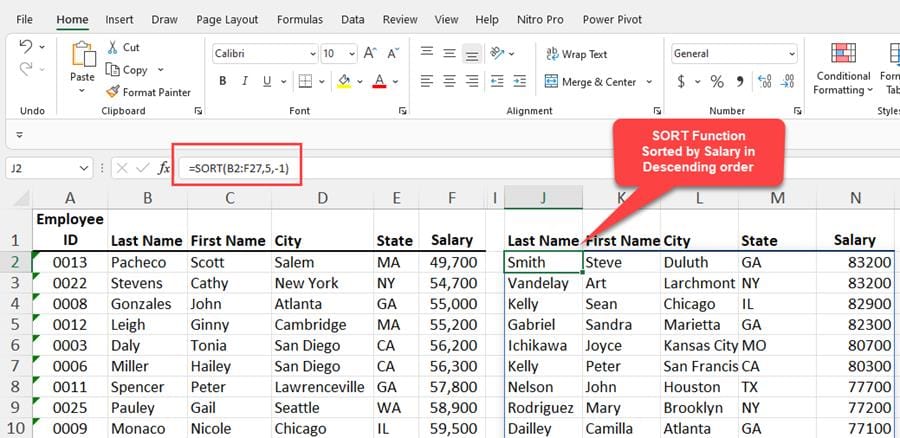
SORT function in Excel
YouTube video
Excel SORT Function \| Excel One Minute Functions Explained
Syntax for SORT function
=SORT(array,\[sort\_index\],\[sort\_order\],\[by\_col\])
Arguments for SORT function
- array - The array or range to sort - **Required** - \[sort\_index\] A number indicating the row or column to sort by - Optional - \[sort\_order\] - The order to use for sorting. 1 for ascending, -1 for descending. Default is ascending - Optional - \[by\_col\] - A logical value indicating the desired sort direction; FALSE to sort by row (default), TRUE to sort by column - Optional
Versions of Excel the SORT function works in
- Excel for Microsoft365 - Excel for Microsoft 365 for Mac - Excel for the web - Excel 2021 - Excel 2021 for Mac - Excel for iPad - Excel for iPhone - Excel for Android tablets - Excel for Android phones



