
Excel Page Break Preview and Inserting Page Breaks - Excel Essentials


Excel has three views in the status bar.
1. Normal 2. Page Layout 3. Page Break Preview
We will look at using **Page Break Preview** to move and lose page breaks and use the Insert Tab to Insert Page Breaks and Reset All Page Breaks. In Page Break Preview, dashed lines are page breaks Excel automatically added. Solid lines are page breaks that were added manually.
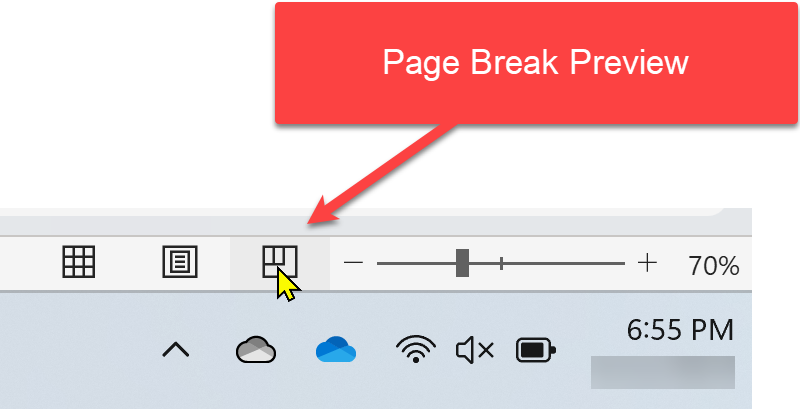
**Page Break Preview**
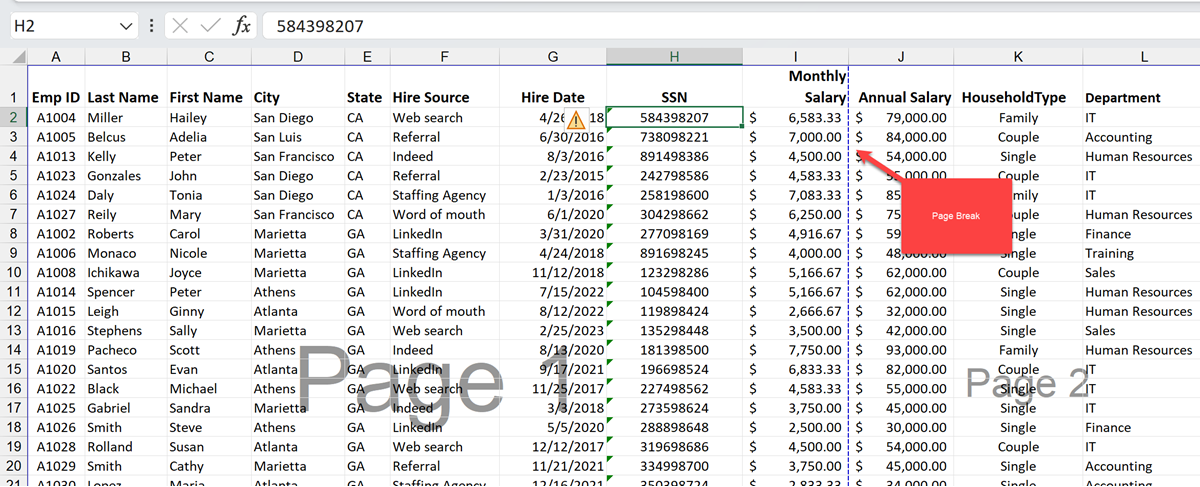
**Page Break in Excel**
Insert Page Break
1. Click the row or column where you want to insert a Page Break. 2. Click the **Page Layout** tab. 3. Click **Breaks** in the Page Setup group. 4. Click **Insert Page Break**.
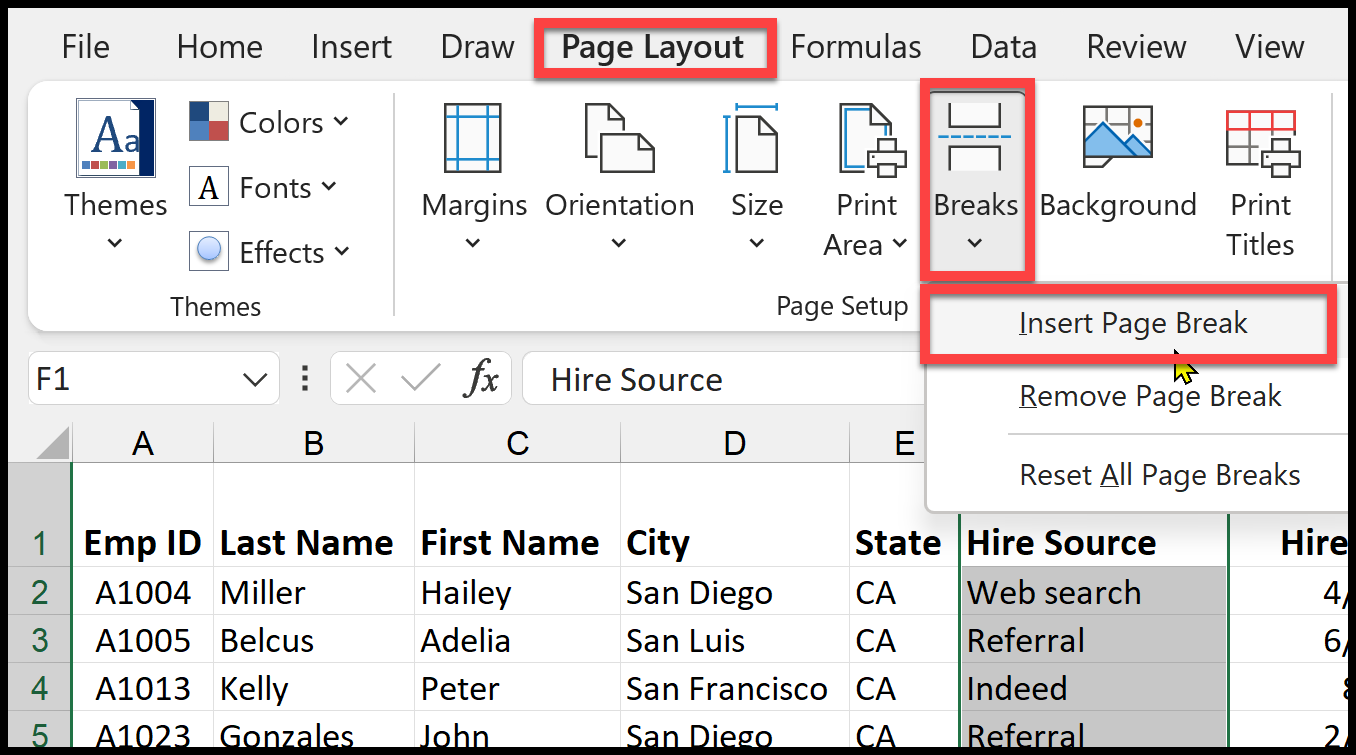
**Insert Page Break**
YouTube Video
Excel Page Break Preview and Inserting Page Breaks
Remove all manually-inserted page breaks
1. Click the worksheet you want to remove all page breaks 2. Click the **Page Layout** tab. 3. Click **Breaks** in the Page Setup group. 4. Click **Reset All Page Break**.
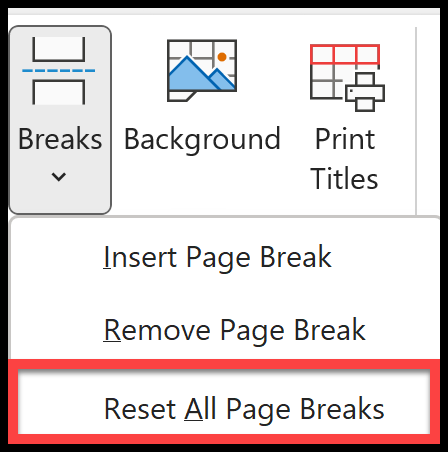
**Reset All Page Breaks**



